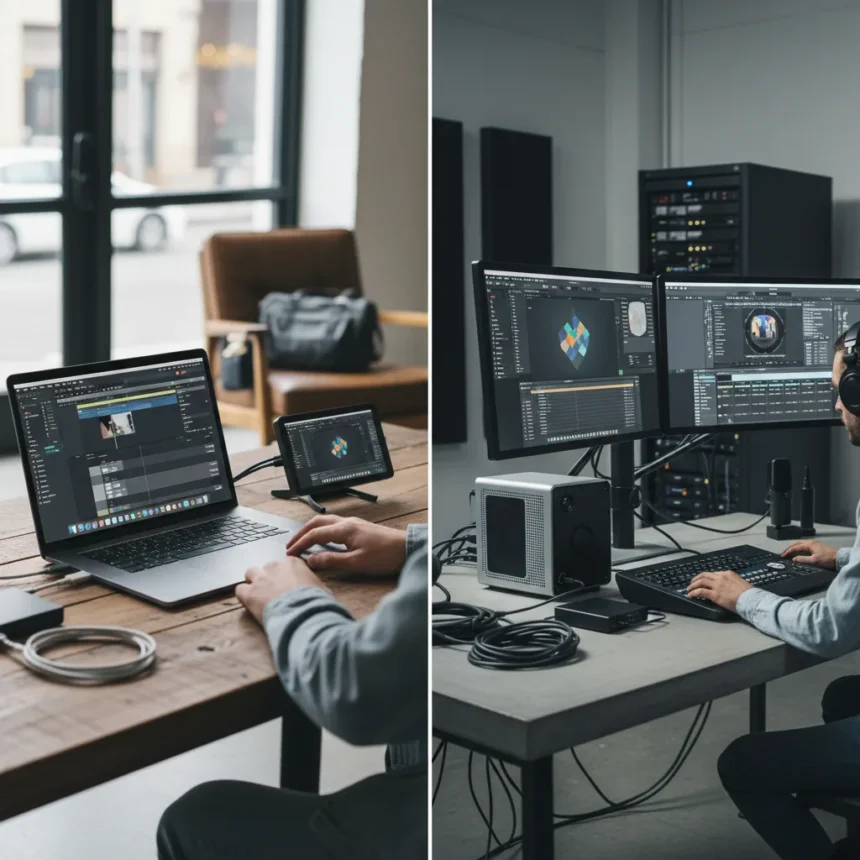
MacBook Pro M4 vs Mac Studio M2 is a choice between two fundamentally different machines: one is a 14-inch laptop built for professionals who move, the other a desktop workstation for creatives who plant themselves at a desk. The MacBook Pro M4 runs Apple’s latest M4 chip and features a 14.2-inch Liquid Retina XDR display with ProMotion technology. The Mac Studio M2, by contrast, is a compact desktop that arrives with either the M2 Max or M2 Ultra chip and no display at all—you bring your own monitors.
Key Takeaways
- MacBook Pro M4 is a portable 14-inch laptop; Mac Studio M2 is a compact desktop without built-in display.
- Mac Studio M2 supports M2 Max and M2 Ultra configurations for higher performance and expandability.
- MacBook Pro M4 suits mobile professionals; Mac Studio M2 targets high-end creative workflows.
- Mac Studio M2 offers more connectivity and external peripheral support than MacBook Pro M4.
- MacBook Pro M4 is the practical all-in-one choice; Mac Studio M2 is the flexible, future-proof investment.
Performance: Raw Power vs Real-World Speed
Both machines handle demanding tasks like video editing, 3D rendering, and software development without breaking a sweat. The difference lies in scale and configuration. The MacBook Pro M4 delivers consistent, reliable performance in a self-contained package. You get what you get—one chip, one GPU configuration, one thermal solution. The Mac Studio M2, however, lets you choose your power level. Pick the M2 Max for moderate creative work, or jump to the M2 Ultra if you’re rendering feature-length films or working with massive 3D scenes. That configurability matters when your workload grows.
For most users, the MacBook Pro M4 offers more than enough horsepower. Freelance editors, developers, and designers will find it snappy and responsive. But if you’re running a studio with multiple team members, rendering farms, or complex multi-track timelines, the Mac Studio M2’s ability to max out with M2 Ultra becomes the difference between finishing at 5 p.m. and finishing at midnight.
Display, Portability, and the All-in-One Question
Here’s where the machines diverge most sharply. The MacBook Pro M4 arrives with a gorgeous 14.2-inch Liquid Retina XDR display featuring ProMotion technology—you unbox it and work immediately. No monitor shopping, no cable management, no second purchase. That integrated display is worth thousands of dollars in convenience and is the single biggest advantage for anyone who travels, works from coffee shops, or needs flexibility in where they set up.


The Mac Studio M2 has no display at all. It’s a sleek, compact desktop, but you must buy external monitors separately. For a professional setup, that means adding $500 to $2,000 to your total investment. However, once you do, the Mac Studio M2 becomes the center of a multi-monitor, multi-peripheral workstation that the MacBook Pro M4 cannot match. The Mac Studio M2’s extensive connectivity options and support for multiple external displays make it ideal for creative professionals who build permanent creative suites.
Connectivity and Expandability
The Mac Studio M2 wins decisively on connectivity. Its compact form factor houses more ports and expansion options than the MacBook Pro M4, making it better suited for connecting multiple monitors, external drives, audio interfaces, and specialized creative hardware. If your workflow involves juggling ten peripherals at once, the Mac Studio M2’s flexibility is a genuine productivity multiplier.



The MacBook Pro M4 is more expandable and customizable than many assume, but it cannot match the Mac Studio M2’s raw port count and peripheral ecosystem. That said, for mobile professionals, the MacBook’s relative simplicity is a feature, not a bug. Fewer ports mean fewer things to manage when you’re packing for a shoot or client meeting.
Which Mac Is Best for You?
The MacBook Pro M4 is the practical choice for most users. It’s a complete, powerful machine that works anywhere. Freelancers, remote workers, students, and professionals who value mobility should buy it without hesitation. You get a brilliant display, strong performance, and zero setup friction.
The Mac Studio M2 is the flexible, future-proof investment for creative professionals who work from a fixed location. If you’re building a professional video suite, running a design studio, or doing intensive 3D work, the Mac Studio M2’s configurability, connectivity, and raw power—especially in M2 Ultra form—justify the additional monitor investment. It’s a statement that you’re serious about your craft and willing to optimize your workspace around it.
Is the MacBook Pro M4 better for travel?
Yes. The MacBook Pro M4 is a complete laptop with an integrated display, battery, and keyboard. The Mac Studio M2 requires external monitors and power, making it impractical for travel or mobile work. If you move between locations frequently, the MacBook Pro M4 is the only sensible choice.



Can the Mac Studio M2 handle professional video editing?
Absolutely. The Mac Studio M2 with M2 Ultra is designed specifically for professional video editing, 3D rendering, and complex creative workflows. Its expandability and multi-monitor support make it ideal for editing suites. The MacBook Pro M4 can also edit video, but the Mac Studio M2’s higher-end configurations offer more headroom for large projects.
Which Mac offers better value for money?
The MacBook Pro M4 offers better standalone value because it includes a premium display and requires no additional purchases to become productive. The Mac Studio M2 requires an external monitor investment but becomes the better value if you’re already committed to a desktop setup and need maximum performance and expandability for professional work.
Choose the MacBook Pro M4 if you need a complete, portable machine that works anywhere. Choose the Mac Studio M2 if you’re building a professional creative workspace and can justify the monitor investment. Neither is objectively better—they’re answers to different questions about how and where you work.
Where to Buy
Check Amazon | $1,999 at Amazon | $2,399.99 at Amazon | $3,799.99 at Amazon
Edited by the All Things Geek team.
Source: TechRadar