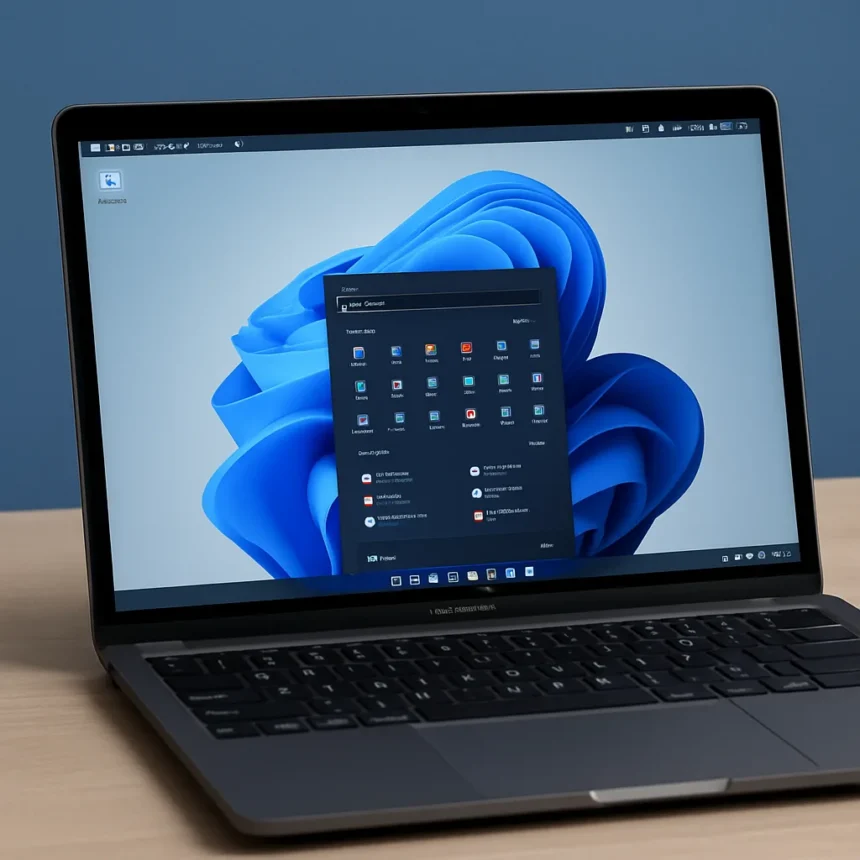
Can MacBook Neo Windows virtualization actually work?
MacBook Neo Windows virtualization is technically possible — but barely. The MacBook Neo is a $599 laptop from Apple powered by the A18 Pro chip, released in early 2026, and as of March 12, 2026, Parallels Desktop has confirmed basic compatibility with the device. The catch is severe enough that Parallels itself is warning buyers before they even try.
According to iDrop News, the Parallels Engineering Team has confirmed basic compatibility with Parallels Desktop and the MacBook Neo. However, Parallels has been explicit in its own knowledge base: full validation and performance testing is still ongoing. That phrase — ongoing — should give any prospective buyer pause. This is not a green light. It is a yellow light flashing in a fog.
Why 8GB of unified memory is the real problem
The MacBook Neo ships with 8GB of unified memory, and that single spec is the source of almost every limitation in the MacBook Neo Windows virtualization story. Unified memory means macOS and any virtual machine share the same physical pool. Windows 11 requires a minimum of 4GB RAM to run. That leaves just 4GB for macOS and every Mac application running alongside it — a margin that evaporates quickly the moment you open a browser, a productivity suite, or anything more demanding than a text editor.
Parallels has stated plainly in its knowledge base that running macOS and Windows simultaneously typically benefits from 16GB or more of unified memory. The MacBook Neo offers half that. For light, occasional Windows use — a legacy business tool, a Windows-only utility — the device may provide an acceptable experience, according to Parallels. For CPU- or GPU-intensive Windows applications, Parallels describes the MacBook Neo as simply not the right choice. That is a remarkably direct statement from a company that sells software designed to run on the device.


Passive cooling makes sustained workloads worse
The memory constraint is compounded by the MacBook Neo’s thermal design. The device uses passive thermal management — there is no cooling fan. Heat dissipates through the aluminum enclosure alone. Under sustained CPU or GPU loads, the A18 Pro throttles its clock speeds to manage temperature. In a virtualization scenario, where both the host macOS environment and a Windows 11 VM are competing for processor cycles simultaneously, sustained throttling is not a theoretical risk. It is an expected outcome.
This is a meaningful architectural difference from the MacBook Air M5 or MacBook Pro, both of which Parallels recommends as the better platform for Windows virtualization. Those machines use M-series chips with 16GB or more of unified memory as a baseline configuration, and the MacBook Pro adds active cooling entirely. MacBook Neo Windows virtualization is a fundamentally different — and more constrained — proposition than running Parallels on any M-series Mac.



What Windows apps actually run on MacBook Neo?
The MacBook Neo runs the ARM version of Windows 11, not the x86 Intel version. Most legacy Windows applications written for Intel processors run through emulation — the same approach Microsoft uses on Surface laptops with ARM chips. This means compatibility is broad in theory but performance is further taxed by the translation layer on top of an already memory-constrained system. VMware Fusion is listed as an alternative virtualization tool for M-series Macs, though the research brief does not confirm its current compatibility status with the MacBook Neo specifically.
The A18 Pro is an ARM-based Apple silicon chip, but it sits outside the M-series family and may lack the full hardware virtualization support that M-series chips provide. Parallels uses macOS virtualization APIs tied to the host chip architecture, which is part of why the MacBook Neo receives a more cautious compatibility status than, say, a MacBook Air M5. The engineering team is still testing. That is the honest state of play as of March 2026.
Is MacBook Neo worth buying for Windows compatibility?
At $599, the MacBook Neo is priced as an entry-level machine, and the Windows virtualization story reflects that positioning honestly. If your workflow depends on a single legacy Windows tool that runs occasionally and demands little from the CPU, the MacBook Neo may serve you. If you are considering this device because you need a reliable dual-OS environment for regular Windows work, the answer from Parallels itself is clear: spend more and buy an M-series Mac with at least 16GB of unified memory.
Does Parallels Desktop fully support the MacBook Neo?
As of March 12, 2026, Parallels has confirmed basic compatibility but states that full validation and performance testing is ongoing. This means the software installs and VMs run stably in initial testing, but Parallels has not yet certified the MacBook Neo as a fully validated platform for its software.



What Windows version runs on the MacBook Neo?
The MacBook Neo supports the ARM version of Windows 11, specifically Windows 11 Pro or Enterprise. Intel x86 Windows applications run via emulation, similar to how Microsoft Surface ARM laptops handle legacy software. Windows 10 is also listed in general Parallels requirements.
How does MacBook Neo compare to MacBook Air M5 for running Windows?
The MacBook Air M5 is the recommended alternative for Parallels users, offering M-series chip architecture with full hardware virtualization support and a baseline of 16GB unified memory. The MacBook Neo’s 8GB shared memory and passive cooling make it significantly less capable for Windows virtualization tasks than any current M-series Mac.
MacBook Neo Windows virtualization is a feature that exists on paper more than in practice. Parallels has done the responsible thing by publishing clear warnings rather than simply claiming compatibility and moving on. The $599 price tag makes the MacBook Neo an attractive entry point into the Apple ecosystem, but anyone buying it with Windows virtualization as a primary use case is setting themselves up for frustration. The right tool for that job starts at 16GB and wears an M-series badge.
Edited by the All Things Geek team.
Source: Windows Central