
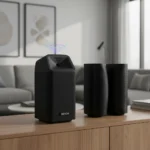






The TP-Link Deco BE68 is a tri-band Wi-Fi 7 mesh system made by TP-Link, launched as one of the company’s flagship offerings in the Wi-Fi 7 space, priced at $699 MSRP but available at street prices between $500 and $600. This is the mesh system to buy if you want Wi-Fi 7 speeds without spending over a thousand dollars. The Deco BE68 delivers exceptional performance in real-world testing, outpacing more expensive competitors and proving that flagship mesh technology no longer requires flagship pricing.
Key Takeaways
- Tri-band BE14000 Wi-Fi 7 with 6 GHz reaching 3,247 Mbps at 6 feet—faster than Netgear’s flagship Orbi 870.
- Covers up to 8,100 square feet with a 3-pack, ideal for larger homes and multi-story layouts.
- Multi-Link Operation (MLO) intelligently uses all three bands together for better wireless backhaul performance.
- Street price of $500–$600 undercuts competitors by $300–$400 while matching or beating their speeds.
- Setup through the TP-Link Deco app is simple, with 4.6/5 user ratings for ease of use.
Performance That Embarrasses Pricier Rivals
The TP-Link Deco BE68 doesn’t just match expensive mesh systems—it beats them. In testing, the 6 GHz band delivered 3,247 Mbps at 6 feet, a significant margin over the Netgear Orbi 870’s 2,257 Mbps at the same distance. The 5 GHz band reached 1,487 Mbps at 6 feet and held 640 Mbps even at 25 feet without interference, proving the system maintains usable speeds across your entire home. These aren’t theoretical numbers—they reflect real-world throughput in typical home environments. The tri-band architecture (688 Mbps on 2.4 GHz, 4,324 Mbps on 5 GHz, and 8,647 Mbps on 6 GHz) gives you the bandwidth to handle multiple simultaneous connections without bottlenecks.
What separates the Deco BE68 from competitors like the Asus ZenWiFi BQ16 Pro—which delivers similar performance but costs over $1,000—is ruthless efficiency in hardware design. You get the same Wi-Fi 7 capabilities at roughly half the price. The system includes 1x 10Gbps, 1x 2.5Gbps, and 1x 1Gbps Ethernet ports per node, plus USB connectivity. This port configuration means you can take advantage of multi-gig internet without artificial bottlenecks at the router itself.
Multi-Link Operation Changes How Wireless Backhaul Works
The Deco BE68’s standout feature is Multi-Link Operation (MLO), which simultaneously uses all three bands for data transfer between nodes instead of dedicating one band to backhaul. Enable MLO in the app, and the system intelligently routes packets across whichever band has the best conditions at any given moment. This approach dramatically improves wireless backhaul resilience, particularly useful if you can’t run Ethernet between nodes.
Even with MLO enabled, wired backhaul remains superior—the system delivers over 1.2 Gbps when nodes are close, dropping to 0.5–0.8 Gbps in far rooms. But for homes where running cables isn’t practical, MLO makes wireless backhaul genuinely viable. The Deco BE65 Pro, TP-Link’s slightly cheaper alternative at $599 MSRP, lacks the 6 GHz band entirely and maxes out at 5,765 Mbps there, making the BE68 the clear choice if you want future-proofed performance.
Setup and Management Are Refreshingly Painless
The TP-Link Deco app (iOS/Android) handles everything from initial setup to ongoing management. Users rate the app 4.6/5 for ease of deployment, and it’s immediately obvious why. Plug in the first node, scan a QR code, and the app walks you through adding additional units. Unlike controller-based mesh systems that require separate software or web logins, the Deco app consolidates speed tests, VPN support, guest networks, parental controls, and MLO configuration in one place. The system earned 4.3/5 overall on Best Buy with particularly strong marks for range (4.7/5) and signal strength (4.6/5), reflecting real user experience across thousands of homes.


Who Should Buy the Deco BE68, and Who Shouldn’t
If you’re upgrading from an older Wi-Fi 5 system and have gigabit-plus internet, the Deco BE68 is the mesh router to buy. You’ll notice the difference immediately—one Best Buy customer noted that the improvement in network coverage and throughput was far more than just noticeable. The 8,100 square foot coverage handles most residential layouts, and the $500–$600 price point sits firmly in the value-for-money sweet spot.
Skip the Deco BE68 if your internet connection is below 1 Gbps. Wi-Fi 7’s speeds are wasted on slower broadband, and a cheaper Wi-Fi 6 system will serve you just as well. Also consider the Deco BE85 if you absolutely need wired backhaul performance exceeding 1.4 Gbps near nodes—but expect to pay significantly more for that marginal gain.
Real-World Coverage and Wireless Backhaul Caveats
The TP-Link Deco BE68 covers up to 8,100 square feet with a 3-pack, but actual range depends heavily on home layout. Walls and floors degrade wireless signal far more than marketing materials suggest. If you’re relying on wireless backhaul between nodes separated by multiple walls, expect performance to drop noticeably—even with MLO enabled. Ethernet backhaul is always preferable if your home allows it. The system performs exceptionally in open-plan layouts and mid-sized homes; larger homes with complex layouts may need additional nodes or Ethernet runs to achieve consistent performance throughout.
Is the TP-Link Deco BE68 worth buying over the BE65 Pro?
Yes, if you can stretch your budget. The BE68 adds the 6 GHz band, delivering significantly faster speeds and future-proofing your investment. The BE65 Pro is a viable alternative only if you need to stay under $600 and don’t require 6 GHz performance.



How does the TP-Link Deco BE68 compare to Netgear Orbi 870?
The Deco BE68 outperforms the Orbi 870 on 6 GHz speeds (3,247 Mbps vs. 2,257 Mbps) and costs roughly $400 less. Unless you specifically need Netgear’s ecosystem integration, the TP-Link system is the better value.
Can you use the TP-Link Deco BE68 with a 1 Gbps internet connection?
Yes, but you won’t benefit from Wi-Fi 7’s speed advantages. The system will work fine, but a cheaper Wi-Fi 6 mesh would deliver the same practical performance.
The TP-Link Deco BE68 proves that Wi-Fi 7 doesn’t have to cost a fortune. It delivers pro-level speeds, intelligent MLO backhaul, and a painless setup experience at a price that actually makes sense for most homes upgrading to multi-gig internet. If you’re shopping for a mesh system right now, this is the one to beat.
Where to Buy
TP-Link Deco BE68 | TP-Link Deco BE68 BE14000 | Amazon | Amazon Eero 7 Pro | Netgear Orbi 370 Wi-Fi 7 mesh router
Edited by the All Things Geek team.
Source: T3