




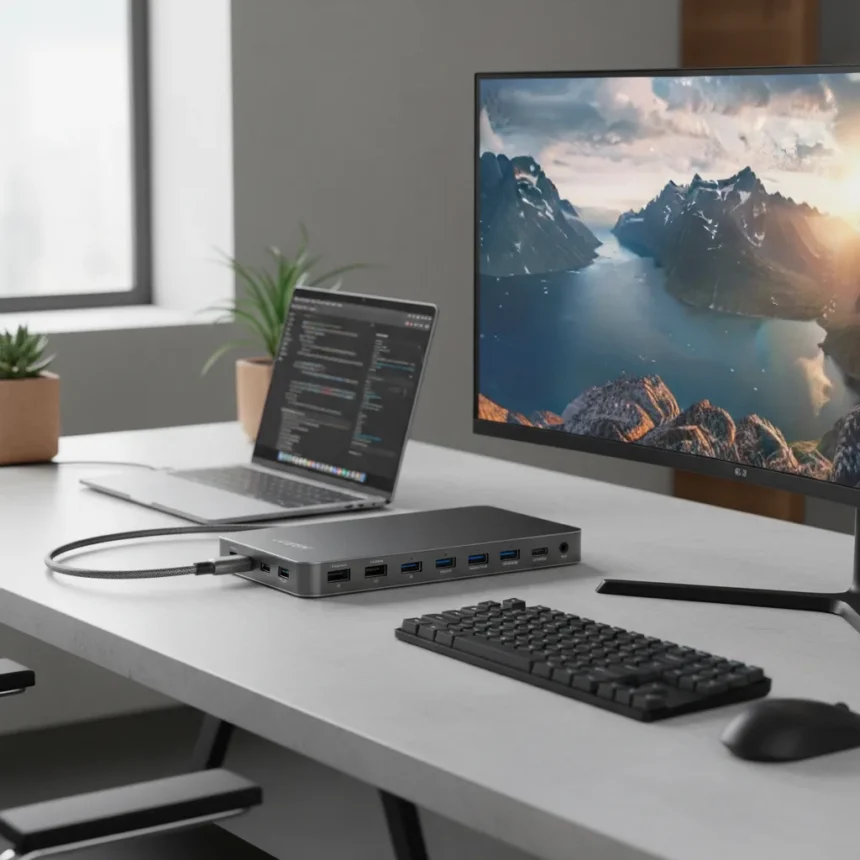
The UGREEN Maxidok 17-in-1 is a Thunderbolt 5 dock designed for creative professionals who need serious connectivity without compromise. With 17 ports, 120Gbps data transfer speeds, and the ability to charge laptops with up to 140W of power, this docking station targets workflows that demand both speed and versatility.
Key Takeaways
- 17 ports including Thunderbolt 5, USB-A, SD card, and M.2 NVMe slot with up to 8TB capacity
- 120Gbps Thunderbolt 5 data transfer with 240W total power delivery and 140W laptop charging
- Supports single 8K@60Hz or dual 6K@60Hz displays for creative workflows
- Currently priced at $389.99, marked down from $499.99 on UGREEN’s US site
- Positioned as flagship professional docking solution for content creators
Port Count and Connectivity Define This Thunderbolt 5 Dock
The headline spec here is straightforward: 17 ports in a single chassis. That abundance of connectivity eliminates the frustration of swapping cables or daisy-chaining multiple hubs. The Maxidok includes Thunderbolt 5 connectivity alongside traditional USB-A ports, SD card readers, and a dedicated M.2 NVMe SSD slot that supports drives up to 8TB. For professionals juggling multiple external drives, cameras, and peripherals, this port density means fewer compromises on your desk setup.
What distinguishes this Thunderbolt 5 dock from simpler USB-C hubs is the data architecture. Thunderbolt 5 delivers 120Gbps bandwidth, which translates to genuinely fast file transfers for video editors, photographers, and designers moving large project files. That speed matters when you’re working with 4K or 8K footage, where a 30-second transfer delay becomes a workflow bottleneck across an eight-hour day.
Power Delivery and Display Support for Creators
The Maxidok pushes 240W of total power delivery, with 140W dedicated to charging your laptop. That’s substantial enough to keep most modern MacBook Pros and Windows workstations topped up while simultaneously powering other peripherals. For creators who work untethered between desk and field, this means you’re not choosing between charging your machine and running external drives.


Display support is where this Thunderbolt 5 dock reveals its professional pedigree. It handles single 8K@60Hz output or dual 6K@60Hz displays. That flexibility matters because creative workflows vary—some professionals need one massive reference monitor, others need two screens for timeline and preview windows. The dual 6K option provides the resolution density needed for color-critical work without requiring the bandwidth overhead of dual 8K.
Pricing and Launch Discount
UGREEN is currently offering the Maxidok 17-in-1 at $389.99 on its US site, marked down from the original $499.99 price. That $110 discount represents the launch promotional window. Availability shows an ETA of March 27-31, so if you’re considering this dock, the discount window may be narrow. For comparison, most Thunderbolt 5 docks in the market tier above basic USB-C hubs command similar or higher price points, making this promotion genuinely competitive for the feature set you’re getting.



Who Should Buy This Thunderbolt 5 Dock
The Maxidok makes sense for professionals whose work demands both speed and flexibility. Video editors moving large project files, photographers managing external SSD libraries, and designers running multiple displays benefit most from the combination of Thunderbolt 5 bandwidth and abundant ports. If you’re a casual user with a single external drive and one monitor, you’re paying for features you won’t use.
For anyone already invested in Thunderbolt 5 equipment or planning to upgrade to it, this dock positions itself as the flagship solution. The M.2 SSD slot eliminates the need for a separate external drive enclosure, and the dual display support covers most professional scenarios without requiring daisy-chaining. The catch: at nearly $400, it’s a significant investment, so it’s best suited for people whose work actually justifies the cost.
Does the Maxidok work with non-Thunderbolt 5 devices?
Yes. Thunderbolt 5 ports are backward compatible with Thunderbolt 4, Thunderbolt 3, and USB-C devices. Performance will be limited by the device’s capabilities—a Thunderbolt 3 Mac will get Thunderbolt 3 speeds, not the full 120Gbps—but the dock functions across the ecosystem.
What’s the difference between 8K@60Hz and dual 6K@60Hz?
Single 8K@60Hz gives you one ultra-high-resolution monitor, useful for detailed design work or video mastering. Dual 6K@60Hz splits bandwidth between two screens, better for workflows needing multiple windows (timeline, preview, reference). Both achieve the same pixel density on typical monitor sizes; it’s a layout preference.



Can you upgrade the SSD inside the dock?
Yes. The M.2 NVMe slot accepts standard drives up to 8TB, so you can install or swap storage without replacing the dock. This makes it more flexible than docks with fixed storage.
The UGREEN Maxidok 17-in-1 Thunderbolt 5 dock delivers exactly what professionals need: abundant ports, real speed, and enough power to run a serious creative setup from a single connection. The current discount makes it a window worth considering if your workflow justifies the investment.
Where to Buy
buy it on Amazon | $389.99 at Amazon US
This article was written with AI assistance and editorially reviewed.
Source: Android Central