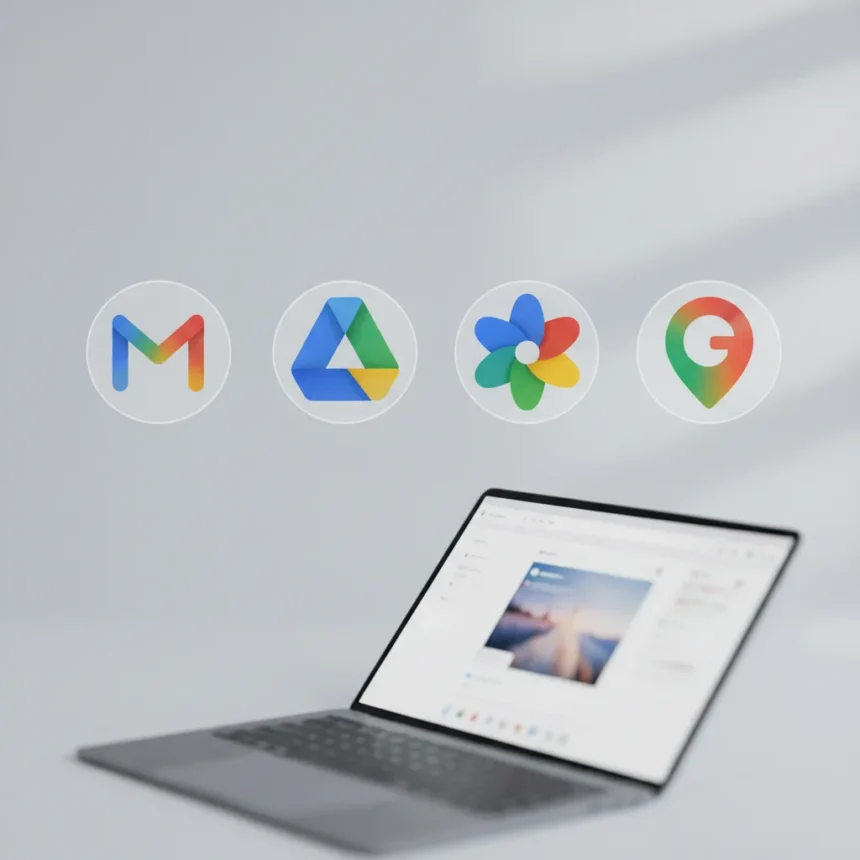
Google’s apps icon redesign marks a significant visual overhaul across its productivity suite, shifting multiple applications toward Material 3 Expressive design language. The update affects Gmail, Google Drive, Google Photos, Google Maps, and the company’s signature ‘G’ icon itself, introducing gradient-based designs where color boundaries blur smoothly rather than sitting in distinct blocks.
Key Takeaways
- Google’s ‘G’ icon now features gradient colors (red, yellow, green, blue) instead of four solid color sections
- Google Photos and Google Maps are transitioning to gradient designs with smooth color transitions
- Google Drive receives Material 3 Expressive updates including redesigned overflow menus with pill-shaped buttons
- The redesign is part of a broader shift to Material 3 Expressive design language across Google’s ecosystem
- Users can revert to previous icon styles through settings if preferred
What Is the Google Apps Icon Redesign?
The Google apps icon redesign represents a cohesive visual update across Google’s most-used productivity applications. Rather than maintaining the flat, minimalist aesthetic that defined Material Design 2, the new approach embraces gradient fills and softer color transitions. Google’s own ‘G’ icon exemplifies this shift, replacing the four distinct colored sections (red, yellow, green, blue) with a unified gradient where colors blend into one another. This change extends across the entire suite, affecting how users recognize and interact with Gmail, Drive, Photos, and Maps on their home screens and app drawers.
The Material 3 Expressive design language prioritizes visual warmth and dynamism. Rather than treating each color as a separate element, the redesign allows hues to flow and merge, creating a more cohesive visual identity. This approach differs fundamentally from the previous generation of Google icons, which relied on color separation and geometric simplicity. The gradient-based approach signals Google’s intention to make its apps feel more connected and modern.
Which Google Apps Are Getting the Redesign?
Multiple core Google applications are receiving the icon redesign as part of this rollout. Google Photos and Google Maps are among the most visible changes, with both apps transitioning to gradient designs where color boundaries blur instead of remaining sharp. Gmail and Google Drive are also included in the update, with Drive receiving Material 3 Expressive treatment including redesigned overflow menus that now use pill-shaped buttons for a softer, more modern appearance. The scope of the redesign suggests this is not a minor cosmetic tweak but rather a comprehensive visual language shift across Google’s ecosystem.


Beyond the icons themselves, some applications like Google Drive are seeing interface refinements. The overflow menu redesign—replacing traditional rectangular buttons with pill-shaped alternatives—demonstrates that Material 3 Expressive extends beyond icon aesthetics into the broader user interface. This consistency across multiple touchpoints reinforces the unified design language Google is pursuing.
Can You Revert to the Old Icons?
Users who prefer the previous icon style have options. Google has included settings that allow reverting to earlier icon designs, ensuring the transition is not forced upon those who favor the original aesthetic. This flexibility acknowledges that design preferences vary widely among users. Accessing these settings typically involves navigating to app settings or system preferences, though the exact method varies depending on whether you are using Android, iOS, or web-based versions of these applications.



The ability to revert is important for users who have grown accustomed to the previous design language or who find the gradient-based approach less intuitive for quick app recognition. However, Google’s broader ecosystem shift toward Material 3 Expressive suggests that the new design will eventually become the standard across most of Google’s services.
How Does This Compare to Previous Google Design Updates?
Google’s design evolution has followed a clear trajectory from Material Design through Material 2 and now to Material 3 Expressive. Each iteration has moved toward greater visual sophistication and warmer aesthetics. The previous generation of icons prioritized flat design and geometric clarity—a philosophy that dominated mobile design from 2014 onward. Material 3 Expressive represents a departure from that minimalism, embracing gradients, softer edges, and color blending that reflect broader trends in contemporary design.
This redesign also signals how Google is differentiating its visual identity in a crowded ecosystem. While competitors like Apple and Samsung maintain their own design languages, Google’s shift toward expressive gradients creates a distinctive look that feels more contemporary and less austere than the Material 2 era. The change affects not just icons but the entire interface philosophy, making Google’s apps feel warmer and more inviting.
When Is the Google Apps Icon Redesign Rolling Out?
The redesign is currently rolling out across Google’s ecosystem, though the timeline varies by application and platform. Some users may see the new icons immediately, while others will receive the update over the coming weeks as Google deploys the changes gradually. This phased rollout is standard practice for Google, allowing the company to monitor for any issues and ensure smooth deployment across billions of devices worldwide.



The gradual nature of the rollout means that not all users will see the updated icons simultaneously. This staggered approach also gives users time to adjust to the new visual language without experiencing a jarring system-wide change all at once. If you have not yet seen the redesigned icons on your device, they should arrive through a standard app update or system patch in the near future.
Does the Redesign Affect App Performance?
The icon redesign is purely visual and does not impact how these applications function. Gmail, Drive, Photos, Maps, and other affected apps operate identically to their previous versions—only the visual presentation has changed. Users should not expect any performance improvements or degradation from this update. The redesign is focused entirely on modernizing the aesthetic while maintaining the underlying functionality that users rely on daily.
Can I Customize My Google App Icons?
Customization options for Google app icons depend on your device and operating system. On Android, third-party launcher apps and icon packs can provide alternative icon designs if you want to further personalize your home screen. iOS users have more limited options, as Apple’s system does not allow third-party icon replacement in the traditional sense, though shortcuts and widgets can provide workarounds. However, the built-in revert option allows you to switch between the new gradient design and the previous icon style directly within Google’s settings.
Will Other Google Apps Get the Material 3 Expressive Treatment?
While the research brief does not specify a complete roadmap for which additional apps will receive the redesign, the scope of the current rollout suggests Google intends to extend Material 3 Expressive across more of its ecosystem over time. The focus on core productivity apps—Gmail, Drive, Photos, Maps—indicates that Google is prioritizing the most frequently used applications first. Other Google services like Sheets, Docs, Calendar, and Keep may eventually receive similar updates as the company continues its design language transition.
Google’s design philosophy has historically emphasized consistency across its ecosystem, so the Material 3 Expressive shift is likely to become the standard across all Google-branded applications eventually. However, the company tends to roll out changes gradually to avoid overwhelming users with simultaneous updates across dozens of applications.
The Google apps icon redesign represents a meaningful step forward in how Google presents itself visually in 2025. The shift from flat, separated colors to flowing gradients modernizes the company’s identity while maintaining the recognizability users depend on. Whether you embrace the new aesthetic or prefer the previous design, the flexibility to revert ensures the transition respects user preferences. As Material 3 Expressive continues rolling out, expect this warmer, more dynamic design language to become increasingly familiar across Google’s entire service portfolio.
Edited by the All Things Geek team.
Source: Android Central