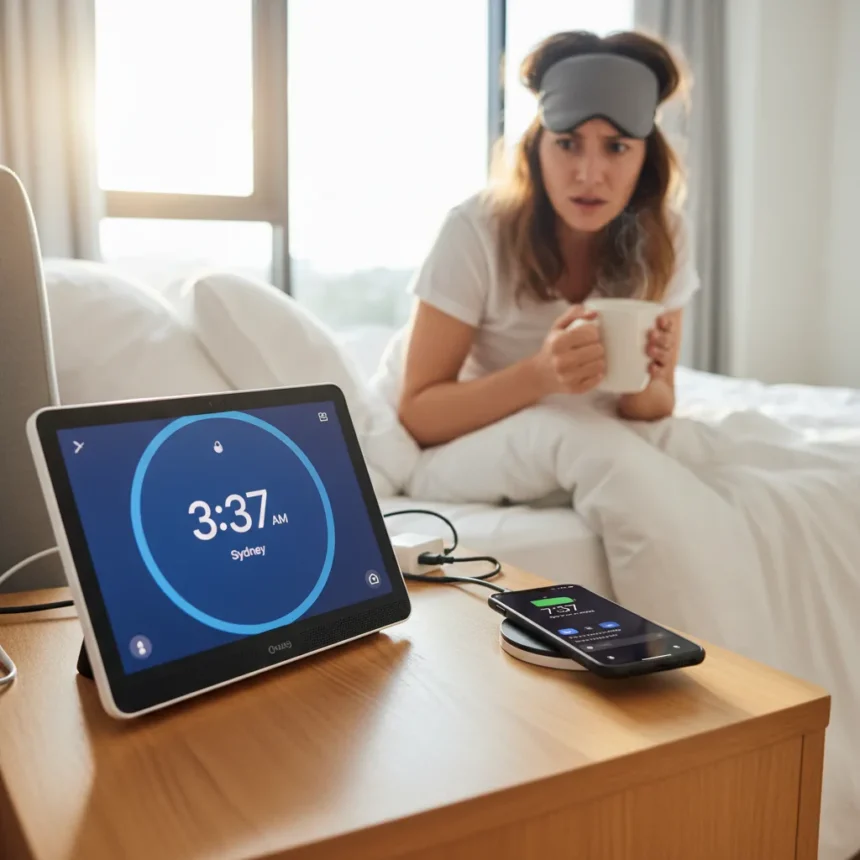
Google Nest Hub time zone detection has become unreliable, with users reporting their devices suddenly unable to tell time correctly. The issue affects multiple Nest devices including Nest speakers, Nest Hub, and Nest Hub Max, disrupting alarm routines, clock displays, and basic voice assistant functionality.
Key Takeaways
- Nest Hub and Nest Hub Max devices are displaying and announcing incorrect times due to time zone detection failures.
- The problem appeared suddenly for some users, with all previously working devices failing as of a recent date.
- Devices may freeze or fail to respond after the “Hey Google” wake word when asked simple time-related questions.
- A fix exists for Nest Hub Max through the Google Home app by changing the time zone setting.
- The issue highlights broader reliability concerns with Google Assistant on smart home devices.
Why Your Nest Hub Suddenly Can’t Tell Time
Something changed recently in how Nest devices handle time zone detection, and the result is chaos. Users report that their Nest Hub Max and other Nest speakers, which previously worked flawlessly, now either display the wrong time or freeze entirely when asked “what time is it?”. The failures appear to have happened simultaneously across multiple devices for some users, suggesting a server-side issue or a failed software update rather than isolated hardware problems.
The timing problem is more than just a cosmetic annoyance. Smart displays exist partly to replace wall clocks and serve as reliable time sources for alarms, reminders, and daily routines. When a Nest Hub can’t tell time, it breaks the trust users place in the device to handle basic functions. Some users report their devices freezing after the wake word, then failing to respond to the simple query entirely. For a device that costs between $100 and $250 depending on the model, this is a fundamental failure.
How to Fix Google Nest Hub Time Zone Issues
If your Nest Hub Max is displaying the wrong time, there is a fix available through the Google Home app. The solution involves manually resetting the time zone setting, which may seem counterintuitive but often resolves the detection failure.


Follow these steps to correct the time zone on Nest Hub Max:
- Open the Google Home app on your phone.
- Select the affected Nest Hub Max device from your device list.
- Tap on “Home information.”
- Change the time zone setting to your correct time zone.
This workaround suggests the issue stems from the device losing or misinterpreting its time zone assignment, rather than a hardware malfunction. The fix works because it forces the device to re-register its location and time offset. However, the fact that users must manually intervene to restore basic functionality raises questions about why automatic time zone detection failed in the first place.


Google Nest Hub vs. Amazon Echo Show Time Reliability
Google’s Nest Hub line competes directly with Amazon’s Echo Show series in the smart display market. While the research brief contains no comparative performance data on Echo Show time accuracy, the contrast is worth noting: when smart displays fail at telling time, they fail at their most basic function. Nest Hub’s current troubles underscore why reliability matters more than features. A device that looks pretty but can’t answer “what time is it?” is worse than a simpler alternative that works consistently.
The Nest ecosystem’s strength has always been its integration with Google services and Assistant capabilities. That advantage evaporates when the Assistant freezes on elementary questions. Users choosing between Nest Hub and competitors should consider not just current functionality but Google’s track record of fixing widespread issues like this one.
What Comes Next for Nest Users
The manual time zone fix available for Nest Hub Max suggests Google is aware of the problem and has identified a workaround. Whether this becomes a permanent solution or a temporary patch remains unclear. Users with other Nest devices—regular Nest Hub, Nest speakers, and older models—may face the same issue without an obvious fix path, leaving them waiting for a broader software update.
Until Google rolls out a comprehensive fix, affected users should check their time zone settings in the Google Home app and manually correct them if necessary. The fact that this fix exists only for Nest Hub Max, not for all Nest devices experiencing the issue, suggests Google’s response has been incomplete. For a company that builds smart home ecosystems, basic time-telling reliability should not require manual intervention.



Does the Google Home app fix work for all Nest devices?
The time zone fix through the Google Home app is confirmed for Nest Hub Max. Users with other Nest devices, including regular Nest Hub and Nest speakers, may need to wait for a broader software update or contact Google support for alternative solutions.
Why did my Nest Hub suddenly stop telling time correctly?
The root cause appears to be a time zone detection failure that happened suddenly across multiple devices for some users. This suggests a server-side update or software change rather than a device-specific hardware problem. The issue may be tied to a failed automatic time zone re-detection or a misconfiguration in how devices are syncing with Google’s servers.
Can I use my Nest Hub for alarms if the time is wrong?
If your Nest Hub is displaying the wrong time, alarms set on the device will trigger at incorrect times based on the false time display. Correcting the time zone setting through the Google Home app should resolve this issue and restore alarm accuracy.
Google Nest Hub’s time zone troubles are a reminder that smart home reliability depends on getting the fundamentals right. A device that can’t tell time reliably is a device that has failed its core purpose, no matter how many advanced features it offers. Until Google deploys a complete fix across all affected Nest devices, users should manually verify their time zone settings and consider whether they can trust their smart display for time-critical functions.
Edited by the All Things Geek team.
Source: Android Central