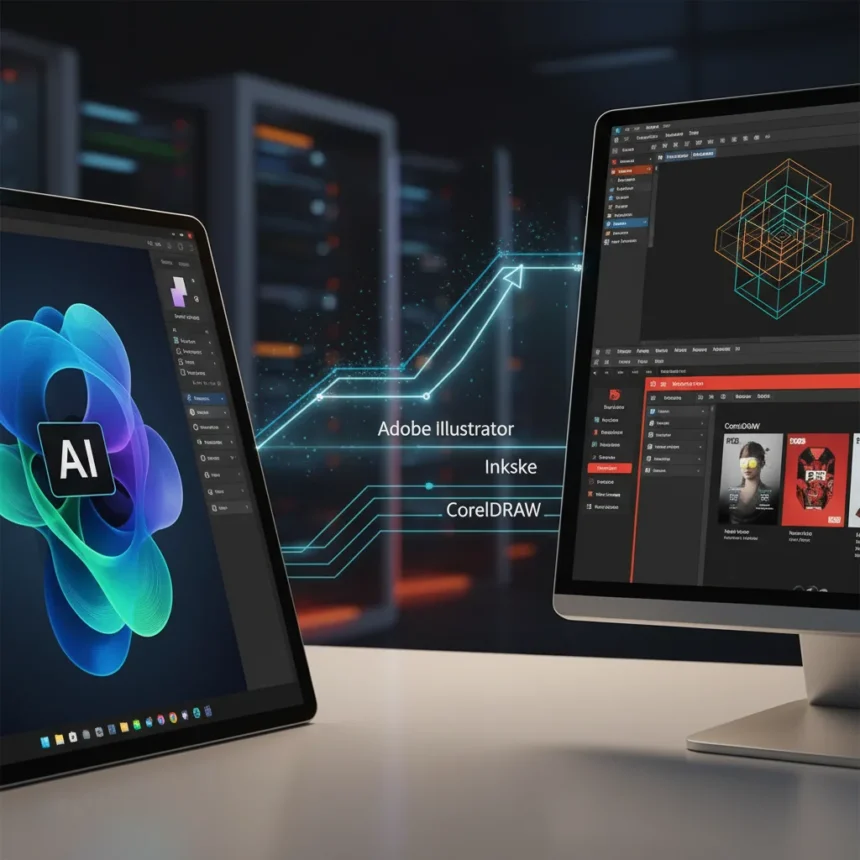
Adobe Illustrator 2026 is the latest major annual update to the vector graphics editor, launched as part of Adobe’s broader ecosystem refresh. The software promises stability improvements, Firefly AI integration, enhanced font editing, realistic 3D mockups, and online collaboration tools—but the question remains whether these additions justify the $23 monthly subscription when free and cheaper alternatives are improving rapidly.
Key Takeaways
- Adobe Illustrator 2026 integrates Firefly AI for quick image and object creation with impressive results
- Font identification and editing, 3D mockup templates, and online project collaboration are best-in-class improvements
- Standalone subscription costs $23/month; Creative Cloud Pro bundle with 20+ apps runs $70/month
- Inkscape 1.4 offers a free alternative with filter galleries, modular grids, and SVG font editing
- CorelDRAW competes with variable fonts, AI upsampling, and bitmap-to-vector tracing
Adobe Illustrator 2026: What Actually Changed
The 2026 update addresses a long-standing frustration among designers: tedious manual tasks. Adobe Illustrator 2026 integrates Firefly AI tools that handle quick image and object creation, and testing showed impressive results across a range of use cases. The font identification and editing system now ranks among the industry’s best, eliminating hours spent hunting down typefaces or manually adjusting letterforms. The 3D mockup templates generate realistic product visualizations without leaving the application, while online collaboration features let teams iterate in real time. These improvements feel genuinely useful rather than cosmetic.
Stability has also improved—a critical win for a software that historically shipped with frustrating glitches. The software now feels polished enough that power users won’t need to restart mid-project, and the feature set remains comprehensive for graphic design at all skill levels.
The Firefly AI Integration Actually Works
Generative AI in design tools often feels gimmicky. Adobe Illustrator 2026’s Firefly integration does not. During testing, the AI-powered image generation and object creation produced results that matched or exceeded what designers could create manually in similar timeframes. This is not a novelty—it is a workflow accelerator. For designers working under deadline pressure, cutting 30 minutes off a routine mockup is the difference between a lunch break and working through dinner. The integration sits naturally within the interface rather than feeling bolted on.


Adobe’s broader AI strategy, highlighted at Adobe Summit 2026, shows the company is investing heavily across its ecosystem. Photoshop’s Rotate object for 3D conversion and Harmonize tools for shadow refinement suggest Adobe is thinking about how AI serves entire workflows, not just individual apps. Illustrator benefits from this ecosystem thinking.
Pricing Pressure: Free and Cheaper Rivals Are Real Threats
Adobe Illustrator 2026 costs $23 per month standalone, or $70 monthly as part of Creative Cloud Pro, which bundles over 20 desktop and mobile tools. For freelancers and small studios, this is a significant fixed cost. The math gets trickier when you consider alternatives.



Inkscape 1.4, available free, received a major upgrade with a filter gallery, modular and axonometric grids, swatch improvements including CIELAB and Adobe Color Book support, a refined toolbar and node editor, a unified font browser, and an SVG Font Editor. For students, nonprofits, and budget-conscious designers, Inkscape’s feature set now covers 70 percent of what Adobe offers at zero cost. CorelDRAW, another subscription-based rival, includes variable fonts, AI upsampling, JPEG removal, and bitmap-to-vector tracing. Neither is perfect, but both are genuinely viable.
Adobe’s ecosystem lock-in—the way Illustrator integrates with Photoshop, InDesign, and other Creative Cloud apps—remains its strongest argument for the premium price. If you already use Photoshop for photo editing and InDesign for layout, adding Illustrator at $23 extra per month makes sense. If you need only vector graphics, Inkscape’s free tier or CorelDRAW’s subscription may be the smarter choice.
Should You Upgrade to Adobe Illustrator 2026?
Upgrade if you are already a Creative Cloud subscriber. The stability fixes and Firefly AI integration justify the annual update cycle. If you use Illustrator alongside Photoshop and InDesign, you are already in the Adobe ecosystem—the improvements here accelerate your existing workflow.
Skip the upgrade if you are a casual vector user or freelancer working on a tight budget. Inkscape’s free alternative has narrowed the feature gap significantly, and CorelDRAW offers a middle ground between free and Adobe’s pricing. Test both before committing to the $23 monthly bill.



Does Adobe Illustrator 2026 fix the glitches that plagued earlier versions?
Yes. The 2026 update delivers noticeably improved stability compared to previous releases. Crashes and performance hiccups that frustrated power users appear to be resolved, making the software reliable enough for professional production work without constant restarts or workarounds.
Is Creative Cloud Pro worth it compared to buying Illustrator standalone?
If you use multiple Adobe apps, absolutely. Creative Cloud Pro bundles Illustrator, Photoshop, InDesign, Lightroom, and 20+ other tools for $70 monthly. Buying Illustrator alone at $23 plus Photoshop and InDesign separately costs far more. The bundle math works best for designers doing comprehensive creative work across multiple disciplines.
How does Adobe Illustrator 2026 compare to Inkscape?
Inkscape is free and now includes a unified font browser, SVG Font Editor, and advanced grid systems. Adobe Illustrator 2026 offers superior AI-powered workflows, more polished 3D mockup templates, and tighter integration with other professional design apps. Choose Inkscape for budget constraints; choose Adobe for speed and ecosystem integration.
Adobe Illustrator 2026 is a solid update that makes vector design faster and more stable. The Firefly AI integration genuinely improves workflow, and the stability improvements address real frustrations. But it is no longer the uncontested market leader. Inkscape’s free tier and CorelDRAW’s feature set have matured enough to challenge Adobe’s premium pricing. For existing Creative Cloud subscribers, the upgrade is a no-brainer. For new users, test the alternatives first—you may find Adobe’s cost is not justified for your specific needs.
Edited by the All Things Geek team.
Source: TechRadar