





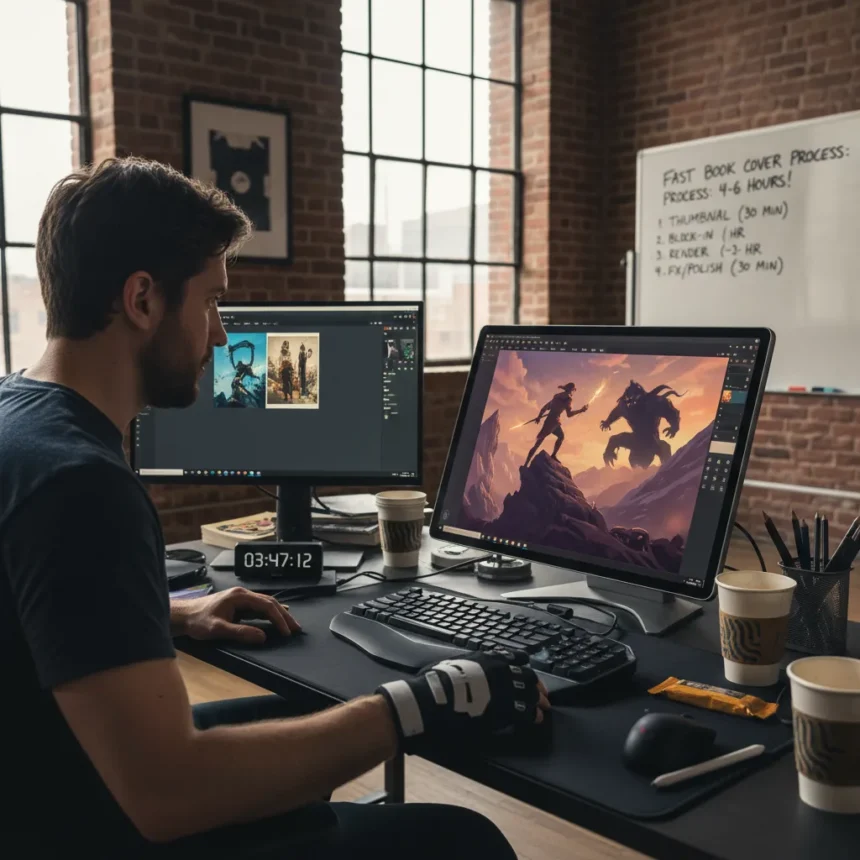
Brett Bean is a professional digital artist specializing in fast-paced book cover illustrations, known for delivering polished fantasy covers under extreme deadline pressure. In a recent guide shared on Creative Bloq, he outlined a fast book cover process that gets from blank canvas to client-ready artwork in 4-6 hours, a method built specifically for scenarios where the deadline was yesterday.
Key Takeaways
- Complete a polished book cover in 4-6 hours using Brett Bean’s layered speed painting approach.
- Start with grayscale value thumbnails to lock in composition and contrast before committing to color.
- Use photobashing—sourcing textures and props from asset libraries—to accelerate detail work without sacrificing impact.
- Keep layer count low (10-20 maximum) with separate sketch, values, color, and effects layers for non-destructive editing.
- Export at 300 DPI and 2000-4000 pixels wide to ensure print-ready quality for physical book production.
Why Speed Matters in Modern Publishing
Self-publishing has exploded over the past decade, and with it, demand for rapid concept art turnaround. Traditional publishing deadlines are tightening as well—marketing teams need cover art weeks, not months, before release dates. Bean’s fast book cover process addresses this reality head-on. Rather than treating speed as a compromise, he has engineered a workflow that treats it as a constraint that actually forces better creative decisions. Tight timelines eliminate overthinking.
The method prioritizes impact over perfection. A cover that lands in six hours beats a cover that lands after six weeks. This philosophy separates professionals who adapt to market demands from those who cling to longer timelines and lose clients to faster competitors.
The Four-Step Breakdown: From Sketch to Polish
Bean’s fast book cover process divides into distinct phases, each with a strict time budget. The first step is thumbnailing: spend 5-10 minutes creating 4-6 tiny grayscale compositions, roughly 3 inches wide, focusing purely on value shapes and contrast. Pick the strongest thumbnail or combine elements from two. This phase prevents wasted hours on a weak composition.

Next comes the rough sketch layer, taking 15-20 minutes. Draw loose energy lines describing the flow of pages, garment movement, or magical energy. Block in major forms—a figure facing the viewer, a hovering tome as the focal point—but keep it gestural and avoid tight details. The goal is to establish movement and placement, not render anything.
The value block-in phase consumes 30-45 minutes. Using a hard round brush, fill silhouettes with mid-tones, establish lighting from a single key light source, and preserve the paper texture by keeping overall tones light. This creates the illusion of dimension without overworking. Shadows should suggest form, not define it.



Color rough follows in 45-60 minutes. Lay flat colors on a new layer over the values using a limited palette of 3-5 colors: a warm tone for the hero character, cool tones for the background, and accent glows. This is where photobashing accelerates the process—pull textures and props from asset libraries, then paint over them to integrate them smoothly into the illustration.
Rendering and Polish in the Final Hours
The render phase takes 60-90 minutes and is where the cover transforms from rough to finished. Build form with midtones and shadows, add page contents using copyright-free ancient book images (adjusted with Puppet Warp, then painted over), and exaggerate glows and material properties using Color Dodge on a separate layer. This is the phase where the illustration gains depth and tactile quality.
Polish and effects occupy the final 20-30 minutes. Sharpen edges selectively, add rim light and glows on ink and values layers, adjust hue and saturation globally, and export multiple variants for client feedback. At this stage, the cover is print-ready and professional, despite the accelerated timeline.
Bean’s approach contrasts sharply with longer workflows. Todd Lockwood’s method for fantasy covers involves more extensive page decoration and watercolor emulation, but requires significantly more time per cover. Jonny Duddle’s approach emphasizes traditional-digital hybrid techniques, which yield beautiful results but stretch across a much longer production schedule. Bean trades some of that detail density for speed without sacrificing visual impact—a crucial trade-off in commercial illustration.



Tools, Brushes, and Layer Strategy
Photoshop is Bean’s primary software, chosen for its speed and flexibility. He relies on custom brushes—digital watercolor sets adapted from traditional media emulation, plus hard-round brushes for blocking and soft airbrushes for glows—to accelerate painting without switching tools constantly. The layer strategy is deliberately minimal: 10-20 layers maximum, separated by function (sketch, values, color, details, glows) with layer masks and clipping for non-destructive edits. This prevents the chaos of 60-layer files that slow down workflow and confuse editing decisions.
Resolution starts at 300 DPI and 2000-4000 pixels wide, ensuring print-ready quality for physical book production. Many self-published authors overlook this requirement, submitting low-res digital covers that printers reject. Bean builds it into the process from the start, eliminating late-stage rework.
Photobashing: Speed Without Sacrifice
Photobashing—integrating photographic elements into digital paintings—is central to Bean’s speed strategy. Rather than painting every texture from scratch, he sources copyright-free textures, props, and reference images from asset libraries, transforms them with Puppet Warp or other distortion tools, then paints over them to integrate them into the illustration. This technique is used by professional concept artists like Ioan Dumitrescu and appears in speed painting books focused on environment and weapon design. For book covers, it allows Bean to add intricate book details, fabric textures, and magical effects in minutes rather than hours.
The caveat is that heavy reliance on photobashing can undermine claims of fully hand-painted work if clients expect original artwork. Bean’s process works best when clients understand the hybrid nature of modern digital illustration and value the final result over the specific techniques used to achieve it.
Is Brett Bean’s Fast Book Cover Process Right for You?
The method assumes intermediate-to-advanced digital painting skills. Beginners will need longer to execute each phase. It also assumes access to Photoshop (subscription $20.99/month) or similar software; free alternatives like Krita or GIMP can work but require additional learning curves. The process is optimized for fantasy and magical book covers—covers with glowing effects, dramatic lighting, and central heroic figures. Literary fiction or minimalist designs may not benefit from this exact workflow.
For freelancers juggling multiple clients, publishers with tight seasonal deadlines, and self-published authors working with limited budgets, this approach is a significant shift. It transforms a 2-3 week project into a 4-6 hour sprint.
How long does Brett Bean’s process actually take?
The stated timeline is 4-6 hours total: 30 minutes for thumbnails and sketches, 1 hour for values and block-in, 1-2 hours for color and rendering, and 30 minutes for polish. This assumes familiarity with the software and a clear creative direction. First-time users should add 1-2 hours for learning curve adjustments.
Can you use this process for non-fantasy book covers?
The core principles—fast thumbnailing, value-first composition, limited color palettes, and strategic photobashing—apply to any genre. However, the specific brush choices and rendering techniques are optimized for fantasy’s glows and dramatic lighting. Literary fiction or contemporary covers may require different rendering approaches, though the overall timeline structure remains valid.
What software does Brett Bean recommend for fast book covers?
Photoshop is his primary choice for its brush flexibility and layer management. He uses custom digital watercolor brushes and hard-round brushes to accelerate painting. Free alternatives like Krita offer similar functionality, though they lack some of Photoshop’s polish and third-party brush ecosystem.
Brett Bean’s fast book cover process proves that speed and quality are not mutually exclusive in commercial illustration. By prioritizing composition, value contrast, and strategic shortcuts like photobashing, professionals can deliver stunning covers in hours rather than weeks. The method is a masterclass in constraint-driven creativity—the best tool for solving impossible deadlines.
Where to Buy
21% OFFUGEEM908 drawing Tablet$47.49$59.99shop now | 20% OFFGAOMONPd1161 Drawing Tablet$159.99$199.99shop now | 22% OFFLeda Art SupplyLarge Sketchbook$17.99$22.99shop now | 44% OFFMoleskineArt Plus Sketchbook$17.79$32shop now
Edited by the All Things Geek team.
Source: Creativebloq




