





Google Messages live location sharing is finally rolling out to Android users, and it’s the feature that should have shipped years ago. The default SMS/RCS client on most Android devices now lets you broadcast your real-time whereabouts directly in conversations, powered by Google Find Hub and Google Maps. No more sending static map links or relying on separate apps—your location updates automatically as you move, visible as a persistent thumbnail right in the chat.
Key Takeaways
- Google Messages live location sharing began rolling out around February 26, 2026, initially to beta users
- Share for 15 minutes, 1 hour, 2 hours, 4 hours, 8 hours, or up to 24 hours with custom duration
- Map thumbnail updates automatically in chat; stop sharing anytime by tapping the card
- Feature requires high-accuracy GPS enabled in Android Settings and may need Find Hub installed
- Matches capabilities already available in WhatsApp, Facebook Messenger, and iMessage
How Google Messages live location sharing works
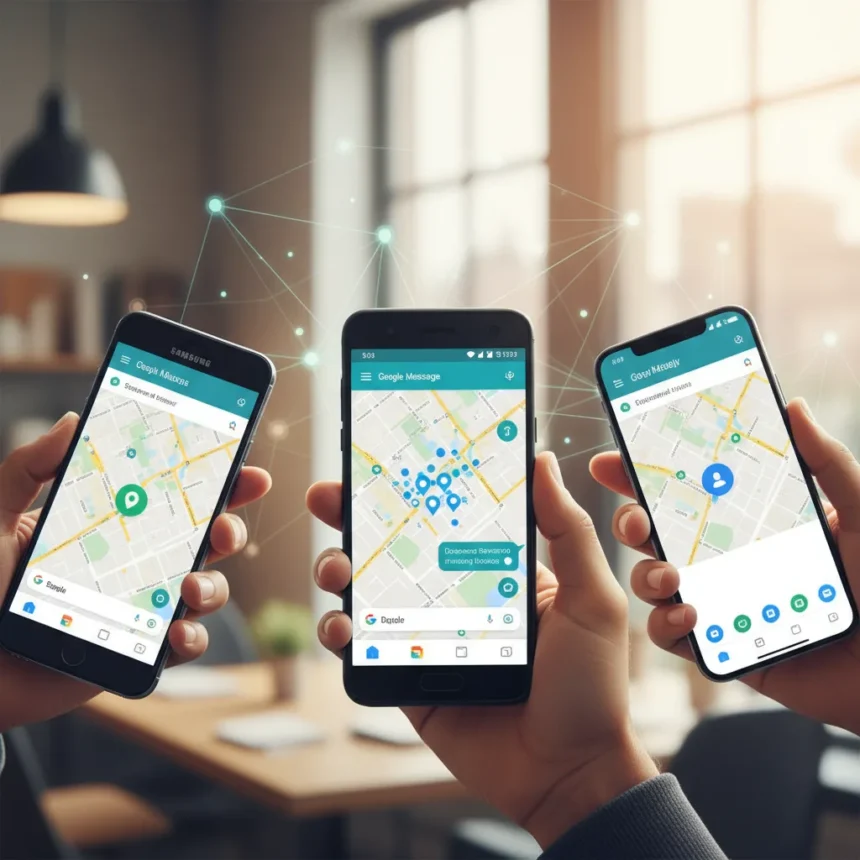
The implementation is straightforward. Open a conversation in Google Messages, tap the plus icon next to the text field, and select Location from the attachment menu. You’ll see a map view where you tap “Share live location” and set your preferred duration using a slider. The options range from 15 minutes to 8 hours, though some reports indicate custom durations up to 24 hours are available depending on your device. Once you confirm the recipient and hit Send, a map thumbnail appears in the chat and updates automatically as you move.
Recipients can view your location directly inside Google Messages or tap the thumbnail to open a full map view. They can also share their location back from the same card, making coordinated meetups faster. To stop sharing early, simply tap the map thumbnail and select “Stop sharing”—there’s no waiting for a timer to expire.
Privacy controls and what Google tracks
Google Messages live location sharing includes granular privacy controls that let you choose exactly who sees your location. You can share with individual contacts or groups, and a persistent notification in your chats reminds you that sharing is active. Your name, photo, recent location (even when apps aren’t running), battery status, and charging state are visible to recipients. If you’ve added arrival or departure notifications, those appear too.


The feature requires high-accuracy GPS to be enabled in Android Settings under Location → Advanced. While end-to-end encrypted chats mean conversations are readable only by participants, location data itself is processed by Google Maps under Google’s standard Terms of Service and Privacy Policy. This is an important distinction—your messages stay encrypted, but your location coordinates flow through Google’s infrastructure.
Why this took so long
Google Messages live location sharing fills a gap that’s been obvious for years. WhatsApp, Facebook Messenger, and iMessage all shipped this feature long ago, leaving Google’s default Android messaging app looking outdated by comparison. The delay wasn’t technical—Google had the infrastructure through Find Hub and Maps—it was a matter of integration priorities. Now that RCS is expanding and Google is pushing Messages as a modern SMS alternative, the feature finally makes sense as a core offering rather than a secondary option.



What makes this rollout significant isn’t the novelty but the seamlessness. You don’t need to open Google Maps separately, hunt for a contact, or generate a shareable link. The location sharing lives inside the conversation where it belongs, updated in real time without lag. For Android users coordinating meetups, picking up friends, or tracking a delivery driver, this removes friction that iOS users stopped experiencing years ago.
Rollout timeline and availability
Google Messages live location sharing began rolling out around February 26, 2026, initially reaching some beta users. A wider rollout is expected, though Google hasn’t announced a specific date for general availability. The feature requires RCS support, which means your device and carrier must support the protocol. If you’re on an older Android phone or a carrier that hasn’t upgraded to RCS, you may not see the feature immediately.
How to enable it on your device
To use Google Messages live location sharing, ensure high-accuracy GPS is enabled. Go to Android Settings, tap Location, then Advanced, and turn on high-accuracy mode. You may also need to have Google Find Hub installed, though this requirement varies by device. Open Google Messages, select a conversation, tap the plus icon, and look for “Real-time location” in the attachment menu. If you don’t see it yet, the feature hasn’t rolled out to your account—check back in a few days or weeks as the rollout expands.
Can you use this in group chats?
Yes. Google Messages live location sharing works in group conversations just as it does in one-on-one chats. You can share your location with multiple recipients at once, and each person in the group sees the same map thumbnail. This is particularly useful for group meetups where everyone needs to coordinate arrival times.


What happens to my location data after I stop sharing?
Once you tap “Stop sharing,” your location is no longer visible to the recipient, and the map thumbnail becomes inactive. Google retains location data according to its standard privacy policy, but active sharing ends immediately. Unlike some services that keep a history of shared locations, Google Messages doesn’t maintain a persistent location log within the chat.
Google Messages live location sharing is a practical feature that should have arrived sooner, but its arrival now is what matters. For Android users tired of juggling Maps links and static screenshots, it’s a genuine quality-of-life upgrade. The rollout is underway, and if you don’t see it yet, patience and a device update should get you there soon.
This article was written with AI assistance and editorially reviewed.
Source: Android Central