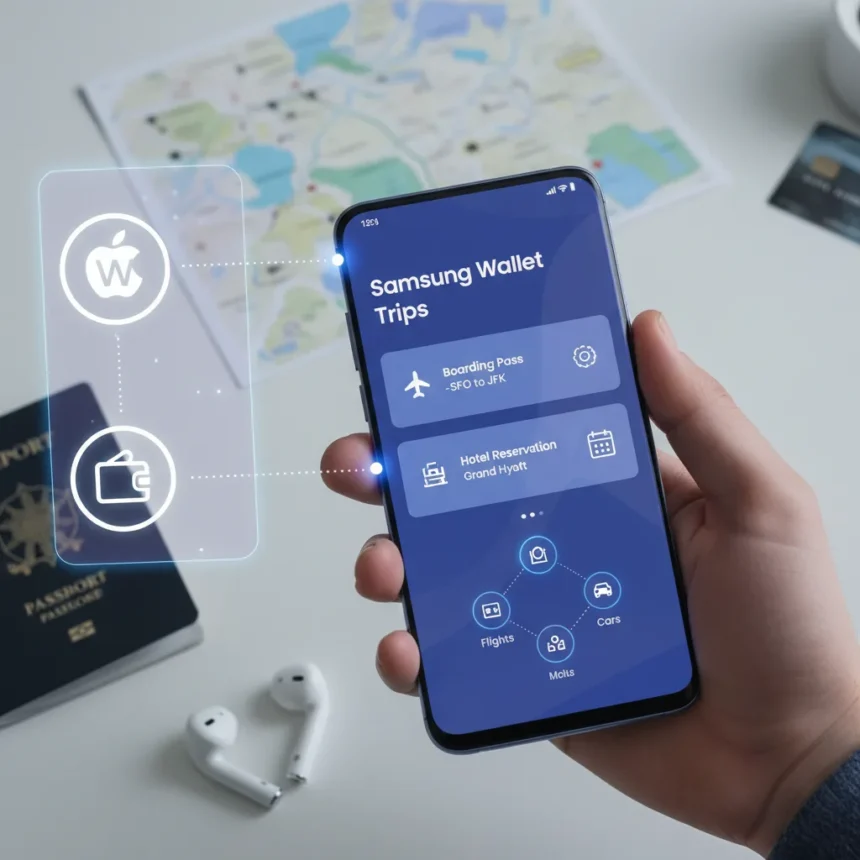
Samsung Wallet Trips feature launched in early 2026 as part of Samsung Wallet update 7.0.12, bringing centralized travel organization to Galaxy devices. The feature consolidates boarding passes, hotel reservations, and itineraries alongside existing wallet cards and digital keys—eliminating the need to dig through email or multiple apps during travel.
Key Takeaways
- Samsung Wallet Trips feature requires One UI 6.1 or later on compatible Galaxy devices.
- The feature supports scanning ticket QR codes and auto-importing details from email or photos.
- Real-time updates notify users of flight delays, gate changes, and other travel disruptions.
- Available free with Samsung Wallet app; no subscription required.
- Currently rolling out in US, UK, EU, South Korea, and India as of April 2026.
What Samsung Wallet Trips Feature Does
Samsung Wallet Trips feature consolidates travel information by letting users create a single trip within the app, then add tickets, reservations, and itineraries to that trip. Users can scan QR codes from airline boarding passes or hotel confirmations, and the app auto-populates relevant details like seat assignments, confirmation numbers, and check-in times. The timeline view displays all events in chronological order, making it easy to see what happens next without switching between apps.
The feature integrates with Google Maps and Waze for navigation between locations, and users can enable notifications to receive real-time updates about flight delays, gate changes, or other travel alerts. Offline access means travelers can view trip details even without an internet connection—critical when landing in a new country with roaming disabled.
How to Set Up and Use Samsung Wallet Trips Feature
Getting started with Samsung Wallet Trips feature takes minutes. Open Samsung Wallet, tap the Trips tab, and select Create Trip. Enter your trip name and dates, then start adding tickets by scanning QR codes from boarding passes or importing images from your phone’s gallery. The app recognizes common ticket formats and fills in flight numbers, times, and seat details automatically.


Once tickets are added, you can reorder events by dragging them within the timeline, pin frequently accessed tickets to your home screen for quick access, and share the entire trip with travel companions using a generated QR code or shareable link. Recipients can view trip details without needing full access to your Samsung Wallet.
During travel, pulling down on the trip card refreshes live information from airlines and hotels. If your flight gets delayed or the gate changes, notifications alert you immediately. For boarding, the app supports NFC technology on compatible Galaxy devices, letting you tap your phone at airport gates without opening the physical boarding pass.



Samsung Wallet Trips Feature vs. Apple and Google Alternatives
Apple Wallet added a similar Trips feature in iOS 18, displaying trip information in a passport-style card with shimmer effects. However, Apple Wallet lacks the deep Galaxy ecosystem integration that Samsung Wallet offers—, Apple’s version does not sync with Galaxy Watch, limiting usefulness for wearable users. Google Wallet, meanwhile, focuses primarily on loyalty cards and basic pass storage, without the robust timeline view or auto-import capabilities of Samsung Wallet Trips feature.
Third-party apps like TripIt offer more advanced itinerary management but charge subscription fees around $49 per year and lack the seamless integration with a native digital wallet. For Samsung Galaxy users, the free, built-in approach of Samsung Wallet Trips feature eliminates the friction of switching between apps.
Device Compatibility and Regional Availability
Samsung Wallet Trips feature works on Galaxy S24 and S25 series phones, Z Fold6 and Z Fold7 foldables, Z Flip6, and select A-series Galaxy devices running One UI 6.1 or later (based on Android 14 or newer). The feature requires a Samsung account login to function.
As of April 2026, Samsung Wallet Trips feature is available in the US, UK, EU, South Korea, and India through the Google Play Store. Samsung plans to expand to additional regions during Q2 2026. The feature is free with no subscription required.



What Samsung Wallet Trips Feature Does Not Do Yet
Early users have reported occasional scan failures when QR codes are damaged or poorly lit, and the feature currently lacks direct hotel booking or flight search integration. You cannot book a flight or reserve a hotel directly within Samsung Wallet Trips feature—it organizes existing reservations but does not replace travel booking apps. Future updates may address these limitations, but as of launch, the feature is primarily an aggregation tool rather than a booking platform.
Is Samsung Wallet Trips feature free?
Yes. Samsung Wallet Trips feature is completely free and requires no subscription. It comes as part of the standard Samsung Wallet app update, available to all eligible Galaxy device owners.
Which Samsung phones support Trips feature?
Galaxy S24, S25, Z Fold6, Z Fold7, Z Flip6, and select A-series models running One UI 6.1 or later support Samsung Wallet Trips feature. Your device must run Android 14 or newer.
Can I share a trip with someone who doesn’t have Samsung Wallet?
Yes. Samsung Wallet Trips feature generates a shareable QR code or link that recipients can view in any web browser without needing the Samsung Wallet app or a Samsung device. Recipients see trip details but cannot edit or modify the trip.
Samsung Wallet Trips feature fills a genuine gap in mobile travel management by consolidating scattered reservation data into one organized timeline. For Galaxy users who travel frequently, the free integration with existing wallet infrastructure and real-time update notifications make it a practical alternative to juggling email confirmations and third-party apps. The feature works best for straightforward trips with scannable tickets, though advanced travelers may still need specialized tools for complex itineraries. If you own a recent Galaxy device, the feature is worth exploring—it costs nothing and could save time during your next trip.
Where to Buy
Samsung Galaxy S25 Edge | Samsung Galaxy Z Fold 7 | Samsung Galaxy Z Flip 7 | Samsung Galaxy S26 | Samsung Galaxy S26 Plus
Edited by the All Things Geek team.
Source: TechRadar