





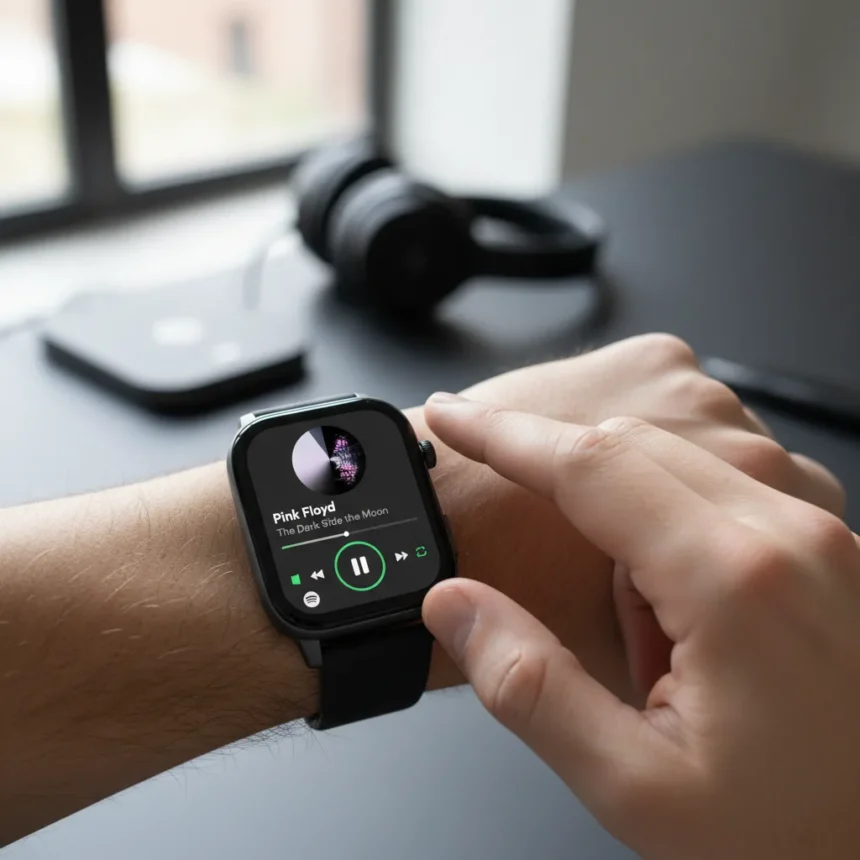
The Spotify Wear OS redesign transforms how you control music from your wrist, replacing the app’s basic phone-remote functionality with a full-featured standalone player that actually makes sense to use on a smartwatch. For years, Spotify on Wear OS felt like an afterthought—a thin interface designed mainly to pause and skip tracks on your phone. Now, with gesture controls borrowed from earbud design and immersive album art taking center stage, the app finally justifies its real estate on your wrist.
Key Takeaways
- Spotify Wear OS redesign replaces horizontal swiping with intuitive vertical swipes for navigation and discovery
- New Music-First Mode displays album art front and center with single-tap play/pause and double-tap skip gestures
- App now enables direct browsing of Home, Search, Library, and Downloads without needing a connected phone
- Update rolling out now via Google Play Store to all Wear OS 2.2+ devices on Android 9 and higher
- Premium members unlock offline downloads for playlists, albums, and audiobooks on compatible watches
What the Spotify Wear OS redesign actually changes
The Spotify Wear OS redesign ditches the old horizontal swiping navigation in favor of a cleaner vertical gesture system that mirrors how you control music on earbuds. When you open the app, you land on a refined Now Playing screen showing track info, playback controls, and album art in the background. From there, three simple gestures unlock the entire experience: swipe down for an immersive music-first view, swipe up to discover new content, and tap to access playback essentials.
This architecture solves a real problem. Previous Wear OS music apps forced you to reach for your phone to browse playlists or discover new tracks—defeating the purpose of a wearable. According to Android Central, bringing gesture controls similar to earbuds onto a smartwatch makes sense, especially when paired with large, vibrant album art on the display, and this is something not seen on a smartwatch music app before.
How gesture controls work on Spotify Wear OS redesign
The redesign introduces four core interactions that feel natural on a small screen. Swiping down transitions you into Music-First Mode, an aesthetically immersive view where creator and album art dominate the display—making it feel like you’re wearing what you’re listening to. In this mode, a single tap plays or pauses playback, and a double-tap skips to the next track. Swiping up gives you instant access to Home, Search, and Your Library, including Downloads, so you can browse and start new content directly from your wrist without touching your phone. Finally, tapping the Essentials button lets you manage your playback queue, set a sleep timer, or access an expanded context menu to jump to artist pages, album pages, or launch a track radio station.


This gesture vocabulary feels borrowed from earbuds by design. The double-tap-to-skip and single-tap-to-play pattern is muscle memory for anyone using wireless buds, so the learning curve on Spotify Wear OS redesign is nearly zero.
Compatibility and rollout timeline
The Spotify Wear OS redesign supports Pixel Watch, Galaxy Watch, and other Wear OS devices running version 2.2 or higher on Android 9 and above. The update is rolling out now over the coming days via Google Play Store, with more Wear OS improvements planned in coming months, though Spotify has not disclosed specifics on future features. To get the update, open Google Play Store on your watch, find Spotify, and tap Update.



Offline downloads—a key feature for Premium members—work on compatible watches with sufficient storage, letting you download playlists, albums, and audiobooks for listening without an internet connection. Free users can stream via watch internet, Bluetooth headphones, or a watch speaker if their device supports it, but offline access requires a Premium subscription.
Why this redesign matters for smartwatch music control
Until now, smartwatch music apps have been second-class citizens in the wearable ecosystem. Most either mirrored phone interfaces poorly or reduced functionality to a bare minimum. The Spotify Wear OS redesign breaks that pattern by treating the watch as a primary device, not a peripheral. You can now discover music, queue tracks, and manage playback entirely from your wrist—a shift that makes premium smartwatches feel like more complete devices rather than notification screens.
The immersive album art approach also taps into something often overlooked in wearable design: emotional connection. Music is visual as much as it is sonic, and seeing album art at a glance while wearing your watch creates a more cohesive listening experience than staring at a text-based track list.
Is the Spotify Wear OS redesign worth updating for?
If you use Spotify on a Wear OS watch and rarely skip the app, yes. The gesture controls are genuinely intuitive, and the ability to browse and start content without your phone is a quality-of-life improvement that justifies the download. If you primarily use your watch as a remote while your phone is in your pocket, the redesign is less critical—but you’ll still benefit from the cleaner interface and faster navigation.



What offline downloads do you get with Spotify Premium on Wear OS?
Premium members can download entire playlists, albums, and audiobooks directly to compatible watches for offline listening. This is useful for gym sessions, commutes, or travel when your watch cannot access the internet. Storage limits depend on your watch model, so check your device’s specifications before downloading large libraries.
How do I update Spotify on my Wear OS smartwatch?
Open Google Play Store on your watch, search for Spotify, and tap Update if a new version is available. The Spotify Wear OS redesign is rolling out gradually, so you may not see it immediately—check back over the next few days if it is not yet available. Once installed, log in with your Spotify account to access all features.
The Spotify Wear OS redesign signals that music apps on wearables no longer have to be stripped-down compromises. By treating your smartwatch as a real music device rather than a phone accessory, Spotify has set a higher bar for how other platforms should approach wearable music control. If you own a Wear OS watch and stream Spotify regularly, this update is worth your attention—it genuinely improves the experience.
Edited by the All Things Geek team.
Source: TechRadar




