



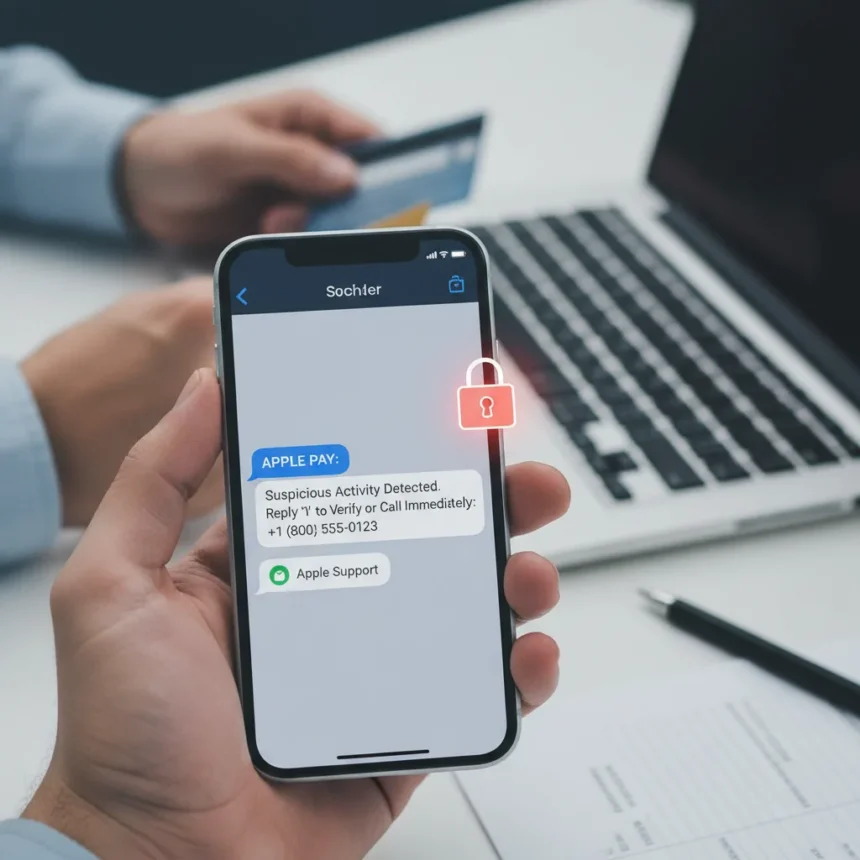
An Apple Pay scam is spreading rapidly, targeting millions of iPhone users with convincing phishing text messages that impersonate Apple to steal login credentials and financial information. The scam works by sending urgent alerts about suspicious transactions, pressuring victims to call a fake support number where criminals pose as Apple representatives, bank staff, or law enforcement.
Key Takeaways
- Scammers send fake SMS texts mimicking Apple, claiming a high-value transaction (often $144 or more) has been blocked at an Apple Store.
- Messages include Apple’s branding, case numbers, and urgent language to create credibility and force immediate action.
- Calling the scammer’s number exposes your Apple ID, verification codes, and bank information to criminals.
- Apple never initiates contact about suspicious transactions—your bank or card issuer handles Apple Pay disputes, not Apple.
- Report phishing SMS to [email protected] and contact Apple only through official channels.
How the Apple Pay Scam Works
The scam begins with a text message that looks like it came from Apple. The message claims an Apple Pay transaction—often at an Apple Store location in a specific state for $144 or several hundred dollars—has triggered a fraud alert and been blocked. It includes a phone number to call if you have questions. The formatting mimics Apple’s official design, complete with logos, case numbers, and urgent language warning that your account could be locked or your money lost if you don’t act immediately. This psychological pressure is deliberate: scammers rely on panic to bypass rational skepticism.
One victim, Dorothy, fell for the tactic despite not even using Apple Pay. “I received a text from APPLE Pay, which I don’t even use,” she recounted. “It said an Apple Store in CA wants to charge me $144. If I have questions, I should call. DUH! I called and was speaking with the scammer”. Her experience is now replicated across millions of inboxes.
The Credential Theft Phase
When you call the number in the text, you reach a criminal posing as Apple support, a bank representative, or even law enforcement. The scammer’s first goal is to build credibility. They often have access to personal data—your name, address, or partial bank information—harvested from previous data breaches. This stolen data makes the conversation feel legitimate, lowering your guard further.



The scammer then requests your Apple ID login credentials, two-factor authentication codes, or payment information under the guise of “verifying your identity” or “protecting your account.” Once they have these credentials, they own your digital identity. They can lock you out of your own account, access stored payment methods, or reset your security settings.
Why This Apple Pay Scam Is So Effective
The scam exploits a fundamental misunderstanding about how Apple Pay works. Many victims assume Apple handles transaction disputes. In reality, Apple Pay is a payment method—transactions flow between the merchant and your bank or card issuer, not through Apple. Apple would never contact you about a suspicious charge; your bank or card company would. Yet the official-looking message, urgency, and use of Apple’s branding make victims believe they’re dealing with Apple directly.



The scam also targets non-Apple Pay users, which paradoxically makes it more effective. Someone who doesn’t use Apple Pay is less likely to immediately recognize the message as fraudulent because they have no baseline for how legitimate Apple Pay alerts actually look. The criminals count on this confusion.
The Money Extraction Step
Once scammers have your credentials, they escalate. They instruct victims to withdraw cash—sometimes $15,000 or more—from their bank, often by lying to the bank employee about the purpose (claiming they’re buying a car, for example). The scammer stays on the phone throughout the bank visit, monitoring the victim’s actions and ensuring they complete the withdrawal. This step transforms the scam from credential theft into direct financial loss.
How to Protect Yourself From the Apple Pay Scam
The simplest defense is to never call numbers in unsolicited text messages, especially those claiming to be from Apple. Apple’s official guidance is clear: “Don’t answer suspicious phone calls or messages claiming to be from Apple. Instead, contact Apple directly through our official support channels”. If you receive a suspicious message, ignore it and contact Apple independently using the phone number on Apple’s website or in the Apple Support app.
Legitimate Apple notifications would never demand immediate action, threaten account lockout, or ask you to call a number provided in the message. If you’re concerned about a transaction, open your banking app or call the number on the back of your physical card—not a number from a text message.



If you’ve already called the number and shared information, act fast. Change your Apple ID password immediately, enable two-factor authentication if you haven’t already, and contact your bank to monitor for unauthorized activity. Report the phishing SMS to Apple by taking a screenshot and emailing it to [email protected].
What Apple Actually Does vs. What Scammers Claim
Apple does not send text messages about suspicious transactions. Apple does not request login credentials via text or phone. Apple does not ask you to call a number to verify your identity. Your bank or card issuer handles transaction disputes—they may contact you, but Apple will not. Understanding this boundary is your strongest defense against the Apple Pay scam.
Unlike legitimate bank notifications, which provide information without demanding action, scam messages create artificial urgency. They threaten immediate consequences: your account will be locked, your money will be stolen, you’ll lose access to your device. None of this is how Apple operates.
Is the Apple Pay scam still active?
Yes, the Apple Pay scam is actively hitting millions of users and evolving with new variations. Scammers continuously refine their messaging and targeting to bypass awareness campaigns. If you haven’t received one yet, you likely will. The best protection is not to engage with unsolicited messages at all.
What should I do if I already gave my Apple ID password to a scammer?
Change your Apple ID password immediately from a trusted device, enable two-factor authentication, and review your account activity for unauthorized access. Contact your bank to flag potential fraud and monitor your accounts for suspicious charges. If you also shared payment information, contact your card issuer and consider a fraud alert or credit freeze.
How can I report this scam to Apple?
Take a screenshot of the phishing text and email it to [email protected]. Include any details about the phone number you called or the scammer’s claims. This helps Apple track and combat the scam at scale. You can also report the SMS to your carrier as spam.
The Apple Pay scam succeeds because it weaponizes trust. It mimics Apple’s brand, exploits urgency, and preys on the assumption that corporations contact customers when problems arise. Your defense is simple: Apple doesn’t initiate contact about transactions, and you should never call numbers from unsolicited messages. When in doubt, contact Apple directly through official channels. That one habit could save you thousands.
Edited by the All Things Geek team.
Source: Tom's Guide