





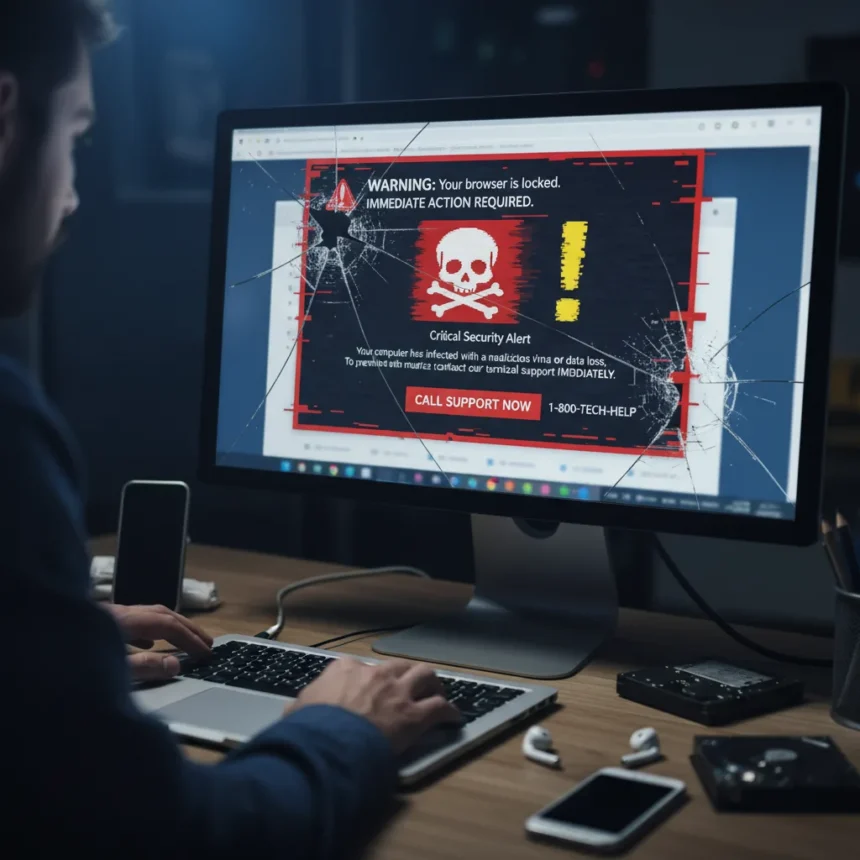
Browser-locking scareware attacks represent a growing threat that exploits fear and urgency to trick victims into contacting scammers directly. According to recent reporting, 2.8 million people have been targeted by this type of attack, which freezes or locks a browser and pressures users to call a fraudulent support number for help.
Key Takeaways
- Browser-locking scareware attacks have affected 2.8 million users globally by freezing browsers and creating fake security warnings.
- Scammers use fear and urgency to pressure victims into calling fake support numbers or paying for nonexistent fixes.
- Browser hijackers typically arrive through corrupt email attachments, unsecured websites, freeware, adware, and spyware.
- Clearing DNS cache, running anti-malware tools, and resetting browser settings can remove browser hijackers.
- Keeping software updated, avoiding suspicious links, and using strong passwords prevent most browser-based attacks.
How Browser-Locking Scareware Works
Browser-locking scareware attacks function by displaying fake security warnings that make it appear your browser has been compromised or locked. The scam creates a sense of panic, typically claiming your device is infected with viruses or that your account has been compromised. The fake warning then instructs you to call a phone number for immediate support. Once you contact the scammers, they may attempt to gain remote access to your device, steal payment information, or convince you to pay for fake security software.
These attacks target browsers specifically because browsers contain your identities, stored passwords, cookies, sessions, and extensions—making them a goldmine for attackers. When a browser appears hostage or frozen, victims feel trapped and are more likely to act without thinking clearly. The psychological pressure is the scam’s primary weapon.
How Browser-Locking Scareware Attacks Spread
Browser hijackers and scareware typically arrive through multiple vectors. Corrupt email attachments are a common entry point, especially when they appear to come from trusted sources. Unsecured websites can inject malicious code directly into your browser when you visit them. Freeware downloads often bundle hidden malware that installs alongside the legitimate software you wanted. Adware and spyware can modify your browser settings, redirect your searches, or inject fake warnings into web pages.


The infection often happens silently. You may not realize your browser has been compromised until a fake security warning appears or you notice unusual behavior like slower page loads or unexpected homepage changes.
Removing Browser-Locking Scareware Attacks
If your browser has been locked or hijacked, several steps can restore normal function. First, clear your system’s DNS cache to sever connections to malicious software programs. Use a dedicated anti-malware or spyware-removal tool to scan your system and delete browser hijackers and modifications. Delete any suspicious programs, especially those you recently downloaded and do not recognize.



Next, reset your browser’s homepage settings to their default values. If the infection persists after these steps, uninstall and reinstall your browser completely. This removes any malicious extensions or settings that may have survived the initial cleanup. For extreme cases where your system remains compromised, consider using a bootable antivirus tool or seeking professional assistance.
Preventing Browser-Locking Scareware Attacks
Prevention is far more effective than removal. Never open suspicious links, especially from unfamiliar email addresses or text messages. Avoid clicking links in pop-up notifications or unusual messages claiming urgent action is needed. Keep your operating system and browser patched with the latest security updates. Enable automatic updates so you do not miss critical fixes.
Install reliable antivirus software such as Microsoft Defender and keep it active. When downloading software, carefully read license agreements and terms and conditions before installation. Avoid freeware programs that unpack additional software after installation without clear disclosure. These bundled installers frequently hide adware or spyware.
Use strong, unique passwords for all accounts and enable two-factor authentication where available. A password manager can generate and store complex passwords, reducing the temptation to reuse weak ones across sites. Be cautious with security questions and avoid easily guessed answers—use random, lengthy responses if possible.



What to Do If You Fall Victim to a Scareware Attack
If you have already contacted scammers or provided information, act immediately. Do not send money or grant remote access. Hang up and close your browser. If you provided credit card information, contact your bank immediately and report fraudulent charges. If you suspect identity theft, file a report at IdentityTheft.gov so the government can help you recover.
Change passwords for all important accounts from a clean device—one you know has not been compromised. Monitor your credit reports for unauthorized activity. Browser-locking scareware attacks rely on panic, so the moment you realize it is a scam, the attackers’ leverage disappears.
Why Browsers Remain a Prime Attack Target
Browsers are attractive targets because they are the gateway to your digital life. They store login credentials, payment methods, browsing history, and session data that can be exploited. Browser extensions can be weaponized to steal information or inject malicious content. Cookies and browser fingerprints enable attackers to track you or impersonate your sessions. Unlike a single app or service, a compromised browser threatens your entire online presence.
Is a browser-locking scareware attack the same as ransomware?
No. Ransomware typically encrypts your files and demands payment for decryption keys. Browser-locking scareware creates a fake warning that makes your browser appear frozen or locked, but it does not actually encrypt your files or system. The threat is psychological rather than technical—the scam works only if you believe it and call the number.
Can antivirus software alone prevent browser-locking scareware attacks?
Antivirus software is essential but not sufficient on its own. You also need safe browsing habits: avoid suspicious links, keep software updated, read download terms carefully, and use strong passwords. Antivirus catches many threats, but social engineering—the pressure and fear the scam creates—bypasses technical defenses. A combination of tools and behavior changes is necessary.
What should I do if I see a browser-locking warning right now?
Do not panic and do not call the number on the warning. Close your browser immediately using the Task Manager (Windows) or Force Quit (Mac). Restart your browser and run a full system scan with your antivirus software. If the warning reappears, follow the removal steps above: clear DNS cache, run anti-malware tools, delete suspicious programs, and reset browser settings. If you cannot remove it yourself, seek help from a trusted tech professional.
Browser-locking scareware attacks succeed because they exploit fear in a moment of perceived crisis. Understanding how they work, recognizing the warning signs, and knowing the removal steps puts you in control. Stay skeptical of urgent security warnings, keep your software updated, and never call numbers displayed in pop-up warnings. Your browser is a tool—not a hostage.
Edited by the All Things Geek team.
Source: Tom's Guide




