





iOS 26.5 RCS encryption is finally here. Apple’s upcoming iOS 26.5 Release Candidate build includes end-to-end encrypted RCS messaging in the Messages app, marking the first time iPhone users can send encrypted messages to Android devices over RCS without sacrificing security. The feature arrives in beta and will roll out gradually to supported carriers, but it fundamentally changes how cross-platform messaging works.
Key Takeaways
- iOS 26.5 RC includes end-to-end encrypted RCS messaging (beta) enabled by default in Messages
- Encrypted RCS chats display a locked icon with “Encrypted” label, matching Google Messages design
- Availability depends on carrier support for the latest RCS standard; rollout is gradual
- Feature uses GSMA’s Messaging Layer Security (MLS) protocol, based on Apple’s collaboration with GSM Association
- Also coming to iPadOS, macOS Tahoe, and watchOS in version 26.5
What iOS 26.5 RCS Encryption Actually Changes
Before iOS 26.5, iPhone-to-Android RCS messages were unencrypted. iMessage between iPhones was locked down with end-to-end encryption, and Google Messages on Android offered the same protection for Android-to-Android conversations. But the middle ground—iPhone talking to Android—remained exposed. iOS 26.5 RCS encryption closes that gap entirely.
The encryption is enabled by default. When you send an RCS message to an Android contact on iOS 26.5, the system automatically activates end-to-end encryption if both devices and carriers support it. You’ll see a locked icon with an “Encrypted” label next to the conversation, the same visual indicator Google uses in Messages. This parity matters: it signals to users that their cross-platform messages are now as secure as platform-native conversations.
If you want to verify the setting is active, go to Settings > Messages > RCS Messaging and confirm the end-to-end encryption toggle is on. For most users, this will already be the case, but the option exists if you need to disable it for compatibility reasons.


How iOS 26.5 RCS Encryption Works Under the Hood
Apple didn’t build this encryption standard alone. The company collaborated with the GSM Association on RCS Universal Profile 3.0, which is based on the Messaging Layer Security (MLS) protocol. This is significant because it means the encryption standard is industry-backed, not proprietary to Apple. The GSMA updated the RCS specification in 2025 to include encryption, and iOS 26.5 is the first major implementation of that updated standard on iPhone.
Google added end-to-end encryption to Messages before the GSMA made it mandatory, which is why Android users have enjoyed encrypted RCS for a while. iOS 26.5 brings Apple into alignment. The technical foundation—MLS—is designed to handle group chats and scale across multiple devices, which means encrypted RCS conversations should work smoothly even in group settings.


Carrier Support and Rollout Timeline
Here’s the catch: iOS 26.5 RCS encryption only works if your carrier supports the latest RCS standard. Not all carriers have upgraded their infrastructure yet, so availability will roll out over time. Apple’s official changelog states the feature is “available with supported carriers and will roll out over time.” This means you might enable iOS 26.5 and find that encrypted RCS doesn’t activate immediately—it depends on whether your carrier has deployed the necessary backend changes.
The feature was tested in iOS 26.4 betas but didn’t ship in the final iOS 26.4 release. It returned in iOS 26.5 betas and is now included in the Release Candidate, the final testing build before public launch. iOS 26.5 is expected to release publicly within days of the RC announcement, and the encrypted RCS feature will be available from day one for users on supported carriers.
Comparing iOS 26.5 RCS Encryption to What Came Before
The privacy improvement is stark. Prior to iOS 26.5, if you sent an RCS message from iPhone to Android, it traveled unencrypted. The recipient’s Android device would display it in their Messages or Google Messages app, but the message itself was readable by carriers, network infrastructure, and anyone with access to those systems. iMessage, by contrast, has offered end-to-end encryption for over a decade. The gap between iPhone-to-iPhone security and iPhone-to-Android security was a real vulnerability.
iOS 26.5 RCS encryption puts cross-platform messaging on par with iMessage. The locked icon and “Encrypted” label provide visual confirmation that the conversation is protected, which matters for user confidence. Google Messages already shows this same indicator for encrypted RCS chats, so iOS 26.5 is catching up to what Android users already have.
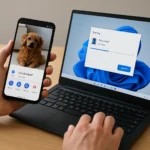


What About iPadOS, macOS, and watchOS?
iOS 26.5 isn’t the only Apple operating system getting encrypted RCS. The feature is also coming to iPadOS 26.5, macOS Tahoe 26.5, and watchOS 26.5. This means you’ll be able to send encrypted RCS messages to Android contacts from your iPad, Mac, or Apple Watch, with the same security guarantees. Multi-device support is especially important for users who switch between devices throughout the day.
How to Enable and Verify iOS 26.5 RCS Encryption
For most users, there’s nothing to do. The feature is enabled by default in iOS 26.5. However, if you want to verify it’s active or disable it for troubleshooting, the setting is straightforward. Open Settings on your iPhone, navigate to Messages, then tap RCS Messaging. You’ll see the end-to-end encryption toggle. If it’s on (which it should be by default), your encrypted RCS conversations are ready to go.
When you send an RCS message to an Android contact after upgrading to iOS 26.5, look for the locked icon with the “Encrypted” label in the conversation thread. If you don’t see it, your carrier may not yet support the feature, or the recipient’s Android device may not be using a compatible RCS implementation. In those cases, the message will still send, but without the encryption layer.
Why This Matters for Privacy
Apple has marketed privacy as a core value for years, but iPhone-to-Android messaging was a blind spot. Now that gap is closing. Encrypted RCS on iOS 26.5 means you can message Android users without worrying about carriers or network operators intercepting your conversations. It’s a significant step toward making cross-platform communication as secure as single-platform alternatives.
When Will iOS 26.5 Be Released?
The iOS 26.5 Release Candidate is available now for developers and public beta testers. The stable public release is expected within days of the RC announcement on May 5, 2026. Apple typically releases final versions of iOS shortly after the RC build, so you should expect iOS 26.5 to be available to all users very soon.
Does iOS 26.5 RCS encryption work with all Android devices?
iOS 26.5 RCS encryption works with Android devices that support the latest RCS standard and are using a compatible messaging app like Google Messages. However, availability depends on carrier support. Not all carriers have deployed the necessary infrastructure for encrypted RCS yet, so your mileage may vary depending on your location and carrier.
Can you turn off iOS 26.5 RCS encryption?
Yes. If you need to disable end-to-end encryption for compatibility or troubleshooting reasons, you can toggle it off in Settings > Messages > RCS Messaging. However, Apple enables it by default because it’s the secure option, so disabling it is not recommended unless you have a specific reason.
Is iOS 26.5 RCS encryption the same as iMessage encryption?
Both use end-to-end encryption, but the underlying protocols are different. iMessage uses Apple’s proprietary encryption, while iOS 26.5 RCS encryption uses the GSMA’s Messaging Layer Security (MLS) protocol. From a user perspective, both offer the same security guarantee: only you and the recipient can read the messages.
iOS 26.5 RCS encryption represents a watershed moment for cross-platform messaging security. Apple finally closed the privacy gap that has existed since adopting RCS in 2023, and the feature arrives with a clear visual indicator so users know when their conversations are protected. If you’re an iPhone user who regularly messages Android contacts, iOS 26.5 is a genuine upgrade to your privacy posture—assuming your carrier has caught up to the new standard.
Edited by the All Things Geek team.
Source: Android Central




