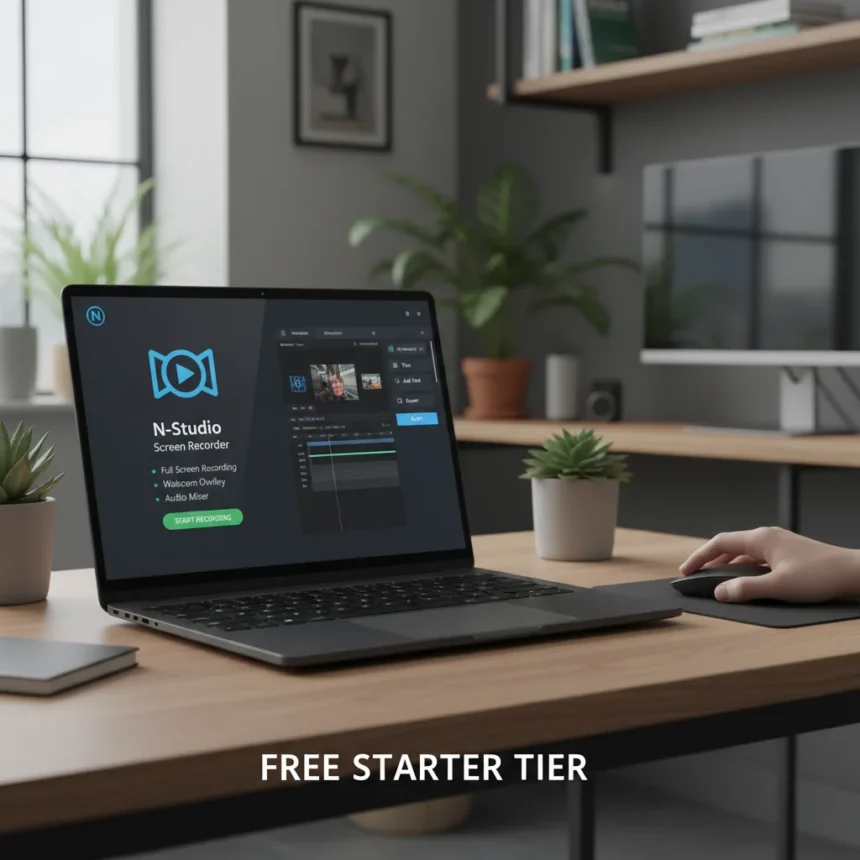
N-Studio screen recorder is a new all-in-one tool for capturing, editing, and sharing your screen, now available on the Microsoft Store for Windows. The app arrives with a generous free Starter tier that includes core recording features, audio capture, and export tools—a significant advantage over the fragmented approach most Windows users face when juggling Xbox Game Bar, Snipping Tool, and separate editing software.
Key Takeaways
- N-Studio Starter tier is free with screen recording, audio capture, and basic export functionality.
- Professional upgrade costs $36 and adds timelapse support, multi-layer editing, and advanced adjustments.
- Competes directly with built-in Windows tools like Xbox Game Bar and Snipping Tool, which lack editing capabilities.
- Available immediately on Microsoft Store for Windows 10 and Windows 11.
- Fills a gap between basic screen capture and full video editing software on Windows.
What N-Studio Screen Recorder Offers in the Free Tier
The free Starter version of N-Studio screen recorder gives you the essentials without paywalls or aggressive limitations. You get screen recording at variable paces, audio capture from your system or microphone, and the ability to export your footage. This is where N-Studio differs sharply from Windows’ built-in options. Xbox Game Bar records gameplay and screen activity, but offers no editing layer—you record, save to your Videos folder, and move to another app if you want to trim or adjust. The Snipping Tool captures static images or short video clips but lacks any editing capability whatsoever. N-Studio bundles recording and editing into one environment, eliminating the friction of switching tools mid-workflow.
The free tier is genuinely useful for quick screen captures and basic exports. If you’re recording a tutorial, demo, or simple how-to, the Starter version handles the job without forcing you to pay upfront. This contrasts with many Microsoft Store screen recorders that either charge from day one or load the free version with watermarks and time limits.
When You’ll Need the N-Studio Professional Upgrade
The $36 Professional tier unlocks features that separate casual screen recording from actual video production. Timelapse support lets you compress long recordings—compress an hour-long session into minutes without losing detail. The multi-layer editor means you can stack clips, add overlays, and build more complex compositions. Additional adjustments give you control over color, timing, and effects that the Starter tier leaves out.


Professional is where N-Studio screen recorder becomes a genuine competitor to standalone editing suites. You’re not exporting raw footage and opening DaVinci Resolve or Adobe Premiere. You’re editing inside the same app where you recorded, keeping your workflow tight and your friction low. For content creators, educators, and anyone producing screen-based video regularly, that $36 one-time cost is a bargain compared to monthly subscriptions elsewhere.
How N-Studio Screen Recorder Stacks Against Windows Alternatives
Windows offers several built-in and third-party screen recording options, each with trade-offs. Xbox Game Bar (activated with Windows key + G) records instantly and saves to your Videos > Captures folder, but you’re limited to playback and sharing—no editing. The Snipping Tool in Windows 11 lets you capture portions of your screen with a 3-second countdown and save to your Videos folder, but it’s designed for stills and brief clips, not long-form recordings. Microsoft Clipchamp, available in Microsoft 365, offers browser-based recording with effects like text overlays, backdrops, and stickers, plus the ability to trim, split, and add music—but it’s tied to a subscription service and requires uploading to Microsoft 365.



The Microsoft Store hosts dozens of free and paid screen recorders. Fine Screen Recorder offers unlimited recording time with optional watermarks. Screen Recorder Ultimate supports full-screen or custom-sized capture with system and microphone audio options. Screen Recorder Pro includes desktop recording with dual audio inputs. None of these free alternatives bundle editing at the level N-Studio’s Starter tier provides. This is N-Studio’s real advantage: you get recording and editing in one place without paying anything upfront, and the Professional tier remains affordable if you need more power.
Is N-Studio Screen Recorder Worth Installing?
If you’re tired of recording in one app and editing in another, N-Studio screen recorder solves that friction. The free Starter tier is genuinely useful—not a crippled demo designed to frustrate you into upgrading. You record, edit, and export without opening a second application. For Windows users who’ve relied on Xbox Game Bar plus a separate editor, or who’ve bounced between three different Microsoft Store apps, N-Studio consolidates the workflow into something sane.
The $36 Professional upgrade is optional but reasonable if you work with screen video regularly. Timelapse and multi-layer editing unlock possibilities the free tier doesn’t touch. Casual users can stay on Starter indefinitely. Power users get a legitimate upgrade path without subscription traps.
Does N-Studio screen recorder include timelapse in the free version?
No. Timelapse support is exclusive to the $36 Professional tier. The free Starter version records at real-time pace and supports variable playback speeds during editing, but compressed timelapse recording requires the paid upgrade.


Can you use N-Studio screen recorder on Windows 10?
Yes. N-Studio is available on the Microsoft Store for both Windows 10 and Windows 11. The app does not require Windows 11’s latest features.
How does N-Studio screen recorder compare to free alternatives like OBS?
N-Studio is simpler and more integrated than OBS. OBS is a powerful, open-source streaming and recording tool with a steeper learning curve and more configuration options. N-Studio prioritizes ease of use and bundles editing into the same interface, making it faster for quick screen captures and tutorials. OBS is better if you need advanced streaming controls or multi-source composition. N-Studio is better if you want to record and edit a screen video in minutes without learning a complex interface.
N-Studio screen recorder fills a genuine gap in Windows software. It’s not revolutionary, but it solves a real problem: most Windows users either accept the limitations of built-in tools or waste time juggling separate apps. The free tier is generous enough to be useful, the paid tier is affordable, and the whole experience is designed around speed rather than complexity. For anyone recording tutorials, demos, or training videos on Windows, it’s worth a download.
Edited by the All Things Geek team.
Source: Windows Central