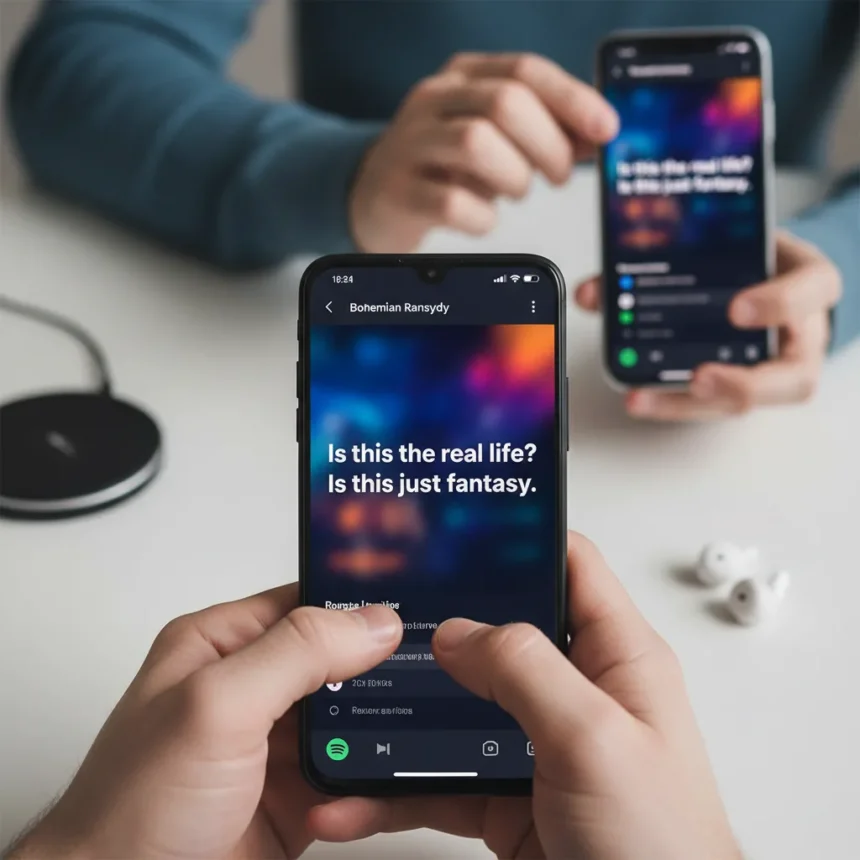
A hidden gesture on Android finally lets users enlarge Spotify lyrics by pinching the text—a simple but transformative accessibility feature that has somehow remained undocumented until now. The Spotify lyrics zoom capability works like pinching a photo or webpage, allowing readers to adjust text size on the fly without altering their device’s system-wide font settings. Yet iOS users cannot access this feature, creating yet another platform disparity in an app that claims to prioritize universal music access.
Key Takeaways
- Android users can pinch-to-zoom Spotify lyrics in the full-screen lyrics view for better readability.
- Feature works on any song with Musixmatch-provided lyrics; zoom persists across playback.
- iOS users must rely on device-level accessibility settings, which affect the entire app.
- No official Spotify documentation exists for this gesture; discovered via Reddit.
- Lyrics available globally for free and premium subscribers since 2021.
How to zoom Spotify lyrics on Android
The process is straightforward but requires the latest Spotify app on Android. Open Spotify and play any song that displays available lyrics—these are marked in playlists and your library. Tap the lyrics card in the Now Playing view, or swipe up from the bottom of the screen to expand to full-screen lyrics mode. Once there, place two fingers on the lyrics text and pinch outward, exactly as you would zoom into a photograph. The text enlarges instantly. Pinch inward to shrink the text back down. Throughout the zoom, lyrics remain synchronized to the song’s playback, so you never lose your place.
The feature works because Spotify integrates Musixmatch’s lyrics database, which covers over eight million titles globally. Not every song in Spotify’s 82-million-track catalog has lyrics available, but the vast majority of mainstream and popular releases do. If a song lacks Musixmatch lyrics, the zoom gesture simply will not activate—the feature degrades gracefully rather than breaking the interface.
Why Android gets this feature while iOS waits
This disparity highlights a recurring frustration for iPhone users: Spotify’s Android app frequently ships features months or even years before iOS parity. The zoom capability appears to be a server-side feature rollout, meaning Spotify can enable it for Android without submitting a new iOS build to Apple’s App Review process. iOS development cycles are slower, and Apple’s stricter review guidelines sometimes delay or reject features that Android users take for granted. For now, iOS users stuck with less-than-perfect eyesight must adjust their device’s system accessibility settings—Settings > Accessibility > Display & Text Size—which enlarges text across all apps, not just Spotify.


Apple Music, Spotify’s closest competitor, offers real-time lyrics but lacks any comparable zoom functionality. YouTube Music and Tidal also provide lyrics, yet neither has documented a pinch-to-zoom gesture. Spotify’s Android implementation sets a new accessibility standard that should exist everywhere.
The broader accessibility story
This discovery matters because Spotify’s lyrics feature was nearly lost entirely. In 2024, Spotify briefly removed lyrics access from free-tier users, restricting the feature to premium subscribers only. The backlash was immediate and fierce. Within weeks, Spotify reversed course and restored free lyrics access globally, acknowledging that lyrics enhance music discovery and enjoyment for all users, regardless of subscription tier. The zoom hack represents a quiet continuation of that philosophy—making lyrics more usable for people with low vision or simply those tired of squinting at tiny text on a smartphone screen.



The feature’s lack of official documentation is puzzling. Spotify has not announced the zoom capability on its support pages or in app release notes. Instead, a Reddit user in r/spotify stumbled upon it and shared the discovery, prompting tech publications to test and confirm the functionality. This suggests Spotify may not have intentionally marketed the feature, or perhaps the company is still rolling it out gradually across Android devices.
Does your phone need the latest Spotify version?
Yes, you should ensure your Spotify app is fully updated from the Google Play Store. The zoom feature appears to be available in the current version, though Spotify has not specified an exact app version number where it first appeared. If you are running an older build of Spotify, update immediately and restart the app. The gesture should then work in the full-screen lyrics view.
Can you zoom Spotify lyrics on desktop or web?
The pinch-to-zoom gesture is exclusive to the mobile experience, as desktop and web versions of Spotify do not support touch gestures. On a computer, you can adjust text size using your browser’s zoom controls (Ctrl+Plus or Cmd+Plus), which will enlarge the entire Spotify web player interface, including lyrics. This is a workaround, not the elegant gesture-based zoom that Android phone users enjoy.
The Spotify lyrics zoom hack exposes both the strengths and weaknesses of Spotify’s platform strategy. Android users benefit from faster feature rollouts and experimental gestures, while iOS users wait for official parity. For anyone with accessibility needs or simply a preference for larger text, Android’s zoom capability is a significant shift—one that should have been documented and celebrated from day one. Until Spotify brings this feature to iOS, or until Apple’s app review process moves faster, the disparity remains a frustrating reminder that universal access still means different things on different devices.



Edited by the All Things Geek team.
Source: TechRadar