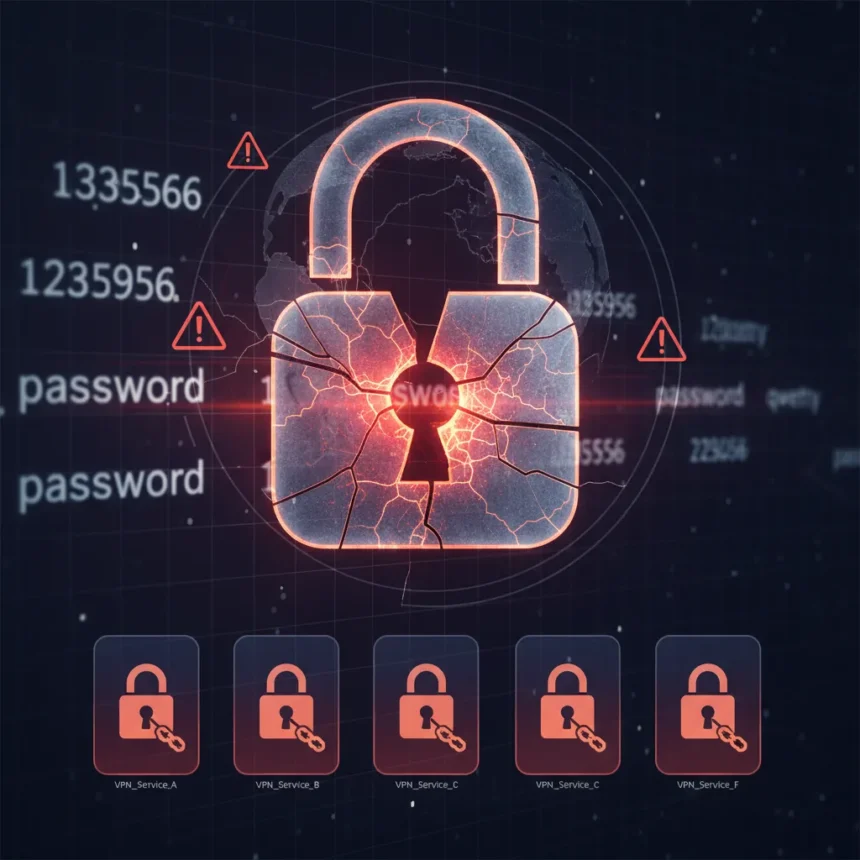
VPN password security is crumbling at the services people trust most. A recent security audit of 25 major VPN providers reveals that six of the most heavily recommended services—NordVPN, Surfshark, ExpressVPN, Proton VPN, Private Internet Access, and Hotspot Shield—accept obviously weak passwords like “123456,” “password,” and “qwerty” during account creation and password changes.
Key Takeaways
- Six top-ranked VPNs accept “123456” as a valid password, failing basic security standards.
- Many VPNs enforce no meaningful password-strength rules beyond checking that passwords are not blank.
- A large number of VPN services do not support two-factor authentication at all.
- Some VPNs offer only weak email-based 2FA instead of stronger TOTP or hardware-key options.
- Weak account security undermines encryption benefits—attackers who compromise accounts can access logs and payment data.
The VPN password security gap: How top services are failing
The contradiction is stark. These six VPNs market themselves relentlessly as security-first and privacy-focused, yet they fail to enforce password policies that would be considered basic hygiene by any security standard. During testing, all six accepted “123456” as a valid password. Several also accepted “password” or “qwerty.” This is not a technical oversight—it is a choice to prioritize user convenience over account protection.
The core issue is that many VPNs enforce no meaningful password-strength rules at all. Some require only a minimum length of 6 to 8 characters and check nothing else. Others do not even verify that a password is unique or different from a previous one. This stands in direct conflict with guidance from NIST, which recommends a minimum of 8 characters and warns against arbitrary complexity rules that push users toward predictable patterns. Ironically, the VPNs’ lax policies do exactly what NIST warns against: they force users to either accept weak defaults or create passwords they cannot remember, leading to reuse across services.
The stakes are not abstract. A user whose VPN account is compromised via a weak password does not just lose tunnel encryption. An attacker gains access to account logs, payment information, billing history, and potentially connection records—the very data that VPNs claim to protect. Strong encryption in the tunnel becomes meaningless if the account itself is a sitting duck.


Two-factor authentication: The missing second line of defense
The situation worsens when you examine two-factor authentication support. A large number of VPNs do not offer 2FA at all, leaving accounts protected by passwords alone. Among those that do support 2FA, many offer only email-based one-time codes, which are weaker than authenticator-app-based TOTP or hardware-based security keys. A few VPNs do offer stronger options like TOTP or hardware keys, but they are exceptions rather than the rule.
This creates a tiered security landscape where users cannot simply “choose the secure option.” If your preferred VPN does not support 2FA, you have two choices: accept the risk or switch services. If it offers only email-based 2FA, you are relying on email security—which is often weaker than the VPN itself. The VPNs that offer TOTP or hardware-key support are doing what should be standard across the industry, yet they remain outliers.



Marketing versus reality: The credibility gap
The disconnect between marketing and practice is the real story. These six VPNs—and many others tested—advertise “military-grade encryption,” “zero-knowledge architecture,” and “no-logs policies.” Those claims may be technically accurate for the tunnel itself. But they ring hollow when the same company accepts “123456” as a password and offers no way to enable 2FA.
This is not a minor inconsistency. It is a fundamental credibility problem. A user choosing a VPN based on security marketing is making a decision on incomplete information. They are being sold the strength of the encryption while the account-security practices are left out of the pitch. The gap between what these services claim and what they actually enforce suggests either a lack of security awareness or a deliberate choice to minimize friction at the expense of safety.
What users should demand from a VPN
The testing methodology was straightforward: create accounts and attempt password changes on each VPN’s web portal, using obviously weak passwords to see which ones would be rejected. The results make clear what a baseline for VPN password security should look like. Any reputable VPN should enforce a minimum password length of at least 8 characters, reject common weak passwords, and require or strongly encourage 2FA. Ideally, it should offer TOTP or hardware-key options, not just email-based codes.
Users should also avoid reusing passwords across services, even if a VPN enforces strong policies. A breach at another service could expose credentials that work elsewhere. Password managers are not optional—they are essential infrastructure for anyone managing multiple accounts with unique, strong passwords.



Does my VPN support two-factor authentication?
Check your VPN’s account settings or help documentation. If 2FA is not listed as an option, contact support to confirm. If it is available, enable it immediately—preferably using an authenticator app like Google Authenticator or Authy rather than email-based codes, which are easier to intercept.
What password length should I use for my VPN?
Use at least 12 characters, even if your VPN only requires 8. The longer your password, the harder it is to crack through brute force. Combine uppercase, lowercase, numbers, and symbols. Avoid dictionary words, sequences like “123456,” or personal information. A password manager can generate and store these for you.
Can I trust a VPN that only offers email-based 2FA?
Email-based 2FA is better than no 2FA, but it is not ideal. Email accounts can be compromised, and some email providers do not require strong authentication themselves. If your VPN offers only email-based 2FA, use it—but consider switching to a service that supports authenticator apps or hardware keys if security is your top priority.
The bottom line is simple: VPN password security matters, and the industry is failing on a basic requirement. Users deserve services that match their marketing claims with actual security practices. Until the six VPNs that failed these tests enforce stronger password policies and offer robust 2FA, they are selling security theater rather than security. Choose a VPN that backs up its claims with real account-protection measures, or accept that you are taking on unnecessary risk.
Edited by the All Things Geek team.
Source: Tom's Guide