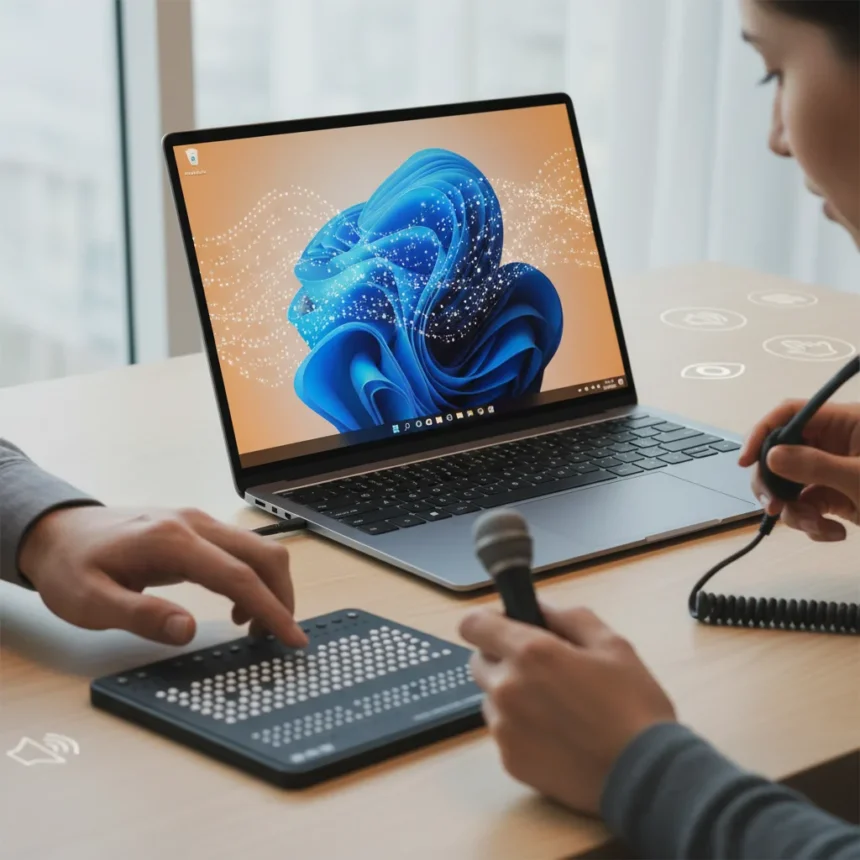
Windows 11 accessibility upgrades are coming through the Windows Insider Program, with Microsoft testing new features designed to improve the experience for users with vision and mobility needs. The testing phase includes screen tint options, enhanced Braille display support, Voice Access updates, and Magnifier improvements that signal Microsoft’s commitment to expanding assistive technology across its flagship operating system.
Key Takeaways
- Windows 11 accessibility upgrades include screen tint, improved Braille support, and Voice Access updates currently in Insider testing.
- The upgrades target users with vision impairments and mobility limitations through multiple assistive technology channels.
- Magnifier changes complement existing Windows 11 accessibility tools like Narrator and Live Captions.
- Features are being tested before wider rollout, suggesting a phased approach to accessibility improvements.
- These upgrades build on Windows 11’s existing foundation of built-in accessibility features.
What’s New in Windows 11 Accessibility Upgrades
Microsoft is testing four distinct improvements to Windows 11 accessibility that address different user needs. The screen tint feature provides visual customization for users sensitive to bright displays, while improved Braille display support expands compatibility for blind and low-vision users who rely on Braille technology. Voice Access updates enhance speech recognition capabilities, and Magnifier changes refine the screen magnification tool that helps users with partial vision loss. These Windows 11 accessibility upgrades represent incremental but meaningful progress in making the operating system more inclusive.
The Insider Program serves as Microsoft‘s testing ground for features before general release. This approach allows the company to gather feedback from early adopters and identify issues before rolling out Windows 11 accessibility upgrades to the broader user base. By testing these features in advance, Microsoft can ensure they integrate smoothly with existing accessibility tools and don’t introduce new barriers for assistive technology users.
How Windows 11 Accessibility Upgrades Fit Into Existing Tools
Windows 11 already includes foundational accessibility features like Narrator for screen reading, Closed Captions for audio content, and Live Captions for real-time transcription. The new Windows 11 accessibility upgrades expand this ecosystem rather than replace it. The enhanced Braille support strengthens compatibility with third-party Braille displays, while Voice Access improvements build on existing speech recognition capabilities. Magnifier refinements complement the visual adjustment tools already available, creating a more cohesive accessibility suite.


The screen tint feature fills a specific gap that many users have requested. Unlike color filters that adjust hue across the entire display, screen tint provides a more targeted approach to reducing eye strain and managing light sensitivity. This addition shows Microsoft is listening to user feedback and iterating on accessibility features based on real-world needs rather than generic checkbox features.
Why Braille Support Matters for Windows 11 Accessibility Upgrades
Improved Braille display support is particularly significant because Braille users represent a distinct accessibility need that keyboard-only or voice-only interfaces cannot fully address. Braille displays allow blind users to read text output from their computer in real time, making them essential for productivity tasks, coding, and detailed document review. Enhanced Windows 11 accessibility upgrades in this area mean better compatibility with a wider range of Braille devices and more reliable integration with Windows applications. This matters because many assistive technology users depend on multiple tools working together smoothly.



Voice Access updates similarly expand options for users with limited mobility or dexterity issues. By improving speech recognition accuracy and responsiveness, these Windows 11 accessibility upgrades make voice control a more viable primary input method rather than a supplementary feature. Users with conditions affecting hand and arm mobility benefit most from these refinements, as voice becomes a more reliable way to navigate and control their system.
What’s the Timeline for These Windows 11 Accessibility Upgrades?
The Insider Program testing phase means these features are not yet widely available. Microsoft typically tests accessibility improvements for several weeks or months before rolling them out to all Windows 11 users through standard updates. The exact timeline depends on feedback from testers and any issues discovered during the testing phase. Users interested in trying Windows 11 accessibility upgrades early can join the Windows Insider Program, though this requires accepting pre-release software with potential stability issues.
Why Should You Care About Windows 11 Accessibility Upgrades?
Even if you don’t personally use assistive technology, Windows 11 accessibility upgrades benefit everyone. Screen tint reduces eye strain for users working long hours. Voice Access benefits anyone whose hands are full. Magnifier helps users with presbyopia or temporary vision issues. Accessibility features are universal features—they make the operating system more flexible and usable for a broader audience, which is why major tech companies invest in them continuously.
Are these Windows 11 accessibility upgrades available now?
No, these features are currently in testing through the Windows Insider Program. They are not available in the stable release version of Windows 11. To access them early, you can enroll in the Insider Program, though you should be aware that pre-release builds may have bugs or stability issues.



How do I enable screen tint in Windows 11 once it releases?
Once the Windows 11 accessibility upgrades roll out to all users, screen tint will likely be accessible through the Settings app under Ease of Access or Accessibility options, similar to existing color filter and contrast settings. The exact steps will depend on how Microsoft implements the feature in the final release.
What Braille displays will work with improved Windows 11 accessibility upgrades?
The research brief does not specify which Braille display models will be supported by the improved Windows 11 accessibility upgrades. Compatibility details will likely be published by Microsoft when the feature reaches general release, and you should check the official Windows accessibility documentation for a full list of supported devices.
Windows 11 accessibility upgrades represent Microsoft’s ongoing effort to make computing more inclusive. By testing screen tint, Braille support, Voice Access improvements, and Magnifier changes, the company is addressing real accessibility gaps identified by users and assistive technology professionals. These aren’t flashy headline features, but they matter deeply to millions of users who depend on accessibility tools every day. The Insider Program approach ensures these upgrades will be refined before reaching the broader user base, which is the right way to roll out accessibility features that people rely on for their work and daily computing tasks.
Edited by the All Things Geek team.
Source: Windows Central