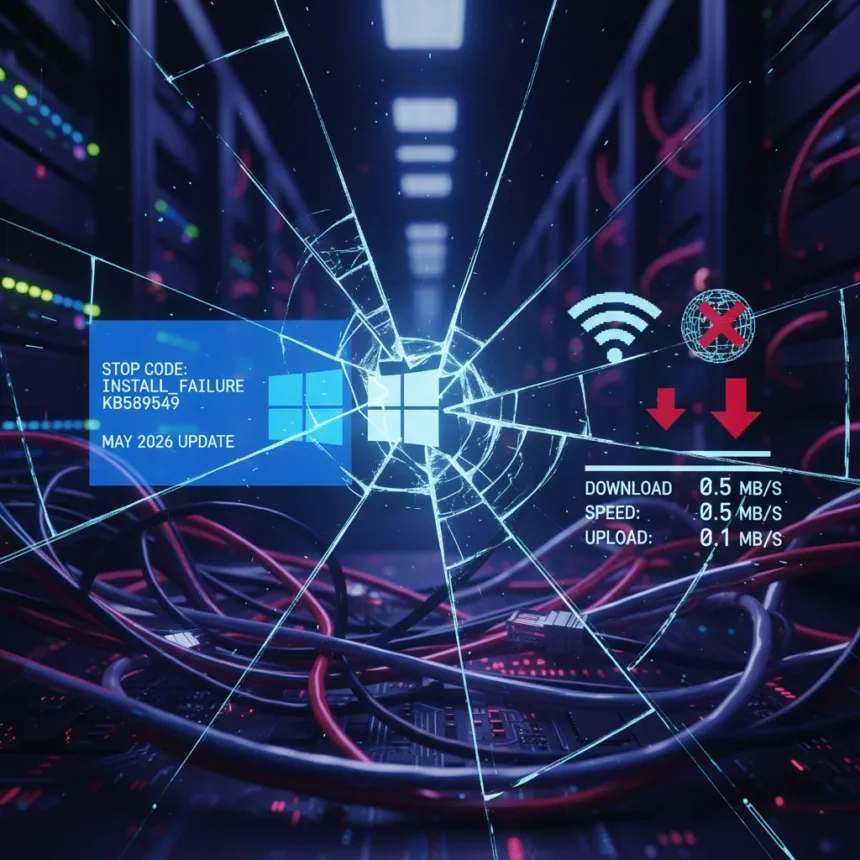
Windows 11’s May 2026 update KB5089549 is creating a dual problem for users: the patch refuses to install for some, while others report significantly slower internet speeds after installation. This combination of installation failures and network performance degradation marks a particularly frustrating moment for Windows 11 users expecting routine monthly maintenance.
Key Takeaways
- KB5089549, the Windows 11 May 2026 update, is failing to install on some devices entirely.
- Users who successfully install KB5089549 report noticeable internet speed slowdowns after the update.
- The dual-impact nature of the issue—both installation and performance—affects user trust in Windows update reliability.
- Installation failures suggest a compatibility or deployment issue, while internet slowdowns point to potential driver or network stack changes.
- Users experiencing problems should avoid forced installation attempts until Microsoft addresses the underlying causes.
What’s Actually Happening With KB5089549
The Windows 11 May 2026 update is not a routine patch. Reports indicate KB5089549 is triggering installation errors that prevent the update from completing on affected systems. For those whose installations do complete, the aftermath is worse: internet performance degrades noticeably, with users describing slower download speeds, higher latency, and general network sluggishness. This is not a minor cosmetic bug—it directly impacts productivity and online activity.
The scope of the problem remains unclear from available reports. Not every Windows 11 device is affected, which suggests KB5089549 may conflict with specific hardware configurations, driver versions, or pre-existing system states. This targeted nature makes troubleshooting harder for both users and Microsoft, since the update works fine on some machines and breaks others.
Installation Failures: Why KB5089549 Won’t Install
When a Windows update refuses to install, the root cause is typically one of three things: file corruption during download, hardware incompatibility, or a conflict with existing system files or drivers. KB5089549 appears to trigger installation errors on certain systems, preventing the update from reaching completion. Users attempting to install the update manually report error codes and rollback behavior, where Windows abandons the installation and reverts to the previous state.


The installation failure pattern suggests the update package itself may have a deployment issue, or it is incompatible with specific Windows 11 builds running on affected devices. Without Microsoft’s official diagnosis, users are left guessing whether their system configuration is the problem or whether the update is simply broken.
Internet Slowdowns After Installation: A Network Problem
For users who successfully install KB5089549, the real frustration begins. Internet speeds drop noticeably after the update completes. This could indicate that KB5089549 modified network drivers, changed network stack settings, or introduced a background process consuming bandwidth. Network performance degradation is particularly damaging because users often blame their ISP or hardware before suspecting a recent Windows update.



The slowdown is not universal—some users report no change in internet speed—which again points to hardware or configuration-specific incompatibilities. A user running an older network adapter driver might experience slowdown, while another with a newer driver might see no difference. This inconsistency makes it nearly impossible for users to self-diagnose the problem without reverting the update entirely.
How Windows 11 Updates Compare to Previous Versions
Windows 11 has struggled with update reliability since launch. Earlier updates have triggered their own waves of complaints—installation failures, driver conflicts, and performance regressions are recurring themes in the Windows update cycle. KB5089549 is not unique in causing problems, but the combination of installation failures and internet slowdowns in a single update is particularly aggressive. Previous Windows 10 updates occasionally caused similar issues, but the frequency and severity of problems in Windows 11 suggest a systemic quality control gap in Microsoft’s update testing process.
The comparison that matters most is between a working update and a broken one. Windows 11 users expect monthly patches to improve security and stability, not degrade their system. KB5089549 fails that basic expectation for a segment of the user base.
What You Should Do If KB5089549 Affects Your System
If your Windows 11 device fails to install KB5089549, do not repeatedly attempt forced installation. Each failed attempt wastes time and risks further system instability. Instead, wait for Microsoft to acknowledge the issue and release a corrected version of the update, or a separate patch addressing the installation problem. You can check for updates manually, but aggressive retry behavior is counterproductive.



If you have already installed KB5089549 and notice internet slowdown, the safest approach is to uninstall the update and revert to the previous Windows 11 build. Use Settings > Update & Security > Update History > Uninstall Updates, then select KB5089549. Restart your device and verify that internet speed returns to normal. This confirms that KB5089549 is the culprit and gives you a workaround until Microsoft releases a fix.
For users whose systems are unaffected, there is no immediate action required. Continue monitoring your system’s performance after future updates, and do not install KB5089549 until Microsoft confirms the issues are resolved.
Will Microsoft Pull or Fix KB5089549?
Microsoft has a history of pulling problematic updates entirely when the damage is widespread enough. If KB5089549 continues to cause installation failures and internet slowdowns across a significant user base, Microsoft may pause the rollout, pull the update, and release a corrected version. Alternatively, they may release a follow-up patch that fixes the underlying issue without requiring users to uninstall KB5089549 manually. Either way, official communication from Microsoft is pending, and users should watch Microsoft’s support pages and Windows 11 release notes for updates.
FAQ
Should I install Windows 11 May 2026 update KB5089549 right now?
No. If your device is not yet affected, hold off on installing KB5089549 until Microsoft confirms the installation failures and internet slowdowns are resolved. If your device has already installed it and you are experiencing problems, uninstall it immediately through Settings > Update History.
How do I know if KB5089549 is causing my internet slowdown?
Uninstall KB5089549 through Windows Update history and restart your device. Run a speed test before and after uninstallation. If internet speed returns to normal after removing the update, KB5089549 is the cause. If speed remains slow, the problem is elsewhere.
Is KB5089549 a security update, and do I need it?
The research brief does not specify whether KB5089549 is classified as a security or quality update. Until Microsoft releases a corrected version or confirms the issues are fixed, prioritize system stability over installing a broken update. Security patches can wait a few weeks if the current patch damages your system.
Windows 11’s May 2026 update demonstrates a critical failure in Microsoft’s update quality assurance. Installation failures combined with internet performance degradation is not a minor inconvenience—it is a fundamental breach of user trust. Until Microsoft acknowledges the problem and releases a fix, users affected by KB5089549 should uninstall it and wait for clarity. For those not yet affected, patience is the smarter choice than rolling the dice on a broken patch.
Edited by the All Things Geek team.
Source: Windows Central