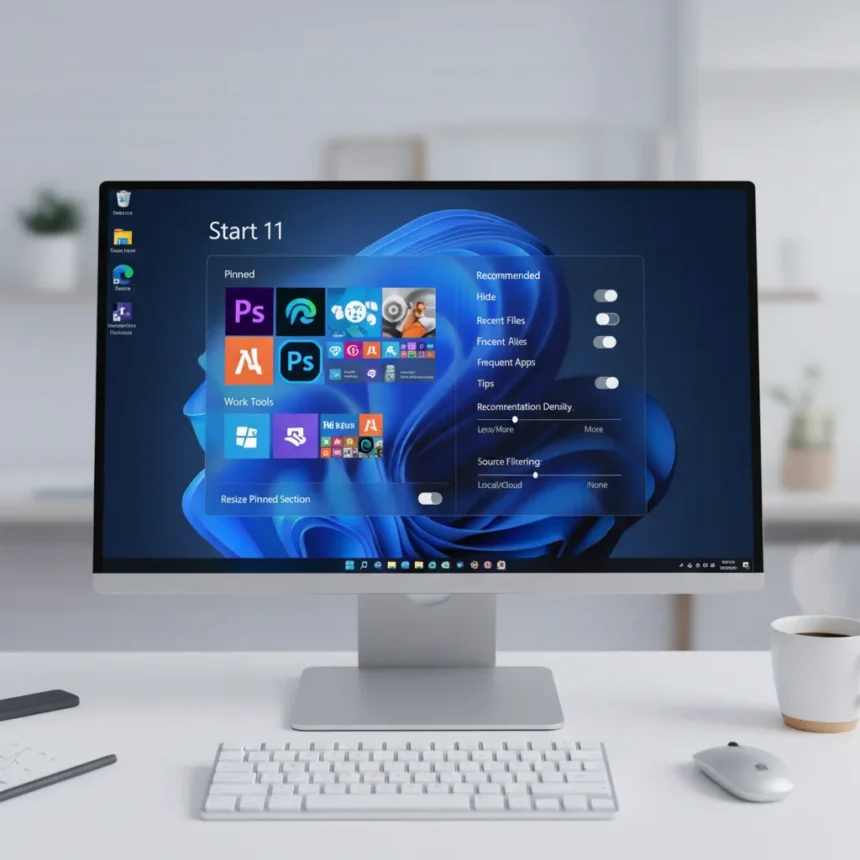
Windows 11 Start menu customization is finally addressing the complaints that have dogged the operating system since launch. Microsoft is introducing four major changes designed to make the Start menu less rigid and more adaptable to how users actually work. After years of a locked-down interface that frustrated power users and casual PC owners alike, these updates signal a shift toward flexibility that should have arrived with Windows 11 itself.
Key Takeaways
- Windows 11 Start menu customization now includes resizing support for different screen sizes and preferences.
- Section toggles let users show or hide specific parts of the Start menu based on their workflow.
- Improved recommendation controls give users more authority over what content appears in the menu.
- The redesigned layout is significantly more flexible than the current Windows 11 Start menu structure.
- These changes are part of broader Windows 11 development work visible in Insider builds.
Why the current Windows 11 Start menu needed fixing
The Windows 11 Start menu arrived as Microsoft’s vision of a simplified, centered interface. Instead, it became a one-size-fits-none design that left users frustrated. The current menu enforces a rigid layout with limited customization, recommendation controls that feel intrusive, and no way to resize the menu for different monitor sizes or workspace setups. For a feature that sits at the center of Windows navigation, the lack of flexibility has been a persistent friction point.
The Start menu is not a peripheral UI element—it is where millions of users begin their daily workflows. A poorly designed Start menu creates friction every single day. Microsoft recognized this gap and is now working to transform the menu into something genuinely adaptable, marking a departure from the fixed design philosophy that defined Windows 11’s launch.
Windows 11 Start menu customization: What’s actually changing
Windows 11 Start menu customization arrives through four concrete improvements. First, resizing support lets users adjust the menu’s dimensions to fit their screen, workspace, or personal preference. This sounds simple but represents a fundamental shift from the current locked dimensions that ignore monitor variety and user setup differences.


Second, section toggles give users granular control over what appears in the menu. Instead of a monolithic Start menu displaying everything Microsoft thinks you need, you can now turn sections on or off. This means hiding recommendation sections if you find them distracting, or toggling off less-used categories to streamline your navigation experience.
Third, recommendation controls are being redesigned to give users meaningful authority. The current Start menu surfaces recommendations that users often cannot effectively manage. The new system lets you configure what recommendations appear and how prominently they display, addressing a major usability complaint.



Fourth, the broader layout redesign makes the entire menu more flexible. Rather than a single prescribed structure, the new Start menu adapts to how you configure it. This personalization approach is closer to how power users have long wanted Windows to work—respecting individual preferences rather than enforcing a universal design.
How this compares to the current Windows 11 Start menu
The existing Windows 11 Start menu is essentially a static container. You cannot resize it meaningfully, you cannot hide sections, and recommendation controls are minimal. Users who dislike the current design have few options beyond accepting it or seeking workarounds. The new customization features represent a complete philosophical reversal. Instead of a take-it-or-leave-it interface, the Start menu will finally respect user choice.
This shift matters because the Start menu is not a niche feature—it is the primary navigation hub for most Windows users. When Microsoft locked down the design in Windows 11, it locked down the experience for millions of people who work differently. The customization updates acknowledge that one rigid layout cannot serve everyone, a lesson that should have informed the original Windows 11 design.
When will these changes arrive?
The customization updates are currently in development and have appeared in Windows 11 Insider builds. Microsoft has not announced a specific general release date, meaning these features remain in testing. Insider Program participants can experiment with the changes now, but mainstream Windows 11 users should expect a wait before these updates roll out to the stable branch.



The timeline for general availability remains unclear, but the presence of these changes in Insider builds confirms they are not vaporware. Microsoft is actively developing and refining the implementation, which suggests a public release is coming—though the exact window depends on testing feedback and Microsoft’s broader Windows 11 roadmap.
Why this matters for your daily Windows experience
The Start menu is where you begin most tasks on Windows. A poorly designed menu creates friction that compounds throughout your day. You click it dozens of times, and every friction point adds up. Windows 11 Start menu customization removes that friction by letting you shape the menu to match your actual workflow rather than forcing your workflow to match Microsoft’s design assumptions.
For users who have felt constrained by Windows 11’s rigid interface, these changes represent validation. Microsoft is listening to feedback and acting on it. For casual users, the customization features mean a Start menu that feels less cluttered and more intuitive. For power users, the ability to resize and toggle sections opens possibilities that the current design completely blocks.
Is the Windows 11 Start menu finally becoming what it should have been?
These customization features do not completely reinvent the Start menu, but they address the most glaring design failures. Resizing, toggles, and recommendation controls are foundational customization that most users expect. The fact that Windows 11 launched without these basics is remarkable in hindsight. The new design does not restore Windows 10-style customization depth, but it moves meaningfully closer to a user-respecting interface.
When will Windows 11 Start menu customization roll out to all users?
The research brief does not specify a general release date. The features are currently available in Windows 11 Insider builds, where Microsoft tests changes before wider rollout. Expect the customization updates to reach all Windows 11 users sometime after they finish Insider testing, but the exact timeline has not been announced.
Can I resize the Start menu right now on my Windows 11 PC?
Not unless you are in the Windows 11 Insider Program. Resizing support and other customization features are still in development and testing. If you want early access, joining the Insider Program lets you experiment with these changes before general release.
What happens to my current Start menu setup when these changes arrive?
The research brief does not specify how Microsoft will handle existing user configurations during the rollout. Typically, Windows updates preserve existing settings where possible, but the exact migration approach depends on how Microsoft implements the new system. Once the features arrive in your Windows version, you will be able to customize the menu according to your preferences.
Windows 11 Start menu customization represents a long-overdue acknowledgment that users deserve control over their core navigation interface. These changes will not reshape Windows, but they will make the Start menu significantly less frustrating for millions of people who have felt locked into Microsoft’s design choices since launch. If you have been waiting for Windows 11 to feel more flexible and user-centric, these updates move the operating system in the right direction.
Edited by the All Things Geek team.
Source: Windows Central