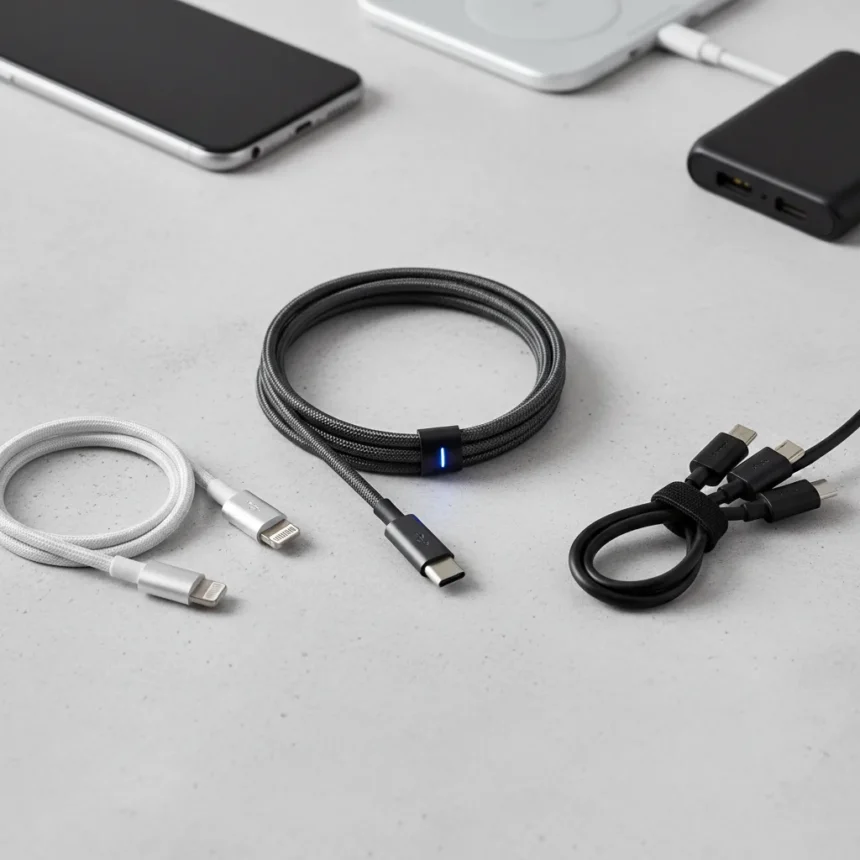
The right USB cables phone owners carry matter far more than most realize. USB-C has become the standard connector for modern smartphones, mandated by law in places like the European Union. Yet not all USB-C cables deliver the same power or data speeds—a cable rated for 100W power delivery differs fundamentally from one limited to 5V charging. This guide breaks down the three cable types every phone owner should own, regardless of whether they carry an Android or iPhone.
Key Takeaways
- USB-C is now the standard for modern phones, legally mandated in the EU.
- Cable specs vary dramatically: power delivery ranges from 5V to 100W, and data speeds differ.
- USB-A cables remain essential for travel and compatibility with older ports.
- Micro-USB to USB-C adapters extend the life of legacy cables and chargers.
- A quality USB-C cable with 100W power delivery costs under $10.
USB-C cables: the workhorse you need multiple versions of
USB-C cables phone owners rely on daily come in two flavors: basic charging cables and high-power variants. The distinction matters. A USB 2.0 Type-C cable handles charging and basic power delivery but lacks the additional wires needed for faster data transfer or higher wattage. If you own a modern Android phone or iPhone 15 and later, you need at least one robust USB-C cable rated for at least 60W power delivery. For frequent travelers or anyone who charges multiple devices, owning two USB-C cables of different lengths eliminates the frustration of a single cable tied up in a bag.
The innovation wave has brought unexpected options. USB-C cables with built-in LED screens now exist, displaying real-time power delivery information and supporting up to 100W charging for under $10. These are not gimmicks—the transparency helps you verify your cable actually delivers the wattage your phone needs. Compare this to older PC USB ports, which output only 5V/500mA, and you see why cable quality matters. A lanyard-style USB-C cable like the Satechi OntheGo offers 60W fast charging with USB 2.0 data transfer, merging portability with functionality for people who move constantly.
The critical mistake most phone owners make is assuming all USB-C cables are interchangeable. They are not. A cable rated for USB 2.0 data speeds will not transfer files faster, and one rated for 5V will charge slower than a 100W variant. When shopping, check the power delivery rating (look for “100W PD” or “60W” markings) and verify the data speed if file transfer matters to you.


USB-A cables: your travel insurance policy
USB-A cables remain non-negotiable for anyone who travels or works in environments with mixed device ecosystems. Hotels, rental cars, airports, and offices still contain USB-A ports. Carrying a single USB-A to USB-C cable solves compatibility headaches when you encounter older charging stations or data transfer needs with laptops. This is not about nostalgia—it is about practical reality. Your phone is USB-C, but the world is not entirely USB-C yet.
For travel specifically, durability matters more than at home. A braided or reinforced USB-A cable withstands repeated coiling, airport security screening, and the general abuse of being packed and unpacked daily. Pairing a durable USB-A cable with a portable charger and your primary USB-C cable creates a charging setup that works almost anywhere on Earth.



Micro-USB adapters: breathing life into legacy cables
If you own older Android phones, Bluetooth speakers, or other devices with Micro-USB ports, throwing away those cables is unnecessary. Micro-USB to USB-C adapters exist and are inexpensive. They let you reuse legacy Micro-USB cables with modern USB-C phones, and some adapters even support Qualcomm Quick Charge technology if your older charger included it. This approach saves money and reduces electronic waste.
The catch: adapters add bulk and are easy to lose. If you own multiple Micro-USB cables, purchasing two or three adapters makes sense. If you own one old cable, buying a new USB-C cable is simpler. The decision depends on your specific drawer of charging gear.
What USB cables phone owners should avoid
Cheap cables from unknown sellers are false economy. A cable that fails mid-charge or damages your phone’s port costs far more than a quality option. Avoid cables with no power delivery rating listed—manufacturers hide poor specs. Similarly, do not assume a cable is durable based on appearance alone; braided cables look premium but may use cheap internal wiring.
Another trap: buying a single cable and expecting it to cover all scenarios. One cable inevitably ends up trapped in a bag or on a desk when you need it elsewhere. Two USB-C cables of different lengths, plus a USB-A backup, costs roughly the same as a premium single cable and solves real-world frustration.



Are all USB-C cables the same?
No. USB-C cables vary by power delivery rating (5V to 100W), data speed (USB 2.0 versus USB 3.0), connector type, and cable length. A cable rated for 100W power delivery will charge your phone faster than a basic 5V cable, and a USB 3.0 cable transfers files roughly 480 Mbps compared to USB 2.0’s 480 Mbps theoretical maximum. Always check the power delivery and data speed labels before buying.
Can I use a Micro-USB cable with my USB-C phone?
Yes, with a Micro-USB to USB-C adapter. These adapters are inexpensive and let you reuse older cables and chargers. Some adapters even support Quick Charge protocols if your legacy charger includes that technology. However, adapters add bulk and are easy to lose, so they work best as a backup solution rather than your primary cable.
What length USB cable should I buy?
Carry two USB-C cables: a shorter one (3 feet) for bags and pockets, and a longer one (6-10 feet) for charging while using your phone at a desk or in bed. A USB-A cable for travel should be at least 6 feet to work with older charging stations and car ports. Length flexibility beats a single cable every time.
The three USB cables phone owners need are not complicated: a high-power USB-C cable for daily charging, a second USB-C cable of different length for flexibility, and a USB-A cable for travel and legacy compatibility. Add a Micro-USB adapter if you own older devices. This simple trio covers 99 percent of real-world charging scenarios and costs less than a single premium phone case. Upgrade your cable drawer, and you eliminate a source of daily frustration.
Where to Buy
UGREEN USB-C to USB-C 3.2 Gen 2 Cable | Rolling Square inCharge 6 | Anker 6ft 4K 60Hz USB-C to HDMI Cable | Uni USB-C to HDMI Cable
Edited by the All Things Geek team.
Source: Android Central