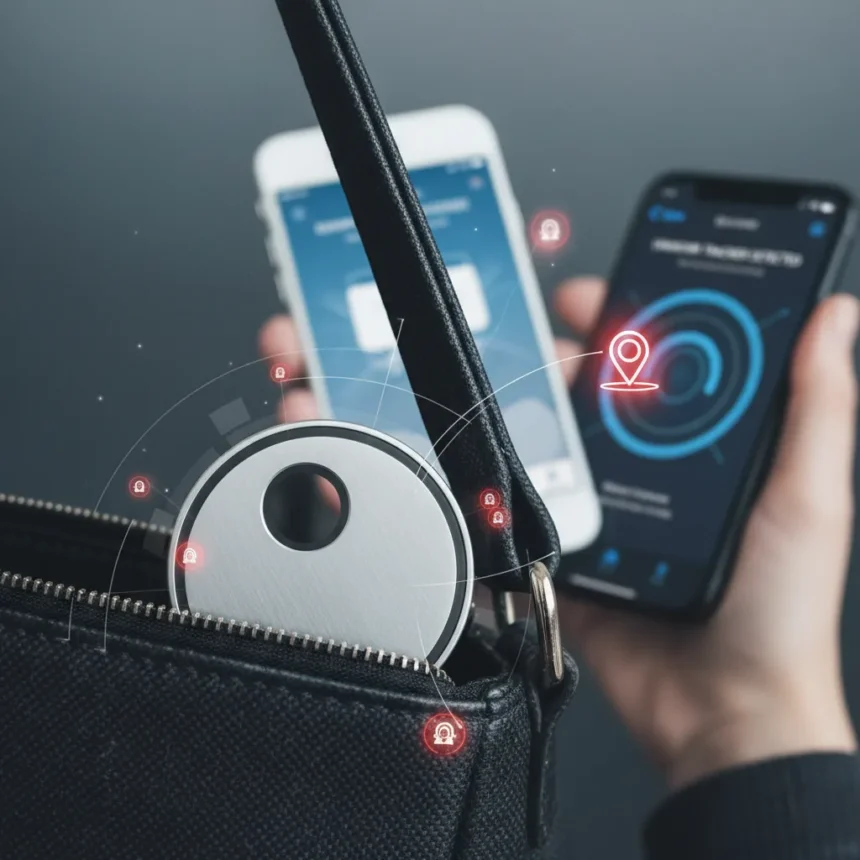
AirTag stalking protection has become essential as tracking devices proliferate and bad actors exploit them to follow victims without consent. Apple’s AirTags and similar trackers, originally designed to help locate lost items, have become tools for harassment, theft, and surveillance. Both iPhone and Android users face this threat, but both platforms now offer detection features and countermeasures to identify and neutralize unwanted trackers.
Key Takeaways
- Unknown Tracker Alerts on Android and Apple’s Find My app detect unwanted AirTags following you
- Apple and Google developed a cross-platform anti-stalking standard arriving in iOS 17.5
- Both platforms now alert users when an unknown tracker has been traveling with them
- iPhone users can scan for nearby AirTags using the Find My app’s Unknown Items feature
- Android devices can enable Unknown Tracker Alerts to receive real-time notifications of suspicious devices
How AirTag Stalking Works and Why It Matters
AirTag stalking exploits the fundamental design of Apple’s tracking ecosystem. When someone places an AirTag in your bag, car, or pocket without permission, Apple’s network of hundreds of millions of devices can ping the tracker’s location. The stalker receives real-time updates of where you are, creating a surveillance tool that is difficult to detect because the AirTag itself makes no sound and sits silently in your belongings. This threat extends beyond Apple users — Android devices can also be targeted by AirTags and other compatible trackers.
The problem gained visibility as domestic abuse survivors and crime victims reported being tracked by abusers using AirTags and similar devices. Unlike traditional surveillance, which requires physical proximity or hacking, AirTag stalking requires only the victim’s proximity to the tracker and the stalker’s access to an Apple or Google account. This asymmetry — where the victim may not even know they are being tracked — makes AirTag stalking a serious privacy and safety issue that demands active protection measures.
Detecting Unknown Trackers on iPhone
iPhone users can leverage Apple’s Find My app to scan for and identify unknown AirTags in their vicinity. The Find My app includes an Unknown Items feature that actively searches for trackers that are not registered to your Apple ID. If an unknown AirTag is detected, the app alerts you and provides the option to play a sound on the device, making it easier to locate physically. This feature is particularly useful if you suspect someone has placed a tracker in your car or belongings.


Beyond the Find My app, iPhone users receive automatic notifications if an unknown AirTag has been traveling with them over time. Apple’s system recognizes when a tracker consistently moves with your location pattern and sends an alert, giving you the opportunity to investigate. If you find an unknown AirTag, you can disable it temporarily or take it to an Apple Store or law enforcement for assistance. The key advantage for iPhone users is that detection happens automatically — you do not need to manually scan constantly.
AirTag Stalking Protection on Android Devices
Android users must take a more active role in protecting themselves from AirTag stalking because Android devices do not natively detect AirTags the way iPhones do. However, Google introduced Unknown Tracker Alerts, a feature that notifies Android users when an unknown tracker has been traveling with them. To enable this protection, users must manually turn on Unknown Tracker Alerts in their Android device settings. Once enabled, the system monitors for trackers that are not registered to your Google account and sends real-time notifications if one is detected nearby.



Android users should also download the Apple Find My app from the Google Play Store, which allows them to scan for unknown AirTags directly on their Android device. This cross-platform functionality means Android users are no longer defenseless against AirTag stalking — they simply need to take the extra step of enabling alerts and installing the appropriate apps. The Find My app on Android provides the same scanning capability as on iPhone, letting users identify unknown trackers in their immediate vicinity and take action.
Cross-Platform Standards and Future Protection
Apple and Google jointly developed a cross-platform anti-stalking tracker standard that began rolling out in iOS 17.5. This standard represents a significant step forward because it means both Apple and Google devices can detect trackers from either ecosystem, reducing the gaps in protection. Rather than relying solely on manufacturer-specific features, the standard enables interoperability, so an Android user can receive alerts about AirTags and an iPhone user can detect Google’s Pixel Tag or other compatible trackers.
The Electronic Frontier Foundation recognized this collaborative effort as a necessary step forward in combating tracker-based stalking. By establishing shared detection protocols, Apple and Google are raising the baseline of protection across both platforms. However, this standard is still rolling out, and users should not assume their devices have the latest protections — checking settings and ensuring software is up to date is essential. The move toward interoperability shows that tech companies are taking AirTag stalking seriously and investing in solutions that protect users regardless of their device choice.
Practical Steps to Secure Yourself Against Tracker Stalking
Start by regularly scanning your immediate surroundings using the Find My app if you are on iPhone, or by enabling Unknown Tracker Alerts and downloading the Find My app if you are on Android. Make this a habit, especially after visiting public spaces or if you suspect unwanted surveillance. Keep your device software updated, as Apple and Google continue to improve detection algorithms and add new protective features. If you find an unknown tracker, do not assume it is a mistake — take it seriously and contact local law enforcement if you believe you are being stalked.



Consider your physical security as well. If you regularly visit the same locations, vary your routine when possible. Check your car, bag, and common belongings periodically for unfamiliar devices. If you are in an abusive relationship or fear for your safety, reach out to domestic violence resources in your area — they can provide guidance on countering stalking and surveillance. AirTag stalking protection is not just a technical problem; it is a safety issue that sometimes requires external support and intervention.
Does Apple’s Find My app work on Android?
Yes, Apple’s Find My app is available on Android devices through the Google Play Store. It allows Android users to scan for unknown AirTags and other compatible trackers in their vicinity, providing the same detection capability as the iPhone version. However, Android users should also enable Unknown Tracker Alerts in their device settings for ongoing protection.
Can someone track me with an AirTag if I have an iPhone?
Yes, someone can place an AirTag in your belongings without your knowledge, and it will relay your location to them via Apple’s Find My network. However, Apple’s system alerts you if an unknown AirTag has been traveling with you for an extended period, giving you the opportunity to locate and disable it. Regular scanning with the Find My app can also help you detect unknown trackers before they become a serious threat.
What should I do if I find an unknown AirTag?
If you find an unknown AirTag, first take it to a safe location away from where you live or work. Do not open it or attempt to disable it yourself. Contact local law enforcement and provide them with the device — they can investigate who registered it and determine if stalking has occurred. If you feel you are in immediate danger, call emergency services rather than handling the tracker alone.
AirTag stalking protection is no longer optional — it is a fundamental part of digital safety in 2025. Both iPhone and Android users now have tools to detect and defend against unwanted trackers, but protection requires awareness and action. Enable your device’s detection features, scan regularly, and take any unknown tracker seriously. Technology alone cannot stop stalking, but it can give you the power to detect it and take control of your safety.
Edited by the All Things Geek team.
Source: Tom's Guide