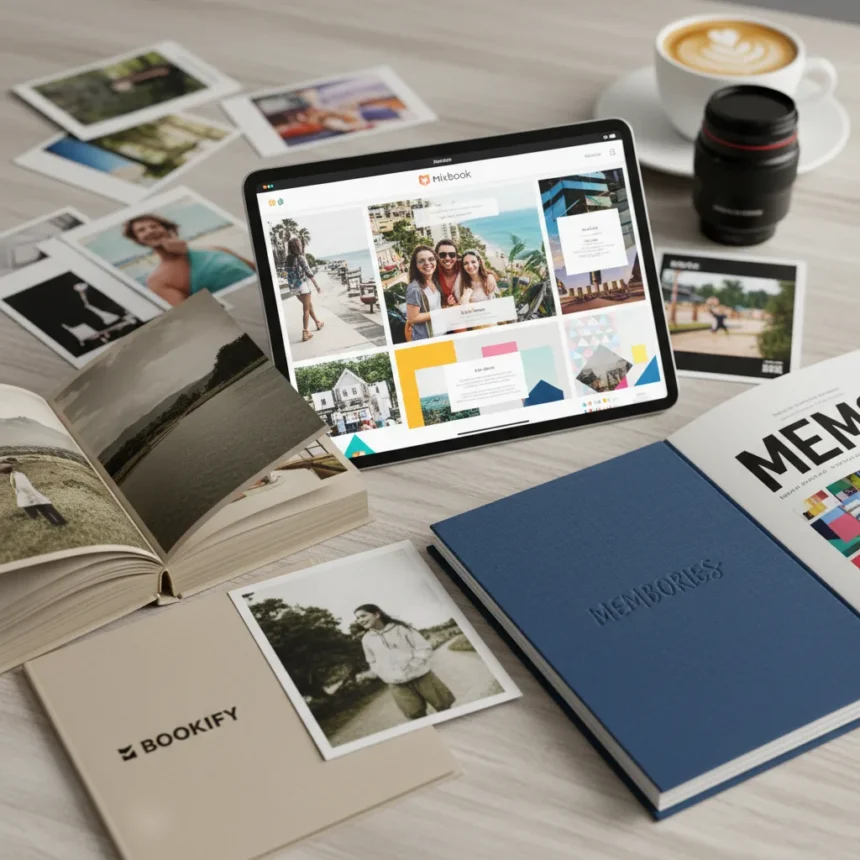
Blurb Bookify photo book service prioritizes speed over creativity, delivering a stripped-down consumer experience that feels more limiting than liberating. While Blurb.com has built a reputation serving professional photographers with robust tools over two decades, its consumer-facing Bookify software abandons sophistication entirely—and pays the price in dull, uninspiring results.
Key Takeaways
- Bookify’s ultra-simple workflow restricts creative options, making it feel boring rather than user-friendly
- Printed covers show muddy skin tones and suppressed color vibrancy compared to competitors
- Interior pages reproduce accurately but lack visual pop; no auto-correction means novices struggle
- Paper quality and binding are solid, but the overall book feels uninspired
- Mixbook and Printique deliver far more engaging results for consumer photo book buyers
Creating Your Book With Blurb Bookify: Speed Comes at a Cost
Blurb Bookify strips the photo book creation process down to its bare essentials. The workflow is undeniably quick and easy—drag photos into placeholders, select from a nice selection of layouts, and you’re done. But that simplicity masks a fundamental problem: there’s almost no room for creative expression. Unlike competitors that encourage experimentation, Bookify feels like you’re filling in a form rather than designing a book.
The drag-and-drop interface has a nasty habit of unexpectedly changing your page layout when you swap one photo for another, breaking your intended design without warning. And while the software does allow you to use layouts with fewer photos than placeholders (ignoring empty spaces), this feels like a workaround rather than a feature. If you want to adjust spacing, reorder elements, or add custom text styling, Bookify simply won’t let you. For anyone who values creative control, this is a dealbreaker.
Print Quality: Impressive Paper, Disappointing Colors
Blurb Bookify’s printed output reveals a puzzling contradiction: excellent materials paired with frustratingly poor color reproduction on the cover. The paper quality and binding are genuinely nice, suggesting Blurb hasn’t cut corners on production. But when your book arrives, the cover tells a different story.

Our test prints showed muddy skin tones and suppressed color vibrancy on the cover—a significant shortcoming for a photo book service. The back cover fared even worse, with limited dynamic range that flattened details in shadows and highlights. Interior pages, by contrast, reproduced accurately with correct color, focus, exposure, and dynamic range. Blurb applies no auto-correction, which suits experienced photographers who want pixel-perfect control but leaves casual users disappointed. A cover that looks dull compared to what you saw on screen is a trust-breaking moment, especially when the interior pages prove the service is technically capable of better results.
Blurb Bookify vs. Mixbook and Other Competitors
The gap between Blurb Bookify and Mixbook is stark. Mixbook offers far more creative flexibility, a genuinely fun design experience, and results that actually appeal to consumers. Yes, Mixbook costs more, but you’re paying for software that respects your vision and prints that justify the investment. For 2025, Mixbook remains the top choice for user-friendly software and quality output.



Printique delivers spectacular color reproduction that matches Blurb’s best work, while Vistaprint offers competitive pricing with good detail and dynamic range on matte covers, though interior quality can be inconsistent. Blurb’s own professional-grade BookWright software—designed for self-publishers integrating with Adobe Lightroom and InDesign—is robust and powerful, but Bookify feels like a completely different product, stripped of the sophistication that makes Blurb valuable to professionals.
Who Should Actually Buy Blurb Bookify?
Blurb Bookify is better suited for professionals publishing or selling books than for everyday consumers. If you’re a photographer who wants to create a portfolio or offer prints to clients, the ease of setup for selling your book or e-book has merit. But if you’re a casual user wanting to turn your vacation photos into something beautiful, Mixbook will give you a more rewarding experience and better-looking results.
The core problem isn’t that Bookify is bad—it’s that it’s boring. The software removes friction but also removes joy. You get a book, but you don’t get a creation process worth remembering.
Does Blurb Bookify have auto-correction for photos?
No. Blurb Bookify applies no auto-correction to your images, which means what you see on screen is what you get in print. This is ideal for photographers who want full control but can be frustrating for casual users who expect the software to fix exposure or color issues automatically.



Can you use fewer photos than a layout has placeholders?
Yes. If you select a four-photo layout but only have three images, Bookify ignores the empty placeholder and allows asymmetrical pages. This flexibility is helpful, but the overall software still lacks the creative options found in competitor services.
How does Blurb Bookify compare to Blurb’s BookWright software?
BookWright is Blurb’s professional-grade software designed for self-publishers and integrates with Adobe Lightroom and InDesign, offering robust tools for advanced users. Bookify, by contrast, is a stripped-down consumer tool with minimal options. If you need serious design control, BookWright is the answer—but it’s a different product entirely.
Blurb Bookify solves a problem that doesn’t really exist: how to make photo book creation so simple that it becomes joyless. For the time you save, you sacrifice creativity and end up with a forgettable book. Spend a bit more on Mixbook and get a result you’ll actually want to display on your shelf.
Edited by the All Things Geek team.
Source: Tom's Guide