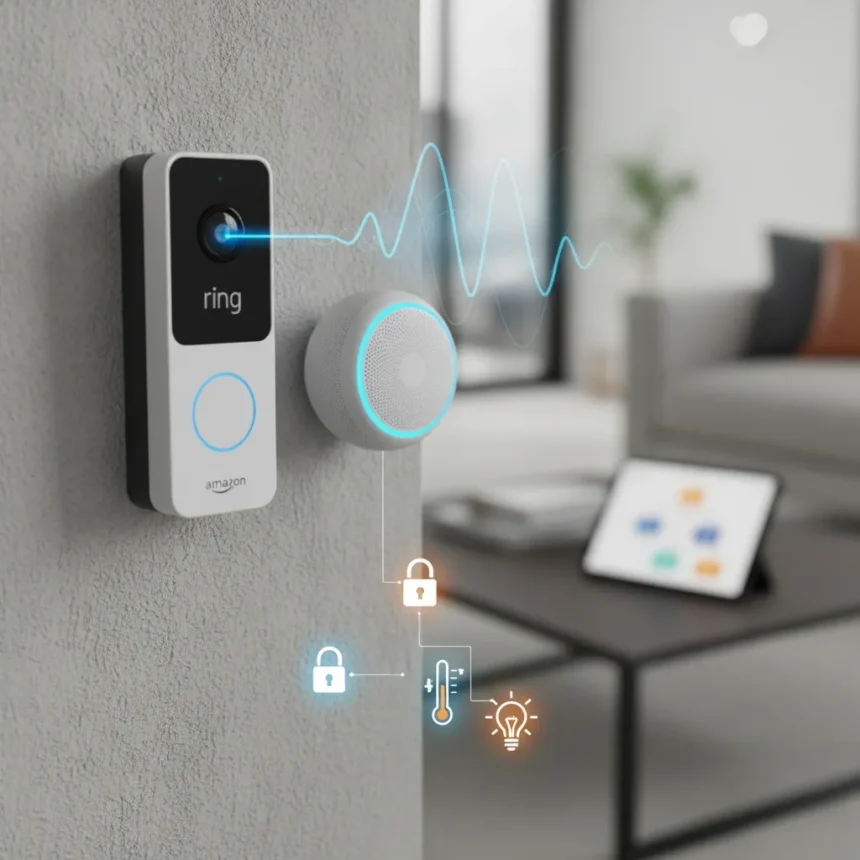
Ring doorbell and Alexa routines integration represents one of the simplest ways to automate responses when someone approaches your front door. The two systems communicate directly, allowing you to trigger custom actions—from unlocking doors to turning on lights—without manual intervention.
Key Takeaways
- Ring doorbells connect natively to Alexa routines for automated smart home responses
- Motion detection and doorbell press events can trigger multiple simultaneous actions
- Alexa routines eliminate the need for manual responses to doorbell activity
- Setup requires existing Ring and Alexa devices on the same network
- Routines can run different actions based on time of day or specific triggers
How Ring doorbell and Alexa routines work together
Ring doorbell and Alexa routines function as a trigger-and-response system. When your Ring doorbell detects motion or registers a button press, it sends a signal to your Alexa ecosystem. Alexa then executes pre-programmed routines—sequences of actions that happen automatically. This means you can configure your smart home to respond intelligently to doorbell events without thinking about it.
The integration works because both Ring and Alexa are Amazon products designed to communicate smoothly. Motion sensors and similar smart devices follow the same principle, allowing broader automation possibilities across your home. Rather than checking your doorbell camera manually each time someone approaches, routines handle notifications, unlocking, lighting, and announcements without your input.
Setting up Ring doorbell and Alexa routines
To connect Ring doorbell and Alexa routines, you need both devices already set up and connected to the same Wi-Fi network. Open the Alexa app and navigate to the Routines section. Create a new routine and select your Ring doorbell as the trigger—you can choose motion detection or doorbell press as the activation event. Then add actions you want to execute: unlock a smart lock, turn on lights, play an announcement, or send a notification to your phone.


The actual process takes minutes once both devices are installed. Name your routine something descriptive so you remember its purpose later. Test the routine by triggering it manually (pressing the doorbell or walking past the motion sensor) to confirm all actions execute in the correct order. If something doesn’t work, check that your Ring doorbell has the latest firmware and that your Alexa app is updated.
Practical uses for Ring doorbell and Alexa routines
Common automation scenarios include turning on porch lights when motion is detected at night, sending voice announcements through your Echo speakers when someone rings the doorbell, or unlocking a smart lock for delivery personnel during specific hours. You could create separate routines for different times—one for daytime motion (just a notification) and another for nighttime motion (lights plus security alert). Some users set routines to play a welcome message when recognized contacts arrive, adding convenience and a personal touch.


The flexibility of routines means you adapt them to your lifestyle. If you work from home, you might want immediate notifications. If you’re away, you could enable a routine that records video and sends alerts. The same Ring doorbell and Alexa routines setup works for households with multiple people—everyone can see the notifications and benefit from the automated responses.
Troubleshooting Ring doorbell and Alexa routines
If your Ring doorbell and Alexa routines aren’t triggering, first verify both devices appear in the Alexa app’s device list. Check that your Ring doorbell is online (indicated by a blue light) and that your Alexa device has an active internet connection. Sometimes routines fail silently if an action—like unlocking a door—fails; review each action in the routine to ensure all connected devices are functioning.
Disable and re-enable the routine if it stops working after several days. Occasionally, Amazon’s servers require a refresh to maintain the connection. If the issue persists, unplug your Alexa device for 30 seconds, then plug it back in. Update the Ring app and Alexa app to their latest versions, as firmware updates often fix automation bugs.
Can I use Ring doorbell and Alexa routines without a paid subscription?
Basic Ring doorbell and Alexa routines setup requires no subscription beyond what you already pay for internet. However, advanced features like video recording and cloud storage typically require a Ring Protect subscription. Alexa routines themselves are free to create and use on any Echo device you own.



What’s the difference between Ring doorbell motion alerts and routines?
Motion alerts notify you when activity is detected but require manual action in response. Ring doorbell and Alexa routines automate those responses entirely—lights turn on, doors unlock, or announcements play without you lifting a finger. Routines are more powerful but require initial setup.
Do I need multiple Alexa devices to use Ring doorbell and Alexa routines?
One Alexa device is sufficient to create and manage Ring doorbell and Alexa routines. However, if you want actions to trigger on multiple Echo speakers simultaneously—like announcements in different rooms—you’ll benefit from having several devices. A single Echo Dot can control your entire routine setup.
Ring doorbell and Alexa routines represent the practical side of smart home automation: simple to set up, genuinely useful in daily life, and free to experiment with once you have the hardware. Rather than treating your doorbell as a passive camera, routines transform it into an active part of your home’s intelligence. Start with one basic routine and expand from there as you discover what works for your household.
Edited by the All Things Geek team.
Source: Tom's Guide