



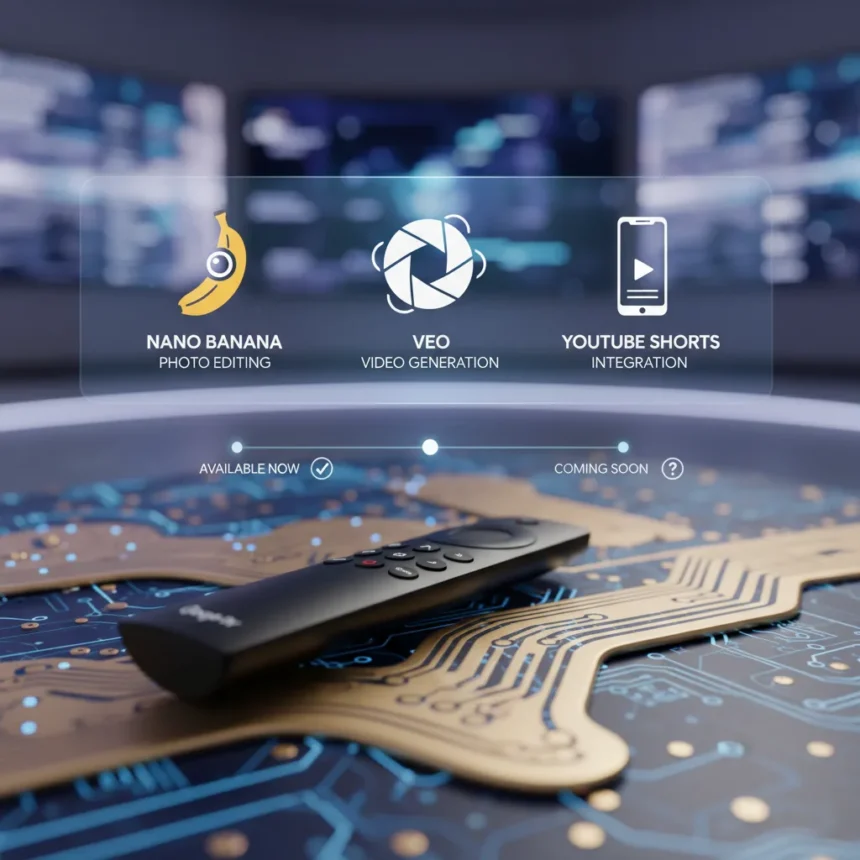
Google TV AI filmmaking is coming to your living room. Google is rolling out three major AI tools to Google TV: Nano Banana for photo editing, Veo for video generation, and YouTube Shorts integration—all designed to let non-professionals create cinematic content using plain-English prompts.
Key Takeaways
- Nano Banana enables one-click photo editing: remove backgrounds, adjust lighting, and apply styles via text prompts.
- Veo 2 generates 6-second video clips from photos using prompts like “Subtle movements” or “I’m feeling lucky.”
- YouTube Shorts photo-to-video feature rolls out next week in the US, Canada, Australia, and New Zealand, powered by Veo 2.
- Veo 3 adds native audio, environmental sounds, and dialogue for up to 1-minute 4K video generation.
- All photo-to-video features are free; Flow and advanced Veo 3 access require Google AI Pro or Ultra subscriptions.
What Is Nano Banana and How to Use It
Nano Banana is a Gemini AI tool that transforms photo editing from a technical chore into a conversation. Select a photo, describe the edit you want (remove the background, brighten the shadows, make it look like a painting), and Nano Banana applies the change instantly. It’s behind viral trends on social media—the kind of edit that once required Photoshop expertise now takes seconds. The tool is available now in Google AI Studio with a free tier, though rate limits apply.
To use Nano Banana: open Google AI Studio, select the photo-editing tool, upload your image, and describe what you want. “Make this look cinematic” or “remove the person in the background” are the kinds of prompts Nano Banana understands. It’s one of 17 new AI Studio tools Google rolled out, positioning Gemini as a creative Swiss Army knife rather than just a chatbot.
Google TV AI Filmmaking: Veo 2 and Veo 3 Video Generation
Veo is Google’s AI video generator, and it understands physics, camera mechanics, and cinematic language in ways that earlier AI video tools did not. Veo 2 generates 6-second video clips from static photos—think of it as motion design on demand. You can prompt Veo with “Subtle movements” for a gentle pan or “I’m feeling lucky” to let the AI decide. Veo 2 also understands technical camera language: suggest “18mm lens” in your prompt and it crafts a wide-angle shot; ask for “shallow depth of field” and it blurs the background while keeping the subject sharp.


Veo 3, the newer model, extends this to full video generation. It creates up to 1-minute 4K clips and adds native audio—environmental sounds, dialogue, and ambient noise that sync to the visuals. Veo 3 powers Flow, Google’s cinematic scene-builder tool, which includes camera controls (angles, motion paths), scene extension, and asset management. Flow is available to Google AI Pro subscribers (around $100 per month for 100 generations) and early Veo 3 access, with Ultra tier unlocking faster generation.
Where does Veo stand against competitors? Veo 2 and 3 excel at physics accuracy and camera understanding, producing fewer visual artifacts (like extra fingers) compared to alternatives like OpenAI’s Sora. The physics-realistic output means water flows naturally, fabric drapes correctly, and motion feels grounded rather than dreamlike.



YouTube Shorts Photo-to-Video and AI Effects Rolling Out
YouTube Shorts is getting AI filmmaking tools next week in the US, Canada, Australia, and New Zealand, with broader rollout planned for later in 2024. The headline feature: photo-to-video powered by Veo 2 initially, upgrading to Veo 3 later in summer. Upload a still image, pick a motion prompt (“Subtle movements” or “I’m feeling lucky”), and YouTube generates a 6-second clip—perfect for creating video backgrounds without filming.
AI effects are already coming to Shorts. Open the Shorts camera, tap the sparkle icon, and select “AI” to browse generative effects. These effects let you apply cinematic filters and transformations in real time. For creators, YouTube is also adding AI likeness features, letting you appear in videos without filming yourself—though the company emphasizes AI as a tool for expression, not a replacement for authentic creation.
How to Access Veo 3 in Gemini Right Now
If you want to experiment with Veo 3 today, you do not have to wait for YouTube Shorts. Veo 3 is available in Gemini for Google AI Pro and Ultra subscribers. Log in to Gemini, click the “Video” button in the prompt box, and enter your prompt—text, an image, or both. Veo 3 will expand images into motion, add soundtracks, and generate video. The results vary: some prompts yield stunning cinematic sequences, while others produce glitchy or misaligned output. The tool is powerful but not yet foolproof.
What’s the Pricing for Google TV AI Filmmaking Tools?
Photo-to-video in Google Photos (available July 23) and YouTube Shorts (rolling out next week) are free. You can generate 6-second clips without paying anything. Nano Banana is free in Google AI Studio’s free tier, though you’ll hit rate limits if you edit heavily. If you want unlimited generation, Google AI Pro costs roughly $100 per month for 100 Veo 2 generations and includes early Veo 3 access; Ultra tier offers faster generation and more advanced features.


When Does YouTube Shorts Photo-to-Video Launch?
YouTube Shorts photo-to-video rolls out next week (after the July 23 announcement) in the US, Canada, Australia, and New Zealand. More regions get access later in 2024. If you are outside these countries, you will see the feature eventually, but there is no specific date yet.
Can You Use Veo 3 Without a Google AI Pro Subscription?
Not yet. Veo 3 requires a Google AI Pro subscription (around $100 per month) for access through Gemini or Flow. However, YouTube Shorts will use Veo 2 initially for free photo-to-video, then upgrade to Veo 3 later in summer—so free users will eventually get Veo 3 video generation through Shorts without paying for Pro.
Google TV AI filmmaking democratizes video creation for people who do not own professional cameras or editing software. Nano Banana handles photo touch-ups, Veo 2 and 3 generate motion from stills, and YouTube Shorts integration puts these tools in the hands of millions. The rollout is staggered—photo-to-video is free next week, Flow requires a subscription, and YouTube’s full AI toolkit will expand over the coming months. If you create content, even casually, these tools are worth testing as soon as they land in your region.
This article was written with AI assistance and editorially reviewed.
Source: Tom's Guide