







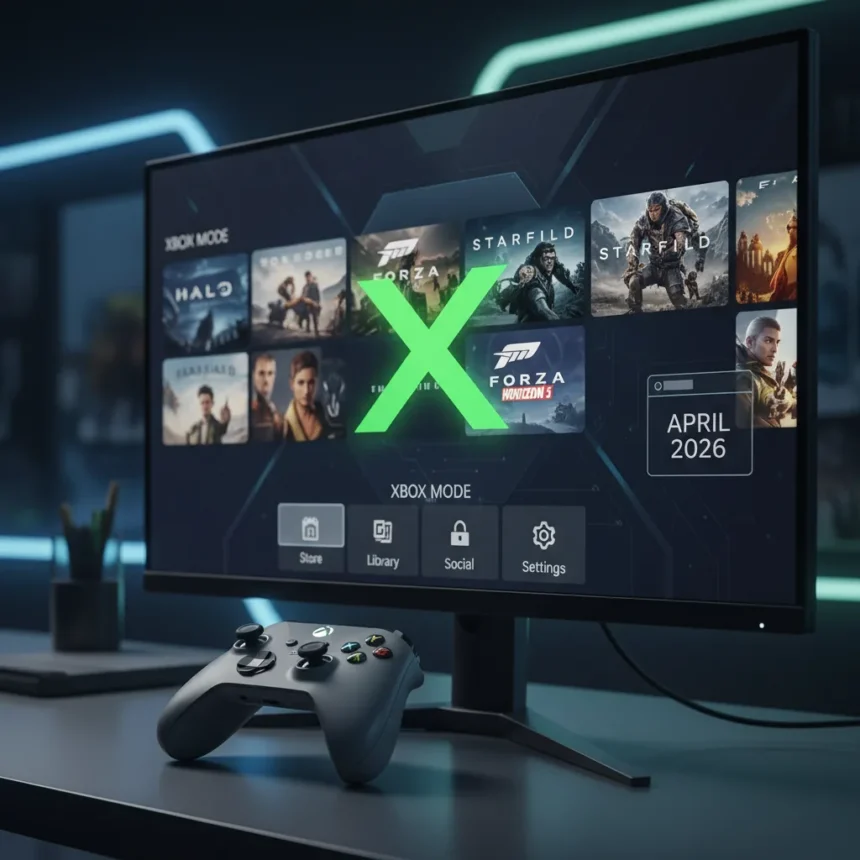
Xbox Mode Windows 11 is Microsoft’s full-screen, controller-optimized gaming interface for Windows PCs, designed to deliver a console-like experience on laptops, desktops, tablets, and handheld gaming devices. The feature rebrand of the previously named Xbox Full Screen Experience (FSE) began rolling out in April 2026 via the Xbox app, barely meeting Microsoft’s own deadline after nearly 15 years since Steam launched Big Picture Mode.
Key Takeaways
- Xbox Mode Windows 11 is a controller-friendly full-screen UI for browsing game libraries and launching titles across multiple platforms.
- Rollout began in April 2026 in the Release Preview Channel, expanding to Stable Channel in May 2026 for select markets.
- Requires Windows 11 version 25H2 or higher (build 26200.8313+) and is free via Xbox app update.
- Integrates Game Bar, task switcher, and support for Xbox PC, Steam, Epic, and other game launchers.
- Part of Microsoft’s broader push to align PC gaming with Xbox hardware and ecosystem convergence.
What Xbox Mode Windows 11 Actually Does
Xbox Mode Windows 11 strips away the desktop clutter and creates a living-room gaming machine aesthetic on your PC. Instead of alt-tabbing between the Windows desktop, the Xbox app, and Steam, you get a unified, controller-optimized interface that lets you browse your entire game library—across Xbox Game Pass, Steam, Epic Games, and other launchers—without touching a keyboard. The interface includes Game Bar integration and a task switcher for moving between apps without breaking immersion.
Microsoft designed Xbox Mode Windows 11 to minimize friction and reduce background system load, getting you into games faster. The full-screen experience eliminates the traditional Windows taskbar and notification spam that typically interrupt gaming sessions on a PC. For anyone who has ever plugged a controller into a Windows machine and wished it felt less like a desktop OS, this is the answer Microsoft should have shipped years ago.
How to Enable Xbox Mode Windows 11 Right Now
Accessing Xbox Mode Windows 11 requires Windows 11 version 25H2 or higher (build 26200.8313+). First, check for system updates: go to Settings > System > Windows Update and install any pending updates, then restart your PC. Next, open the Xbox app from the Microsoft Store and look for a button in the top-right corner that toggles Xbox Mode. If the button does not appear, manually update the Xbox app via the Microsoft Store.
Once the Xbox app is updated, navigate to Settings > Gaming > Xbox mode (or Full screen experience) and enable the toggle. You can also configure the option to launch Xbox Mode automatically on startup. The entire setup takes under five minutes. However, be aware that rollout is staggered by region and channel—Stable Channel availability expands in May 2026, so access may be delayed depending on your location and whether you are enrolled in Windows Insider Program.
Xbox Mode Windows 11 vs. Steam Big Picture Mode
Xbox Mode Windows 11 arrives more than a decade after Valve’s Steam Big Picture Mode, which has served as the gold standard for full-screen PC gaming interfaces since its launch around 2012. Both offer controller-optimized UIs designed to make PC gaming feel console-like, but Xbox Mode Windows 11 has a critical advantage: native integration with the Windows 11 ecosystem and Xbox Game Pass. Steam Big Picture Mode is confined to Steam’s library; Xbox Mode Windows 11 aggregates Xbox PC games, Game Pass titles, Steam, Epic, and other launchers into a single hub.



The 15-year gap between Steam’s solution and Microsoft’s is telling. It reflects how long Microsoft took to recognize that PC gamers wanted a console-like experience without abandoning the flexibility of a PC. Where Steam Big Picture Mode shines is maturity and polish—it has had over a decade to refine the experience. Xbox Mode Windows 11 is the newcomer, still in staggered rollout with regional restrictions. For players deeply invested in Steam, Big Picture Mode remains the more established choice. For Xbox Game Pass subscribers and players who mix libraries across multiple stores, Xbox Mode Windows 11 is the more compelling option.
Why the April 2026 Deadline Matters (and Why Microsoft Almost Missed It)
Microsoft announced Xbox Mode Windows 11 at GDC 2026 and committed to an April 2026 rollout. The company barely delivered. The feature started rolling out in April 2026 to the Release Preview Channel, with broader Stable Channel availability planned for May 2026. This staggered, region-locked approach is typical for Microsoft’s Insider programs, but it also means millions of Windows 11 users will not have access for weeks or months.
The near-miss deadline reveals a deeper tension at Microsoft: the desire to align PC gaming with Xbox hardware strategy versus the engineering reality of shipping a polished, stable feature across millions of devices. Insider testing suggests the feature works, but the careful rollout indicates Microsoft is not confident enough to flip the switch globally. For a company that has spent years pushing Xbox Game Pass and ecosystem convergence, a delayed launch undermines the urgency of the message.
DirectStorage and the Bigger Picture
Xbox Mode Windows 11 does not exist in isolation. Microsoft is also rolling out updates to DirectStorage, including Zstandard compression and a Game Asset Conditional Library designed to simplify asset pipelines for developers. These backend improvements aim to reduce load times and improve performance, complementing the user-facing Xbox Mode Windows 11 experience. The company is also integrating next-generation machine learning capabilities into DirectX, signaling a longer-term bet on AI-enhanced gaming.



Together, these updates represent Microsoft’s vision for PC gaming: a platform that feels like a console, loads as fast as a console, and leverages AI to optimize performance. Xbox Mode Windows 11 is the front door to that vision, but the infrastructure behind it is equally important.
Should You Enable Xbox Mode Windows 11?
If you game on a Windows 11 PC with a controller and jump between multiple game libraries (Xbox Game Pass, Steam, Epic), yes. Xbox Mode Windows 11 eliminates friction and creates a genuinely better experience than managing multiple launchers on the desktop. If you are a keyboard-and-mouse player or exclusively use Steam, Big Picture Mode remains sufficient. If you are not yet on Windows 11 version 25H2 or your region has not yet received the rollout, you will need to wait. The feature is free, so there is no downside to enabling it once it reaches your device—you can toggle it off just as easily if it does not suit your workflow.
Does Xbox Mode Windows 11 improve gaming performance?
Microsoft claims Xbox Mode Windows 11 reduces background system load and minimizes friction, but the company has not published quantified performance benchmarks. The full-screen interface should reduce CPU overhead compared to a traditional desktop, and the streamlined task switcher avoids the performance tax of alt-tabbing. Real-world performance gains depend on your PC’s specifications and which games you play. Do not expect a dramatic FPS boost—the benefit is primarily in responsiveness and immersion, not raw frame rates.
When will Xbox Mode Windows 11 reach all users?
Rollout began in April 2026 in the Release Preview Channel and is expanding to Stable Channel in May 2026, but availability is limited to select regions initially. Microsoft has not announced a global availability date. If you are not in the Insider Program or your region is not yet included, you may wait until June or later to access the feature. Patience is required; this is a staggered rollout, not a simultaneous global launch.
Is Xbox Mode Windows 11 required for Xbox Game Pass on PC?
No. Xbox Game Pass on PC works perfectly fine on the standard Windows 11 desktop. Xbox Mode Windows 11 is an optional interface that makes the experience more console-like and streamlined. You can continue using Game Pass through the traditional Xbox app without enabling Full Screen Experience mode if you prefer.
Xbox Mode Windows 11 is a long-overdue step toward making PC gaming feel less like managing a spreadsheet of launchers and more like sitting down with a console. It is not revolutionary—Steam proved the concept works over a decade ago—but it is a solid execution of a strategy Microsoft should have prioritized years earlier. If you have a controller and a Windows 11 PC, it is worth trying once it reaches your device. Just do not expect it to transform your gaming overnight. It is a quality-of-life improvement, not a significant shift.
This article was written with AI assistance and editorially reviewed.
Source: Windows Central




