





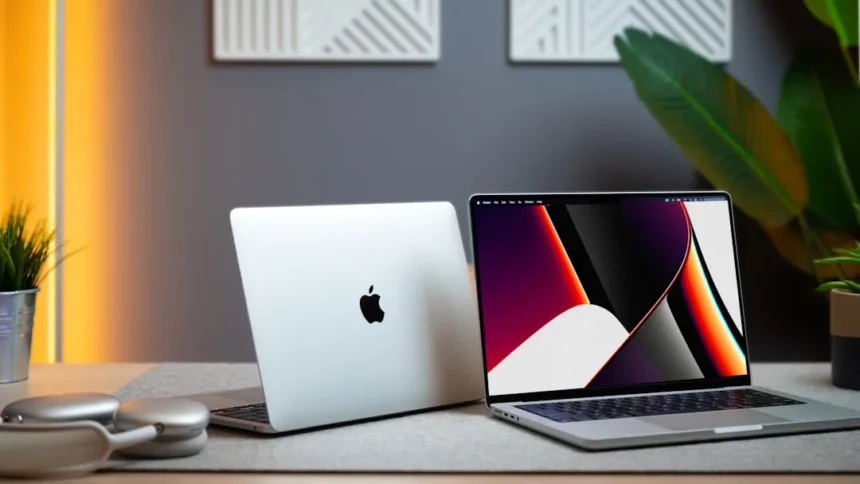
MacBook Pro M4 vs Mac Pro M2 is not really a fair fight—they are built for entirely different purposes, and choosing between them means understanding your actual workflow, not just chasing specs. One is a portable powerhouse for creators on the move. The other is a stationary workstation designed for sustained, multi-threaded professional work. This guide cuts through the marketing to show you which machine actually makes sense for you.
Key Takeaways
- MacBook Pro M4 prioritizes portability and battery life for mobile professionals.
- Mac Pro M2 is a desktop workstation designed for sustained, multi-threaded rendering and compilation.
- Price, form factor, and workflow intensity determine which machine fits your needs.
- Neither machine is objectively “better”—they solve different problems.
- MacBook Pro M4 excels at creative work on the go; Mac Pro M2 excels at rendering farms and server roles.
What Are the MacBook Pro M4 and Mac Pro M2?
The MacBook Pro M4 is a portable laptop powered by Apple’s M4 chip, designed for creators, developers, and professionals who need performance without being tethered to a desk. The Mac Pro M2 is a tower-based workstation that prioritizes sustained multi-threaded performance, expandability, and the ability to run multiple GPU accelerators or specialized processing cards. These are not competitors—they are solutions to different problems.
MacBook Pro M4 vs Mac Pro M2: Core Architecture and Performance
The MacBook Pro M4 and Mac Pro M2 operate under different design philosophies. The M4 is optimized for single-threaded responsiveness, battery efficiency, and thermal management in a thin chassis. The M2, by contrast, is built for multi-threaded workloads where sustained performance matters more than peak efficiency. A Mac Pro M2 can run at full power continuously without thermal throttling; a MacBook Pro M4, even with active cooling, is ultimately constrained by its portable form factor.
For burst performance—like exporting a 4K video or compiling code—the M4 feels snappy and immediate. For sustained workloads—like rendering a 30-minute animation or processing terabytes of data—the Mac Pro M2’s multi-core architecture and sustained thermal headroom pull ahead. Neither chip is objectively faster; they excel in different scenarios.


Portability and Form Factor
The MacBook Pro M4 is a laptop. You carry it. This is both its greatest strength and its only real limitation. If your work requires you to move between locations, edit footage on set, present to clients, or work from coffee shops and airplanes, the MacBook Pro M4 is the obvious choice. The Mac Pro M2 is a desktop tower. It stays on your desk. It does not travel.
For mobile professionals, this distinction is everything. A MacBook Pro M4 with a battery that lasts through a full workday is worth more than a faster desktop machine you cannot take with you. For studio-based professionals—animators in a render farm, architects in a design studio, audio engineers in a mixing suite—the Mac Pro M2’s stationary nature is not a drawback; it is a feature.



Expandability and Customization
The Mac Pro M2 offers PCIe expansion slots, multiple GPU options, and the ability to configure storage, memory, and accelerators to your exact needs. The MacBook Pro M4 offers none of this. What you buy is what you get. This makes the Mac Pro M2 a better long-term investment for studios and production facilities that need to upgrade components over time. The MacBook Pro M4 is a fixed configuration—choose your RAM and storage at purchase, and you are locked in.
For most individual creators, this does not matter. For production facilities, render farms, or organizations that need to refresh hardware piecemeal rather than buying new machines every few years, the Mac Pro M2’s modularity is a significant advantage.
Which Mac Should You Buy?
Choose the MacBook Pro M4 if you work remotely, travel frequently, need battery life, or require a machine that moves between locations. Choose it if your workloads are episodic—editing a video, exporting an image sequence, compiling code—rather than continuous. Choose it if you value portability above all else.
Choose the Mac Pro M2 if your work is stationary, your workloads are sustained and multi-threaded, or you need expandability and customization. Choose it if you run a studio, manage a render farm, or need a machine that will run at full power for hours without throttling. Choose it if you plan to keep the same machine for five or more years and want to upgrade components incrementally.



Is the MacBook Pro M4 suitable for professional work?
Absolutely. The M4 is powerful enough for 4K video editing, 3D modeling, music production, and software development. The question is not whether it is powerful enough, but whether portability matters to you. If you work in a studio and never leave your desk, a Mac Pro M2 will feel faster for sustained tasks. If you work on location or need flexibility, the MacBook Pro M4’s portability outweighs any raw performance difference.
Can the Mac Pro M2 replace a MacBook Pro?
No. The Mac Pro M2 is a desktop tower. It does not have a screen, keyboard, or battery. It is not portable. If you need a machine that travels, the Mac Pro M2 is the wrong choice, regardless of how much more powerful it might be for specific workloads.
What if I need both portability and sustained performance?
Many professionals use both—a MacBook Pro M4 for mobile work and location-based tasks, paired with a Mac Pro M2 or Mac Studio M2 back at the studio for rendering, compilation, and sustained multi-threaded work. This is a common setup in professional creative studios. If budget allows, this hybrid approach eliminates the need to compromise.
The MacBook Pro M4 vs Mac Pro M2 choice comes down to your actual workflow, not marketing hype. Neither machine is universally better. The MacBook Pro M4 wins on portability, battery life, and single-threaded responsiveness. The Mac Pro M2 wins on sustained multi-threaded performance, expandability, and long-term customization. Choose based on where you work and what you do, not on which machine has bigger numbers on the spec sheet.
Where to Buy
Edited by the All Things Geek team.
Source: TechRadar




