





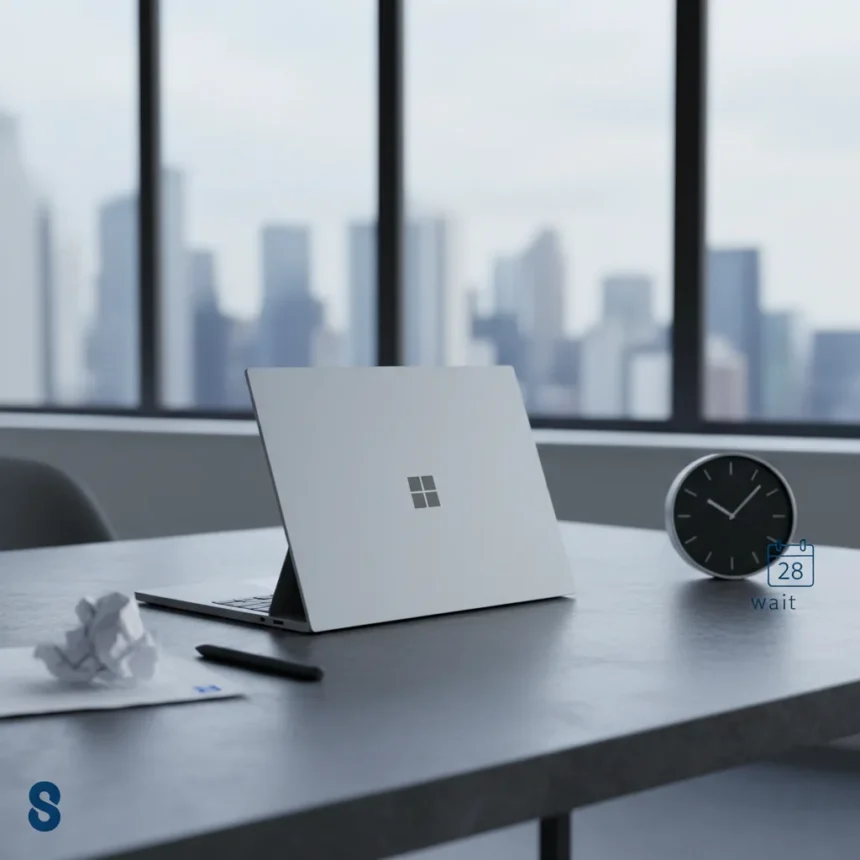
The Surface Laptop 8 for Business has launched, but before you assume it is the major mainstream PC refresh Microsoft fans have been waiting for, you need to understand what you are actually getting. This is a business-focused model, not a consumer blockbuster, and the upgrades are measured rather than transformative.
Key Takeaways
- Surface Laptop 8 for Business is business-focused, not a mainstream consumer refresh
- The upgrade from Surface Laptop 7 is incremental, not revolutionary
- Multiple reviewers suggest waiting before upgrading to the new model
- The comparison reveals what is new and what remains unchanged
- Business buyers should evaluate whether the improvements justify the switch
What Is the Surface Laptop 8 for Business?
The Surface Laptop 8 for Business is Microsoft‘s latest business-class laptop, positioned as an evolution of the Surface Laptop 7 rather than a complete reimagining. It targets enterprise buyers and organizations looking for reliable, work-focused hardware. The distinction matters: this is not the consumer-grade refresh that mainstream PC buyers have been anticipating. If you were hoping for a dramatic leap forward in performance, design, or capability, this is not it.
Microsoft has released this model into a crowded market where business laptops compete on stability, security, and total cost of ownership rather than raw speed. The Surface Laptop 8 for Business sits within that ecosystem, offering improvements in specific areas while maintaining compatibility with existing business workflows and software ecosystems.
Surface Laptop 8 for Business vs Surface Laptop 7: The Real Differences
The core tension in this comparison is that the Surface Laptop 8 for Business does introduce some new details and features, but the upgrades are not dramatic enough to make the Surface Laptop 7 suddenly obsolete. The two machines occupy similar positions in Microsoft’s lineup, and the decision to upgrade hinges on whether your specific use case benefits from the changes.


The Surface Laptop 7 remains a capable machine for business users. It handles productivity software, video conferencing, and everyday work tasks without strain. The Surface Laptop 8 for Business improves on this foundation, but the improvements are targeted rather than universal. Some business buyers will see meaningful value in the new model; others will find their current Surface Laptop 7 perfectly adequate for another year or two. This is not a case where the new model makes the old one feel ancient.
One key insight from coverage of this comparison is that the author of the original analysis explicitly recommends that many buyers should probably wait. This is not a typical endorsement. It suggests that while the Surface Laptop 8 for Business is a solid product, the upgrade path from the Surface Laptop 7 is not urgent. For organizations planning capital expenditure cycles, this timing matters significantly.



Why the Surface Laptop 8 for Business Is Not the Mainstream Update You Expected
The framing of the Surface Laptop 8 for Business as a business-specific model rather than a mainstream consumer update is crucial. Microsoft has multiple laptop lines, and this one serves enterprise and organizational buyers. If you were waiting for a major refresh to the consumer Surface Laptop line, this announcement may have felt like a letdown.
Business laptops operate under different constraints than consumer machines. Enterprise buyers prioritize security patches, driver stability, compatibility with corporate software, and predictable performance. They care less about latest gaming capability or the latest design trends. The Surface Laptop 8 for Business reflects these priorities. It is engineered for consistency and reliability in business environments, not for wow factor at a retail launch event.
This positioning explains why the upgrade cycle feels conservative. Business hardware refreshes are measured because organizations need predictable hardware lifecycles. A dramatic overhaul every year would create chaos in IT departments. The Surface Laptop 8 for Business respects this reality, making incremental improvements that add value without forcing wholesale replacements.
Should You Upgrade From the Surface Laptop 7?
The honest answer depends on your current hardware and your specific needs. If your Surface Laptop 7 is running smoothly and meeting your workload demands, upgrading to the Surface Laptop 8 for Business is not an urgent priority. The new model does not introduce features or performance gains so compelling that they justify immediate replacement costs.



For organizations on a regular refresh cycle, the Surface Laptop 8 for Business makes sense as the next step. It will likely offer improvements in areas like battery life, thermal efficiency, or security features that compound over time. But for anyone currently satisfied with their Surface Laptop 7, waiting for the next generation or addressing other hardware needs first is a reasonable strategy.
The Surface Laptop 7 and Surface Laptop 8 for Business are more like siblings than parent and child. They serve the same market, they run the same software, and they offer similar experiences. The decision to upgrade should be based on specific features you need, not on the assumption that newer always means better.
Does the Surface Laptop 8 for Business offer significant performance improvements?
The research brief does not provide detailed performance specifications, benchmarks, or comparative speed data between the two models. Without these specifics, making claims about performance would be speculative. What we know is that the Surface Laptop 8 for Business is presented as an evolution rather than a revolution, suggesting improvements are incremental rather than transformative.
Is the Surface Laptop 8 for Business worth the cost for business buyers?
The value proposition depends on your organization’s hardware refresh timeline and budget priorities. For businesses on a regular update cycle, the Surface Laptop 8 for Business is a logical next step. For organizations still getting solid performance from Surface Laptop 7 machines, waiting is a defensible choice. The article’s recommendation that buyers should probably wait suggests the upgrade is not urgent for most users.
How does the Surface Laptop 8 for Business compare to other business laptops?
The research brief focuses specifically on the comparison between the Surface Laptop 8 for Business and the Surface Laptop 7. Other business laptop competitors are not detailed in the available source material. What matters for most buyers is whether the Surface Laptop 8 for Business represents a meaningful step forward from the Surface Laptop 7, and the evidence suggests it does—but not dramatically enough to force an immediate upgrade decision.
The Surface Laptop 8 for Business is a competent business machine that improves on its predecessor in measured ways. It is not the mainstream PC revolution that some may have hoped for, but it is exactly what business buyers should expect: a reliable, incremental step forward that respects existing hardware lifecycles and organizational budgets. If you own a Surface Laptop 7, do not feel pressured to upgrade immediately. If you are planning a refresh cycle, the Surface Laptop 8 for Business is a solid choice—just do not expect it to feel like a dramatic leap.
Where to Buy
Check Amazon | $1,686.02 at Amazon
Edited by the All Things Geek team.
Source: Windows Central




