






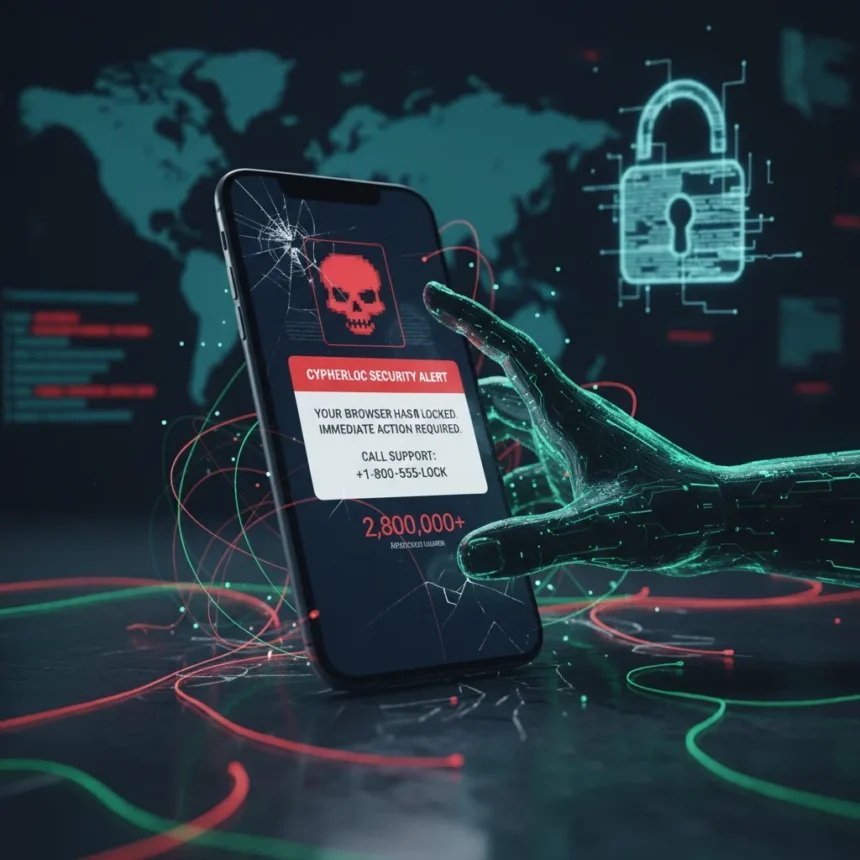
A new CypherLoc scareware attack has compromised 2.8 million victims by deploying fake browser-lock alerts and pressuring users through fraudulent support calls. This campaign combines visual deception with social engineering, creating a multi-layered threat that catches even cautious users off guard. Unlike traditional malware that actually compromises your system, scareware relies on psychological manipulation—making you believe your browser is locked when it is not.
Key Takeaways
- CypherLoc scareware has affected 2.8 million users through fake browser-lock alerts.
- The attack spreads primarily via phishing emails containing malicious links.
- Victims receive pressure from fake support calls demanding personal information.
- No actual browser compromise occurs—the lock is a visual overlay or fake interface.
- Ignoring unsolicited alerts and verifying support contacts are your strongest defenses.
How CypherLoc Scareware Works
CypherLoc operates through a deceptively simple mechanism: phishing emails direct users to malicious pages that display urgent, official-looking warnings claiming your browser is locked or compromised. The fake alerts mimic legitimate security warnings from trusted companies, complete with logos, countdown timers, and threatening language designed to bypass rational thinking. When panicked users attempt to unlock their browser, they are prompted to call a support number or provide sensitive information directly.
The scareware component is critical to understanding this attack. Rather than stealing your password through a traditional phishing form, CypherLoc creates a false sense of emergency. Your browser is not actually locked—what you see is a visual overlay or fake interface that prevents normal navigation. This psychological trick is remarkably effective because it feels real. Your instinct is to act immediately, not to pause and verify.
Once you call the fake support number, scammers use social engineering to extract personal information, payment details, or remote access credentials. Some victims have reported being convinced to install remote-access software or purchase fake security solutions at inflated prices.



CypherLoc Scareware Attack: Distribution and Scale
The campaign spreads through phishing emails that appear to come from legitimate sources—banks, payment processors, or security companies. These emails contain links that redirect to pages hosting the scareware payload. The scale of the attack is staggering: 2.8 million reported victims suggests a well-resourced operation with sophisticated targeting or broad-based email distribution lists.
What makes CypherLoc different from earlier scareware campaigns is the integration of phone-based social engineering. Rather than relying solely on victims entering information into a web form, attackers use call centers staffed with trained operators who can adapt their pitch based on the victim’s responses. This hybrid approach—combining automated alerts with human manipulation—increases success rates significantly.


How to Recognize and Avoid CypherLoc
The first line of defense is skepticism. Legitimate security warnings from your browser or operating system will never ask you to call a phone number or provide passwords. If you see an alert claiming your browser is locked, pause and ask yourself: did I initiate this action? Did I visit a suspicious site immediately before this appeared?
Key indicators of scareware include urgent language, countdown timers, official-looking logos (often slightly misspelled), and pressure to act immediately. Real security alerts allow you to close them or navigate away. Fake ones often prevent normal browser navigation, though tech-savvy users know that closing the browser tab or forcing a restart will bypass the overlay.
Phishing emails are the entry point. Be cautious of unsolicited messages asking you to verify account information, confirm payment methods, or address security concerns. Hover over links before clicking—if the URL does not match the company name or looks suspicious, do not click. When in doubt, navigate directly to the company’s official website by typing the address into your browser rather than following an email link.
What to Do If You Encounter CypherLoc
If you see a suspicious browser-lock alert, do not panic. Close the browser tab immediately. If the alert prevents tab closure, force-quit the browser entirely using your operating system’s task manager or activity monitor. Restart your browser and verify your system is functioning normally. The alert was fake—your browser and computer are not actually locked.



If you have already called the fake support number or provided information, act quickly. Change your passwords immediately, especially for email and banking accounts. Monitor your credit card and bank statements for unauthorized charges. Consider placing a fraud alert with your credit bureau if personal information was compromised. Many victims do not realize they have been scammed until unauthorized charges appear weeks later.
Report the phishing email to your email provider and mark it as spam or phishing. If you received the email at a work address, notify your IT department immediately—corporate networks are frequent targets for these campaigns because employee credentials can provide access to valuable business systems.
Comparing Scareware to Other Threats
Scareware differs fundamentally from ransomware, which actually encrypts your files and demands payment for decryption. It also differs from credential-stealing phishing, which captures passwords through fake login forms. CypherLoc combines elements of both—it creates urgency like ransomware and extracts information like phishing—but requires no actual technical compromise of your system. This makes it simultaneously easier to defend against and harder to recognize because victims feel their browser genuinely is locked.
Why This Attack Matters Now
The reported scale of 2.8 million victims indicates that scareware remains a highly profitable attack vector. As traditional phishing becomes less effective due to improved email filtering and user awareness, scammers are investing in more sophisticated social engineering. The integration of phone-based support scams with automated fake alerts represents an evolution in attack sophistication. Attackers are no longer relying on users to be careless—they are engineering psychological pressure that affects even security-conscious users.
Frequently Asked Questions
Can CypherLoc actually lock my browser?
No. CypherLoc displays a fake lock screen—a visual overlay or webpage designed to look like a system-level lock. Your browser is not actually compromised. Closing the browser tab or restarting the application will remove the fake alert immediately. The scareware relies on the user believing the lock is real and taking action out of panic.
What should I do if I already gave information to a CypherLoc scammer?
Change your passwords immediately, starting with email and banking accounts. Monitor your credit card and bank statements for unauthorized transactions. If personal information like your Social Security number or full address was provided, place a fraud alert with one of the major credit bureaus. Consider enrolling in credit monitoring services for added protection.
How can I protect my family from CypherLoc scareware?
Educate family members about the warning signs: unsolicited alerts, urgent language, requests to call a number, and pressure to provide information immediately. Show them that closing the browser tab removes the fake alert. Encourage them to contact you or a trusted tech person before calling any support number mentioned in an alert. Enable browser security features and keep operating systems updated with the latest patches.
CypherLoc scareware succeeds because it exploits human psychology rather than technical vulnerabilities. Your skepticism and knowledge are your strongest defenses. When you see an urgent alert, pause. Verify independently. Do not call numbers from suspicious messages. These simple habits will protect you far more effectively than any security tool alone.
Edited by the All Things Geek team.
Source: TechRadar