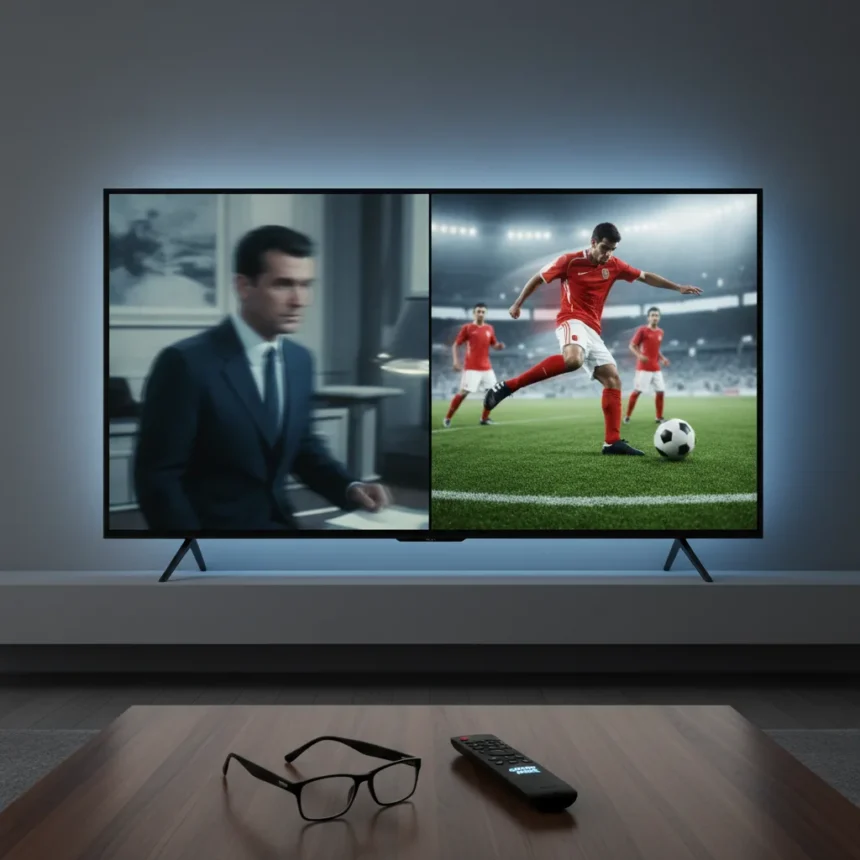
Motion smoothing on TVs is one of those features that divides viewers into two camps: those who despise it and those who have never heard of it. For most content, you should disable it entirely. But for live sports like the World Cup, enabling motion smoothing might actually improve your viewing experience in ways that cinematic content never would.
Key Takeaways
- Motion smoothing degrades the cinematic look of movies and TV shows by artificially creating frames.
- Live sports benefit from motion smoothing because it reduces motion blur during fast-paced action.
- The World Cup is a prime use case for enabling this setting, unlike streaming films.
- Most viewers should leave motion smoothing disabled for narrative content.
- The best approach is to toggle the setting based on what you’re watching.
Why Motion Smoothing Ruins Movies but Helps Sports
Motion smoothing, also called motion interpolation or the soap opera effect by critics, works by inserting artificial frames between the original frames of video content. For a 24-frame-per-second film, the TV essentially guesses what should happen between frames and creates new ones, bumping the effective frame rate higher. This sounds like it should make everything look smoother, right? It doesn’t. Instead, it strips away the intentional cinematic look that directors and cinematographers spent months perfecting.
Sports are different. When you’re watching athletes move at high speed across a field or court, motion blur becomes the enemy. A striker sprinting toward goal or a ball traveling at 100 kilometers per hour naturally blurs in real-world footage. Motion smoothing reduces that blur by interpolating additional frames, making fast motion clearer and easier to follow. The World Cup, with its constant motion and split-second decisions, becomes noticeably sharper when this setting is enabled. Unlike a carefully composed film scene, sports broadcasts aren’t designed with a specific frame rate as an artistic choice—they’re designed to show you what’s happening, and motion smoothing helps with that goal.
The Cinematic Cost of Motion Smoothing on Movies
Disable motion smoothing before you stream your next film. The reason is simple: filmmakers shoot at 24 frames per second intentionally. That frame rate is part of the medium’s DNA. When your TV artificially doubles or triples that frame rate, it creates an uncanny, hyper-real look that makes even prestige dramas feel like they were shot on a phone camera at a wedding. The effect is jarring, unintended, and immediately noticeable once you know what to look for.



Television shows, especially those shot on video rather than film, sometimes fare slightly better with motion smoothing enabled, but the default should still be off. Streaming services invest heavily in color grading, lighting, and pacing—all of which assume a standard frame rate. Interpolating new frames breaks those assumptions. The actors’ movements look unnatural. Dialogue scenes feel artificially sped up. What was meant to feel intimate becomes clinical.
Motion Smoothing on TVs: The World Cup Exception
Here’s where the World Cup changes everything. Live sports broadcasts are captured at 50 or 60 frames per second, depending on your region. They’re not shot with artistic intent around a specific frame rate—they’re broadcast to show you the action as clearly as possible. When motion smoothing is enabled during a match, the technology does what it was theoretically designed to do: it makes fast motion clearer without introducing the artificial soap opera effect that plagues movies.



The difference becomes obvious during replays of crucial moments. A goalkeeper’s dive, a defender’s slide tackle, or a ball’s trajectory becomes easier to track when motion smoothing is active. You see more detail in the motion itself, not an artificially smoothed version of something that was never meant to be smoothed in the first place. For tournament football, where every frame matters and viewers are analyzing play in real time, this is genuinely useful.
How to Use Motion Smoothing Responsibly
The solution is not to leave motion smoothing on all the time or off all the time. Instead, treat it as a context-dependent setting. Enable it when you’re watching live sports—football, rugby, tennis, cricket, or any broadcast where fast motion is central to the viewing experience. Disable it the moment you switch to streaming a film or scripted series. Most modern TVs make this toggle easy enough that it takes seconds to adjust.
Some TVs label this feature differently depending on the brand. Samsung calls it TruMotion, LG uses TruMotion or Soap Opera mode, and other manufacturers have their own names. The principle remains the same: the setting interpolates frames to create smoother motion. Find it in your TV’s picture settings, understand what it does, and use it deliberately rather than leaving it at factory defaults.
Does motion smoothing actually make sports clearer?
Yes, motion smoothing reduces motion blur during fast-paced action by interpolating additional frames between the original broadcast frames. This makes it easier to track movement during live sports like the World Cup, where clarity during rapid motion is valuable. For narrative content, this same effect creates an unwanted artificial look that degrades the viewing experience.



Should I use motion smoothing for all TV shows?
No. Most scripted television shows are shot with a specific frame rate in mind, and motion smoothing will create the soap opera effect that makes dialogue and character movement look unnatural. Reserve motion smoothing for live broadcasts and sports events where the goal is maximum clarity during fast motion, not artistic presentation.
Can I leave motion smoothing on permanently?
You could, but you shouldn’t. Leaving motion smoothing enabled for streaming movies, dramas, and comedies will degrade their visual quality. The best approach is to disable it by default and enable it only when watching live sports or events where the extra frame interpolation actually serves the content rather than fighting against it.
Motion smoothing is not a universal setting—it’s a tool for specific situations. The World Cup and live sports are where it belongs. Everything else, leave it off.
Edited by the All Things Geek team.
Source: TechRadar