


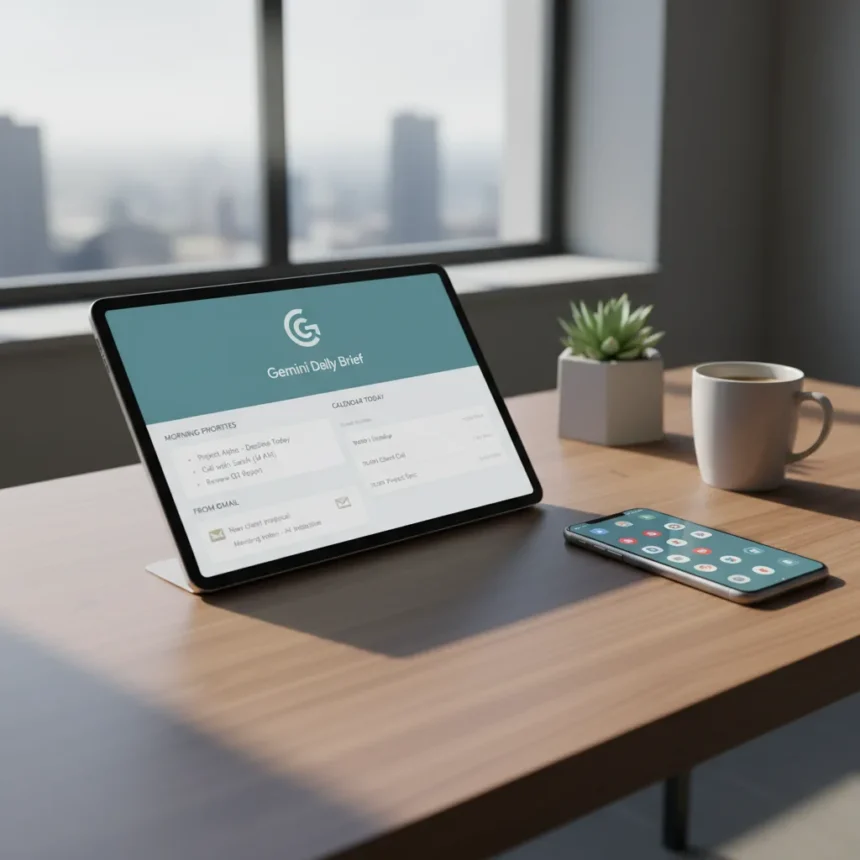
Gemini Daily Brief is a personalized morning digest feature in the Gemini app that pulls from Gmail, Calendar, and chats to surface priorities and suggest immediate next steps, rolling out to Google AI subscription tiers in the United States. For the first time, Gemini feels less like a chatbot you summon and more like an assistant that actually knows what matters to you today.
Key Takeaways
- Gemini Daily Brief generates a structured morning digest from Gmail, Calendar, and chats without manual prompting.
- The feature prioritizes content based on user goals and recommends actionable next steps for the day ahead.
- Users can refine future briefs using thumbs-up and thumbs-down ratings to improve relevance.
- Daily Brief is rolling out to Google Plus, Pro, and Ultra subscribers in the U.S.
- The feature positions Gemini as a proactive personal assistant, not just an on-demand chatbot.
Why Gemini Daily Brief Changes Everything
Gemini Daily Brief matters because it shifts how Google’s AI assistant works. Instead of waiting for you to ask a question, it proactively surfaces what you need to know before your day starts. The feature structures and prioritizes content based on your goals, pulling from the Google services you already use. This transforms Gemini from a reactive tool into something that actually anticipates your needs.
The morning digest pulls from your Gmail, Calendar, and chats to flag priorities and suggest immediate next steps. Rather than scanning three different apps and mentally assembling your day, you open Gemini and see what matters most, already sorted. It’s the difference between having an assistant and having a chatbot.
How Gemini Daily Brief Works in Practice
The workflow is straightforward: Gemini generates a morning digest from your connected Google services. It doesn’t just list everything—it filters and ranks based on what actually needs your attention. An urgent email from your boss floats to the top. A meeting reminder with actionable prep work gets highlighted. The feature can recommend next steps, turning raw information into actionable guidance.



Refinement happens through user feedback. Thumbs-up and thumbs-down ratings train the feature to improve over time. If you rate a particular priority as irrelevant, Daily Brief learns not to surface similar items tomorrow. This feedback loop is crucial because a morning digest that wastes your time defeats the purpose entirely.
Gemini Daily Brief vs. Samsung Now Brief and Pixel Summaries
Google isn’t inventing the morning digest concept—Samsung’s Now Brief and Pixel’s daily summary experiences already do similar work. The difference is integration depth. Gemini Daily Brief is built directly into Google’s AI assistant and taps into Personal Intelligence, a capability that accesses content from Photos, Gmail, and YouTube if you enable it. Samsung’s version is strong, but it’s tied to Samsung’s ecosystem. Gemini’s advantage is that it sits at the center of Google’s services, where most of your actual work and communication happens.



The positioning also matters. Gemini Daily Brief is part of a broader shift where Google wants to transform its AI assistant from a search-and-chat tool into a full productivity machine. This feature is the clearest sign that shift is real.
Availability and Subscription Tiers
Gemini Daily Brief is rolling out to Google Plus, Pro, and Ultra subscribers in the United States. It’s not available to free-tier Gemini users, which makes sense—the feature requires access to your Google account data and the computational overhead to parse and prioritize it. If you’re already paying for one of these tiers, you should see Daily Brief appear in the Gemini app soon. Rollout is gradual, so patience may be required.
Is Gemini Daily Brief actually useful?
Yes, but only if your workflow centers on Google apps. If you live in Gmail, Calendar, and Google Chat, Daily Brief solves a real problem—it saves time by eliminating the mental work of scanning multiple apps. If you use Outlook, Slack, or other non-Google tools for critical work, the feature loses much of its value. The usefulness depends entirely on how much of your day lives in Google’s ecosystem.
Can you customize what Gemini Daily Brief shows?
Customization happens through feedback rather than settings. You rate priorities as useful or not useful, and the feature learns your preferences over time. This is less granular than some other morning digest tools, but it’s also simpler—you don’t need to configure which apps or labels to include. The tradeoff is convenience for control.



How does Gemini Daily Brief compare to manually checking Gmail and Calendar?
The core advantage is prioritization and time. Manually checking your inbox takes minutes. Daily Brief does the same work in seconds by filtering and ranking what actually matters. It also surfaces actionable next steps you might otherwise miss. The real value isn’t in the information itself—it’s in the structure and speed. You get a curated view instead of raw volume.
Gemini Daily Brief represents the first genuinely useful thing Gemini has done for most users. Not because it’s technically impressive—it’s relatively straightforward—but because it solves a real morning problem. It stops Gemini from feeling like a novelty and makes it feel like part of your actual routine. If you’re on a Google AI subscription and spend your mornings in Gmail and Calendar, this feature alone might justify the cost.
Where to Buy
Edited by the All Things Geek team.
Source: Android Central