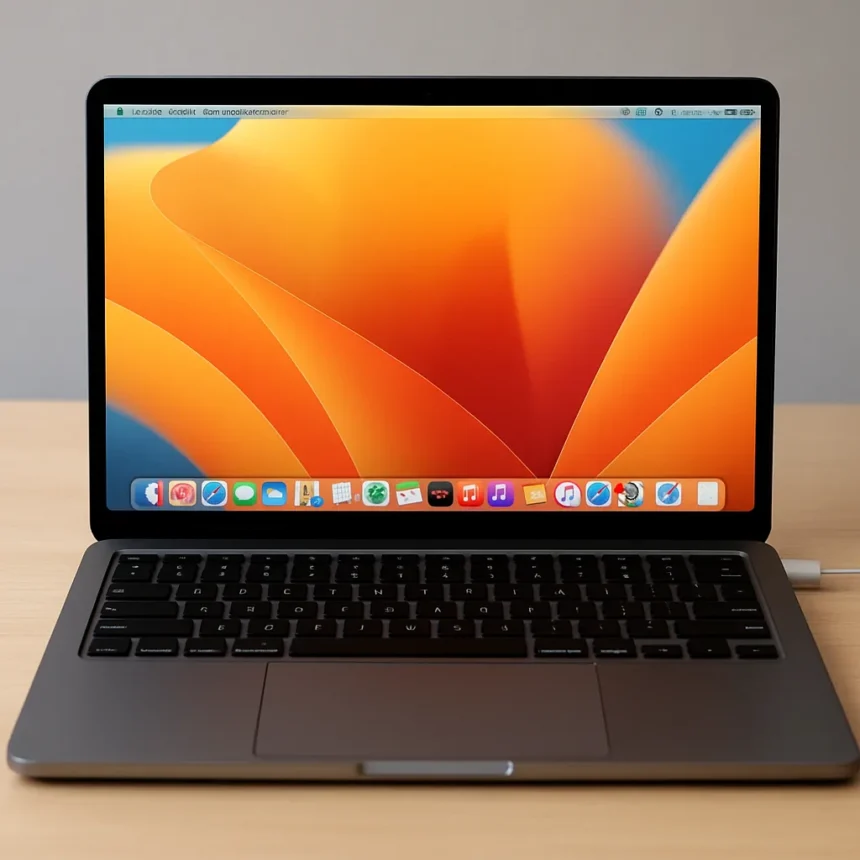
What is the MacBook Neo and why does MacBook Neo 8GB RAM matter?
The MacBook Neo 8GB RAM debate is the most heated laptop argument of 2026, and it deserves a straight answer. The MacBook Neo is Apple’s most affordable MacBook ever, launched in March 2026 and priced from $599, powered by the A18 Pro chip originally designed for the iPhone 16 Pro. It ships with a fixed 8GB of unified memory and 256GB of storage — no upgrade path, no exceptions. That locked-down spec sheet has Windows fans declaring it a rip-off. The reality is more complicated, and more interesting.
The A18 Pro brings a 6-core CPU, 5-core GPU, and a 16-core Neural Engine to a fanless chassis that Apple claims delivers up to 16 hours of battery life during video streaming and 11 hours of web browsing. At $599, it is a genuinely disruptive price point for a MacBook. But the 8GB ceiling is real, and whether it matters depends entirely on what you plan to do with the machine.
How macOS makes MacBook Neo 8GB RAM work harder than Windows
The core of the 8GB argument comes down to how each operating system actually uses memory. macOS employs a technique called swap, where data sitting idle in RAM is intelligently moved out to the SSD, freeing up space for active processes. The result is that macOS behaves more like a disciplined chef — using exactly what it needs, when it needs it — while Windows tends to hoard memory in anticipation of future demand. On paper, a Windows machine with 16GB looks twice as capable. In practice, the gap narrows considerably for everyday workloads.
Real-world multitasking — browser tabs, YouTube, Microsoft Word, Google Docs, light photo work — runs without meaningful friction on the MacBook Neo. Apple’s own Speedometer 3.1 results show the Neo outpacing the bestselling Intel Core Ultra 5 Windows laptops by up to 50 percent in everyday browsing tasks, delivering up to 3x the performance for on-device AI photo effects, and up to 2x the speed for photo editing. Those are not small margins. For the student or casual user the Neo is explicitly designed for, the 8GB ceiling rarely becomes a visible wall.


Where the ceiling does become visible is under professional workloads. Stack Photoshop, Final Cut Pro, Logic Pro, and a trading platform alongside a bank of Chrome tabs, and the Neo will stutter. The swap system can only do so much when every gigabyte is genuinely in active use. At that point, the MacBook Neo is simply the wrong tool, and Apple has never pretended otherwise.
MacBook Neo vs MacBook Air and Windows alternatives
Comparing the MacBook Neo to its siblings reveals where the compromises actually land. In single-core performance, the A18 Pro chip punches well above its price: it is 47 percent faster than the base M1 Air, 34 percent faster than the M2 Air, and 10 percent faster than the M3 Air in single-core benchmarks. That is a remarkable result for Apple’s cheapest laptop. The trade-off comes in multi-core workloads, where the Neo falls 10 percent behind the M2 Air, 28 percent behind the M3 Air, and a steep 49 percent behind the M5 Air. The A18 Pro is an efficiency chip, not a performance chip, and the benchmark spread reflects that honestly.



Against Windows machines with Intel Core Ultra 5 processors, the Neo holds a clear advantage for the everyday tasks its target audience actually performs. The fanless design means it runs silently where competing budget Windows laptops spin up aggressively under load. The MacBook Air, by contrast, offers 16GB of RAM as standard on current models, MagSafe charging, keyboard backlighting, and stronger sustained multi-core performance — all features the Neo omits to hit its price point. If your workload is light, the Neo is the smarter buy. If you are doing anything genuinely demanding, the Air or MacBook Pro is the honest recommendation.
What the MacBook Neo gets wrong despite the RAM story
The 8GB RAM narrative has somewhat overshadowed the Neo’s other real compromises. There is no keyboard backlighting — a baffling omission at any price. MagSafe charging is absent, replaced by a single, slower USB-C port that limits both charging speed and connectivity. The bezels are thick by 2026 standards, though Apple did drop the notch. These are not dealbreakers for the target audience, but they are genuine trade-offs that deserve equal scrutiny alongside the memory debate. A $599 MacBook is an extraordinary thing; it is also an incomplete one.
Is 8GB enough RAM for a MacBook in 2026?
For the audience the MacBook Neo is built for — students, casual users, anyone whose daily workflow lives inside a browser, a word processor, and a streaming service — 8GB is genuinely sufficient. macOS’s swap system and Apple’s tightly integrated hardware-software stack mean the unified memory works harder than the number suggests. Push it toward professional creative applications or heavy multitasking and you will hit the ceiling. Know your workload, and the Neo makes sense.
How does the MacBook Neo compare to the MacBook Air for most users?
The MacBook Air starts higher in price but delivers more RAM, better multi-core performance, MagSafe charging, and keyboard backlighting. For users who occasionally run creative apps or want headroom for future workloads, the Air is the safer long-term investment. The Neo is the right call only if the $599 price point is the deciding factor and the workload stays light.



Does the fanless design hurt MacBook Neo performance?
The fanless design keeps the MacBook Neo completely silent and contributes to its slim chassis and battery life claims of up to 16 hours. The A18 Pro is an efficiency-focused chip that generates less heat than the M-series chips in the MacBook Air, making passive cooling viable. Under sustained heavy workloads, any fanless design will throttle eventually — but for the everyday tasks the Neo targets, thermal throttling is unlikely to be a daily concern.
The MacBook Neo 8GB RAM story is ultimately a story about knowing your audience. Apple built a $599 MacBook for people who do not need a $1,299 MacBook, and macOS’s memory management makes the math work for that specific group. The Windows comparison is real but overstated — the Neo beats comparable Windows hardware on everyday benchmarks while losing badly on raw multi-core muscle. Buy it for what it is: the most affordable entry into Apple’s ecosystem, optimised for light use, and genuinely good at it. Buy anything else if your workload demands more.
Edited by the All Things Geek team.
Source: Tom's Guide