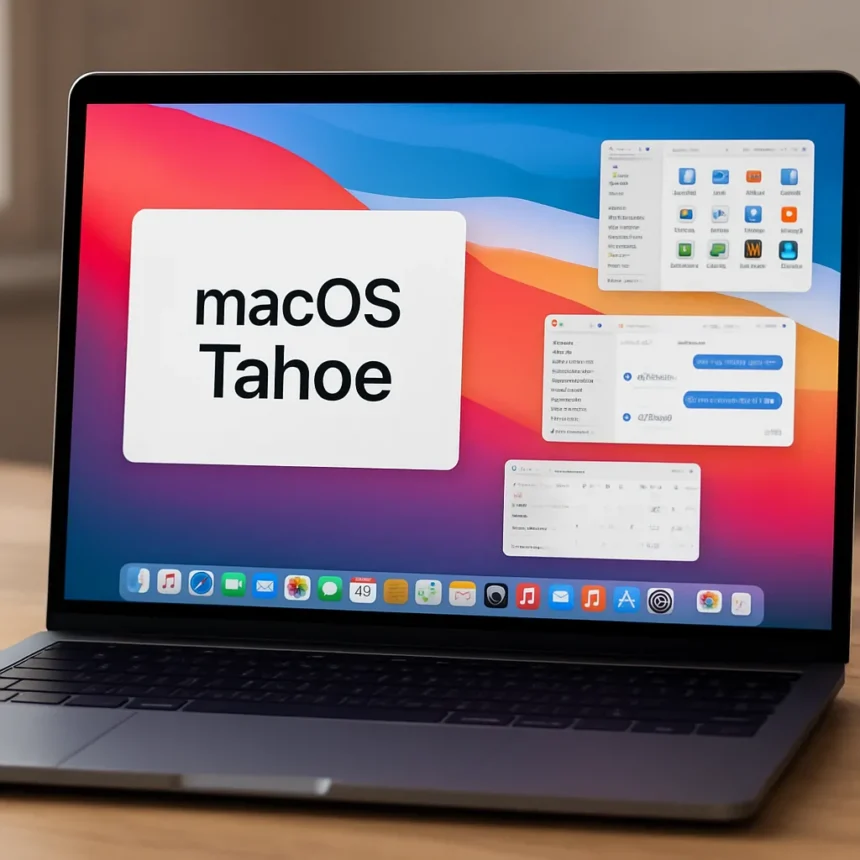
Which macOS Tahoe features actually matter for daily use?
macOS Tahoe features have generated more discussion than any Mac software release in years, and for good reason. macOS Tahoe, version 26, is a free update released in September 2025 for compatible Macs — primarily Apple Silicon models from 2020 onwards, along with select Intel machines — and it represents the most significant visual and functional overhaul Apple has shipped in a long time. The question worth asking is not whether the update looks impressive in screenshots, but which changes actually hold up when you are sitting at your desk trying to get things done.
Liquid Glass redesign: style or substance?
The headline change in macOS Tahoe is Liquid Glass, a design language that brings transparent menubars, reflective and refractive sidebars, and translucent toolbars across the system. Icons and widgets can now be set to light, dark, tinted, or clear looks, and folders gain new customization options too. It is a dramatic departure from the flat, muted aesthetic Apple has favoured for years, and it will divide opinion sharply.
What makes Liquid Glass more than cosmetic is the tinted opacity toggle available inside apps, which lets users dial back the visual intensity when it becomes distracting. Compared to earlier macOS versions where you either accepted the system appearance or switched wholesale to Dark Mode, this granular control is a genuine quality-of-life improvement. Whether the aesthetic itself ages well is a separate debate, but the underlying flexibility is hard to argue with.
macOS Tahoe features for music, calls, and communication
Apple Music AutoMix is one of those macOS Tahoe features that sounds trivial until you actually use it. Seamless transitions between songs, combined with AirPlay support and the ability to pin playlists and organise them into folders, transforms Music into something closer to a proper DJ tool for background listening. It is a feature streaming services like Spotify have offered for years, and Apple’s implementation arriving natively in macOS is overdue — but it is here now and it works.


FaceTime has also received a meaningful overhaul. Higher audio quality on low-bandwidth connections is the standout improvement, addressing one of the most persistent frustrations with video calls when your connection is not cooperating. Real-time translation and call screening for unknown numbers round out an update that finally makes FaceTime feel competitive with third-party video calling apps rather than a feature you only use because it is already installed. The new design brings the interface in line with the broader Tahoe aesthetic.
Child account protections and why they matter beyond parents
One of the less-discussed macOS Tahoe features is also one of the most consequential. Communication Safety and web content filters are now enabled by default for users aged 13 to 17, with exact age thresholds varying by country and region. For families managing shared Macs or setting up machines for teenagers, this removes a configuration step that previously required deliberate parental action — and which many parents simply never took.


The significance here extends beyond individual households. Default-on safety settings represent a shift in how Apple thinks about responsibility for younger users, and it puts macOS ahead of most desktop operating systems in this regard. Windows, by comparison, requires parents to actively configure Family Safety settings through a separate Microsoft account flow. Apple’s approach of making the safe option the default is the right call.
What else is new in macOS Tahoe 26 and 26.1?
Beyond the five headline features, macOS Tahoe ships with a genuinely impressive list of supporting changes. Spotlight gains the ability to trigger actions via keyboard shortcuts, the Control Center is now customisable, and the volume and brightness overlays have been shrunk down so they no longer dominate the screen. A new Magnifier app uses your iPhone camera via Continuity to let you zoom in on physical objects — a practical accessibility tool that requires no additional hardware.
The first major post-launch update, macOS Tahoe 26.1, added further refinements including bug fixes and security patches. Version 26.2 introduced Edge Light, a video effect for 2024 and newer Mac computers, along with vehicle motion cues. Terminal also received a refresh with 24-bit colour support and Powerline font compatibility, which will matter more to developers than most users but signals that Apple is not neglecting power users in its pursuit of visual polish.
Is macOS Tahoe worth installing right now?
For any compatible Mac running Apple Silicon, the update is free and the improvements to FaceTime audio quality alone justify the download. The Liquid Glass redesign will take adjustment, but the practical additions — AutoMix, default child protections, Spotlight actions, and the smaller system overlays — add up to a release that improves daily use rather than just changing how things look.



What Macs are compatible with macOS Tahoe?
macOS Tahoe is available for Apple Silicon Macs from 2020 onwards, along with select Intel models. The update is delivered through System Settings under General and then Software Update. The Edge Light video effect introduced in version 26.2 is limited to 2024 and newer Mac computers.
Does macOS Tahoe work on older Intel Macs?
Some Intel Macs are supported, but Apple has not published a comprehensive compatibility list in the research available here. If you are on an older Intel machine, checking System Settings for the Software Update prompt is the most reliable way to confirm eligibility. Apple Silicon models from 2020 onwards are fully supported.
macOS Tahoe is not a perfect release — no major OS update ever is — but it is a substantive one. The combination of a bold visual overhaul, practical communication improvements, and long-overdue safety defaults makes it the most compelling macOS update in several years. Install it, give Liquid Glass a week to stop feeling strange, and you will likely find several of these features quietly become indispensable.
Edited by the All Things Geek team.
Source: TechRadar