





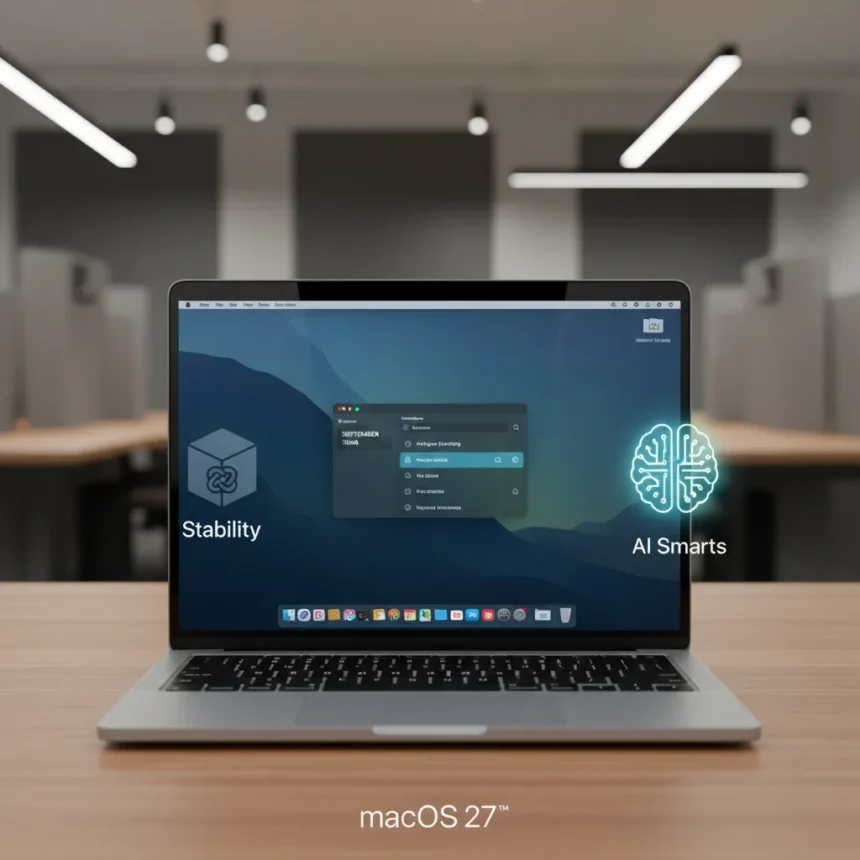
macOS 27 is coming to WWDC 2026, and Apple is finally listening to criticism about Liquid Glass. The operating system, set to be unveiled on June 8, 2026, marks a deliberate shift away from flashy design toward refinement, stability, and artificial intelligence integration across the ecosystem.
Key Takeaways
- macOS 27 unveils June 8, 2026 at WWDC with developer betas immediately following and September 2026 general release.
- Liquid Glass interface receives a “slight redesign” addressing shadows and transparency issues that frustrated macOS Tahoe users.
- AI-powered Safari tab organization automatically groups tabs with a toggleable “Organize Tabs” option across macOS, iOS, and iPadOS.
- Apple Intelligence expands to include Gemini and Claude integration in Writing Tools and new photo editing capabilities.
- Stability and bug fixes take priority over revolutionary features, echoing the Snow Leopard approach of 2009.
Liquid Glass Gets a Serious Overhaul
The most controversial element of macOS Tahoe was its Liquid Glass interface—a design language that prioritized aesthetic flourish over usability. Shadows and transparency effects created readability problems that drove users to Reddit complaint threads. macOS 27 does not abandon Liquid Glass entirely; instead, Apple is refining it. According to leaks from Bloomberg’s Mark Gurman, the company “aims to address the shadows and transparency quirks” that plagued the previous version. This is not a complete redesign but a targeted fix that keeps the modern visual language while restoring clarity.
The refinement signals Apple’s willingness to iterate on controversial decisions rather than double down on them. macOS 27 keeps Liquid Glass’s contemporary aesthetic while fixing the functional problems that made it frustrating for daily use. For users who switched to Linux or older macOS versions to escape the interface, this middle ground may finally feel acceptable.
Safari Gets Smarter With AI Tab Organization
macOS 27 introduces one of the most practical AI features yet: automatic tab organization in Safari. Users can now tap an “Organize Tabs” button within tab groups, and the browser will intelligently cluster related tabs together. The feature is toggleable, meaning you maintain full control—automatic grouping is optional, not forced. This addresses a real pain point: Safari users with 30+ open tabs drowning in browser clutter.



The feature rolls out across macOS 27, iOS 27, and iPadOS 27 simultaneously, creating consistency across Apple’s ecosystem. Unlike some AI features that feel tacked on for marketing purposes, this one solves an actual workflow problem. Journalists, researchers, and anyone juggling multiple projects will benefit immediately.
Apple Intelligence Expands Beyond Apple’s Own Tools
macOS 27 represents a watershed moment for Apple Intelligence: the company is finally opening its AI capabilities to third-party models. Google’s Gemini and Anthropic’s Claude are now integrated into Writing Tools and Image Playground, giving users choice rather than locking them into Apple’s proprietary AI stack. This is significant. It signals that Apple recognizes the value of multiple AI approaches and is willing to let users decide which model fits their workflow.



New photo editing tools arrive with Apple Intelligence as well, including Reframe for adjusting composition and Extend for spatial photos. These tools leverage AI to expand images intelligently rather than using crude scaling algorithms. For photographers and content creators, this could eliminate one more Photoshop workflow step.
Stability Over Spectacle—The Snow Leopard Strategy
The overarching philosophy of macOS 27 echoes Mac OS X Snow Leopard from 2009: prioritize stability, performance, and bug fixes over flashy new features. After the criticism that greeted macOS Tahoe’s Liquid Glass interface, Apple is taking a step back to refine what exists rather than introducing another major visual overhaul. Developer betas arrive immediately after the June 8 keynote, with public betas in July 2026 and a full release in September 2026.
This approach is refreshing. It suggests Apple is listening to user feedback and willing to sacrifice headline features for a more polished experience. In an era where operating system updates often feel like marketing exercises, macOS 27’s focus on the fundamentals is genuinely countercultural.
When Will macOS 27 Arrive?
macOS 27 launches as a free update in September 2026 for compatible Macs. The exact hardware cutoff remains unconfirmed, though rumors suggest Intel Macs may lose support, following Apple’s transition to Apple Silicon. Developer betas become available immediately after the WWDC 2026 keynote on June 8, with public betas rolling out in July. If you want to test macOS 27 early, enrolling in Apple’s public beta program in July is your entry point.


How Does macOS 27 Compare to iOS 27?
macOS 27 and iOS 27 share significant features—tab organization, Liquid Glass refinements, and expanded Apple Intelligence—but iOS 27 leads on certain AI photo tools and Siri enhancements. The unified approach means your Mac and iPhone will feel more cohesive, but iOS typically receives more aggressive feature additions. macOS 27 prioritizes stability and refinement, while iOS 27 pushes innovation harder. For Mac users, this is probably welcome; for iPhone users expecting radical changes, iOS 27 may feel incremental.
Will Liquid Glass Actually Improve?
Yes, but with caveats. The “slight redesign” fixes specific usability problems—shadows and transparency effects that made text hard to read and buttons difficult to locate. However, this is not a complete visual overhaul. If you hated Liquid Glass on principle, macOS 27 will not convert you. If you found it beautiful but frustrating to use, the refinements should make the experience significantly better.
What About Touchscreen Macs and Game Hub?
Rumors suggest macOS 27 includes preparations for touchscreen Mac support, with larger buttons and adjusted UI elements to accommodate touch input. A potential Game Hub app has also been mentioned in leaks, though neither feature is confirmed for the WWDC 2026 announcement. These are speculative additions that may or may not materialize. Focus on the confirmed features—Liquid Glass refinement, AI tab organization, and stability improvements—rather than betting on unannounced hardware or software.
macOS 27 represents Apple’s attempt to rebuild trust after the Liquid Glass backlash. By prioritizing refinement over revolution, the company is signaling that it hears user frustration and takes it seriously. The September 2026 release will tell us whether Apple followed through on that promise.
Edited by the All Things Geek team.
Source: Tom's Guide




