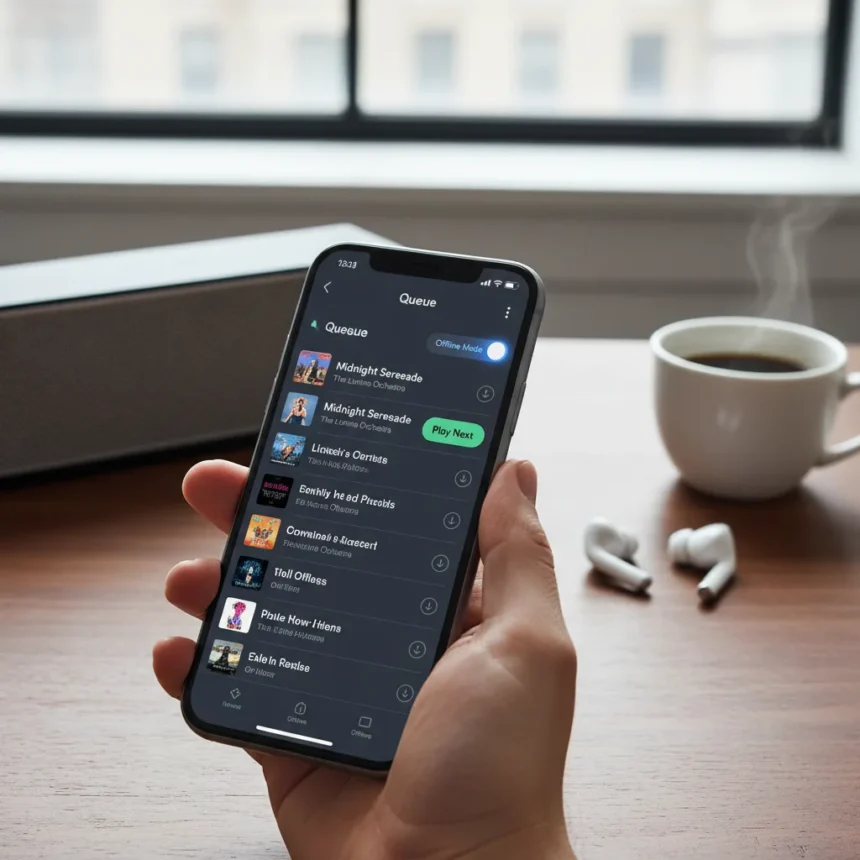
Spotify queue and offline listening have received significant upgrades designed to give users better control over their listening experience. The streaming service introduced new playback tools including a dedicated play-next function and enhanced queue management features, addressing long-standing friction points in how users organize and control their music.
Key Takeaways
- Spotify added a play-next tool for direct queue control
- New queue functions improve how users organize upcoming tracks
- Offline listening received an overdue upgrade for better usability
- Changes aim to reduce playback interruptions and friction
- Features roll out to help users maintain uninterrupted listening sessions
Spotify Queue and Offline Listening: What’s New
Spotify’s latest update tackles two critical pain points that have frustrated users for years. The play-next feature allows listeners to insert tracks immediately into their queue without disrupting current playback, while the expanded queue functions give users granular control over what plays next. These tools directly address the awkward workarounds users previously relied on to customize their listening order.
The offline listening upgrade represents an equally significant improvement. Previously, managing offline content required navigating multiple menus and dealing with confusing sync states. The refreshed offline system streamlines this process, making it faster to download albums and playlists for use without an internet connection. For commuters, travelers, and users in areas with spotty connectivity, this upgrade eliminates unnecessary friction.
Why Playback Control Matters for Streaming Services
Music streaming services live or die on user experience details. A clunky queue system forces listeners toward competitors or back to local file management. Spotify’s investment in these tools shows the company recognizes that smooth playback control is not a luxury feature—it’s table stakes in a crowded market. Apple Music and YouTube Music offer comparable queue management, but Spotify’s new play-next functionality and streamlined offline mode position it as increasingly user-focused.



The timing of these updates reflects broader industry trends. As streaming becomes the dominant way people consume music, the quality of in-app controls directly influences subscription retention. Users tolerate ads and lower audio quality if the core experience feels responsive and intuitive. Conversely, a frustrating interface drives churn regardless of catalog size.
Offline Listening: Finally Getting the Attention It Deserves
Offline listening has always been the forgotten child of streaming features. While Spotify prioritized recommendation algorithms and social sharing, the offline download system remained clunky and unintuitive. This upgrade corrects that neglect. Users can now manage their offline library with the same ease they navigate streaming playlists, making the feature genuinely useful rather than a technical afterthought.



For premium subscribers who travel frequently or use Spotify during commutes without reliable signal, this improvement transforms the service. Downloaded content no longer feels like a separate, poorly integrated feature—it becomes a seamless extension of the core experience. This matters especially in regions where mobile networks are inconsistent or data plans are expensive.
How These Tools Compare to Competitor Offerings
Apple Music’s queue system and YouTube Music’s playlist management have set expectations for what users want from playback control. Spotify’s new play-next function and queue enhancements bring it closer to feature parity while maintaining its own design philosophy. The offline listening upgrade, however, represents a catch-up move—competitors have offered more intuitive offline management for some time. Spotify’s implementation should narrow that gap significantly.
Is Spotify’s queue upgrade available on all platforms?
The research brief does not specify which platforms—iOS, Android, web, or desktop—receive these features initially. Rollouts typically stagger across platforms, so availability may vary by device and region during the initial launch period.
Will offline listening work without a premium subscription?
Offline download functionality has historically been a premium-only feature on Spotify. The research brief does not confirm whether this upgrade changes that restriction, so free users should assume offline listening remains behind the paywall.



How much storage do offline downloads use on my device?
The research brief provides no details about storage requirements or compression settings for offline downloads. Users should check Spotify’s official documentation for device-specific storage guidance.
Spotify’s focus on playback control and offline functionality signals a maturing streaming service willing to invest in user experience fundamentals rather than chasing viral features. These upgrades won’t make headlines like a new AI DJ, but they address the daily friction that actually determines whether users stay loyal. For anyone frustrated by clunky queue management or offline download chaos, these tools arrive overdue but welcome.
Edited by the All Things Geek team.
Source: TechRadar