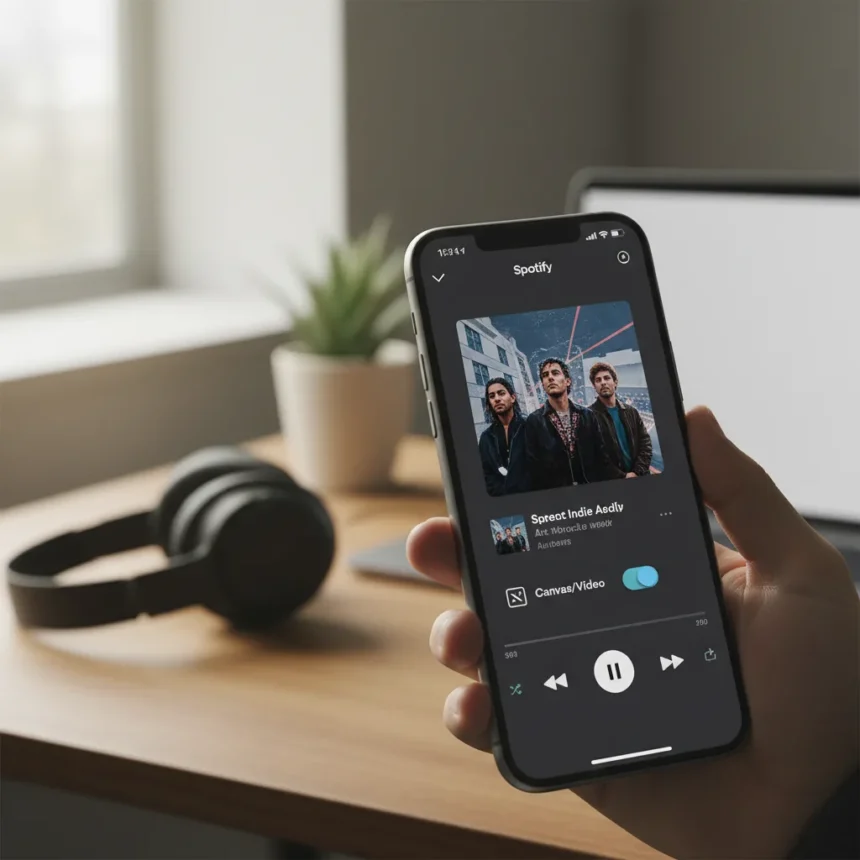
Spotify video controls are rolling out globally starting April 9, 2026, giving users the power to disable Canvas animations, music videos, and other visual distractions for a pure audio experience. This marks a significant shift from the platform’s increasingly video-heavy approach—moving control back into listeners’ hands after years of passive consumption.
Key Takeaways
- Spotify video controls let users toggle Canvas and video content on or off in Settings > Content and display.
- Family Plan managers can immediately control video settings for any plan member via subscription settings.
- Full rollout to all plans (Free, Premium, Basic, Family, Student, Duo) completes by late April 2026.
- 60% of managed accounts for users under 13 had video disabled by parents, proving demand for audio-only focus.
- Video ads and Canvas-like visuals on audio ads remain visible for all users regardless of settings.
What Spotify video controls actually do
The new Spotify video controls offer two separate toggles: one for Canvas (Spotify’s looping visual backgrounds) and another for Video content (music videos, podcast visuals, and audiobook imagery). Users can disable one, both, or neither—the choice is theirs. This is not a cosmetic tweak. For users who stream for hours daily, removing visual clutter saves battery life, reduces data consumption, and eliminates the distraction of watching the same looping visual loop for the hundredth time.
Access is straightforward: open Settings, navigate to Content and display, and toggle Canvas or Video off. Preferences sync across mobile, desktop, web, and TV platforms, so your choice follows you everywhere. This matters because streaming is no longer confined to one device—a listener might use Spotify on their phone during commutes, desktop at work, and TV at home. Fragmented settings would defeat the purpose.
How to enable Spotify video controls on Family Plans
Family Plan managers gain immediate access starting April 9, 2026, allowing them to control video settings for any plan member directly through subscription settings. This expands on Spotify’s existing parental controls for accounts under 13, which previously allowed managers to disable video automatically. Now that flexibility extends to all family members, regardless of age.



This capability addresses a real pain point: younger listeners often prefer audio-only experiences for focus and battery efficiency, while parents want granular control without micromanaging account restrictions. The rollout timeline is staggered—Family Plan managers get access first, followed by full availability across all plan types (Free, Premium, Basic, Individual, Duo, Student) by late April 2026.
Why Spotify video controls matter now
Spotify’s push into video content—Canvas, music videos, podcast visuals—reflects the industry’s broader obsession with visual engagement. But not every listener wants that. The data backs this up: Spotify reports that 60% of managed accounts for users under 13 had video disabled by account managers, signaling strong demand for audio-first experiences. Expanding these controls to all users acknowledges what many listeners have wanted for years: the ability to use Spotify for what it does best—playing music—without the visual baggage.



Compared to platforms like YouTube Music, which centers video as a core feature, or Apple Music, which integrates music videos as a premium draw, Spotify’s approach now offers genuine optionality. You can have the visual experience when you want it and strip it away when you don’t. That flexibility is increasingly rare in streaming. As Spotify’s own messaging notes, control changes everything—time stops feeling wasted and starts feeling owned.
Important limitation: video ads remain visible
One crucial detail: video ads and Canvas-like visuals on audio ads will remain visible for all users, regardless of video control settings. This is a business reality—Spotify’s free tier relies on advertising, and visual ads are more valuable to advertisers than audio-only spots. If you use Spotify Free and disable video, you will still see video advertisements. Premium subscribers escape this limitation entirely.
When will Spotify video controls reach me?
Family Plan managers get access starting April 9, 2026. Individual users and members of other plan types will see the feature roll out throughout late April 2026. Availability is global across all regions and all plan tiers (Free, Premium, Basic, Individual, Duo, Family, Student). There are no pricing changes tied to this update—it is a free feature for everyone.
FAQ
Can I disable Canvas without disabling music videos on Spotify?
Yes. Spotify video controls offer two separate toggles in Settings > Content and display. You can turn off Canvas alone, video alone, or both. The granularity is entirely yours.



Do Spotify video controls work across all my devices?
Yes. Preferences sync across mobile, desktop, web, and TV platforms. Change the setting on your phone, and it applies to your TV and desktop automatically.
Will disabling videos save me data and battery on Spotify?
Absolutely. Removing visual content reduces bandwidth consumption and battery drain, especially on mobile devices during extended listening sessions. For users who stream for hours daily, this adds up quickly.
Spotify video controls represent a rare moment when a major platform actually listens to user demand for simplification. In an industry obsessed with visual maximalism, the ability to choose audio-first listening is a genuine win—one that should have arrived years ago. If you have ever felt dragged into watching the same Canvas loop or skipped a music video to get back to the audio, this update is for you.
Edited by the All Things Geek team.
Source: TechRadar