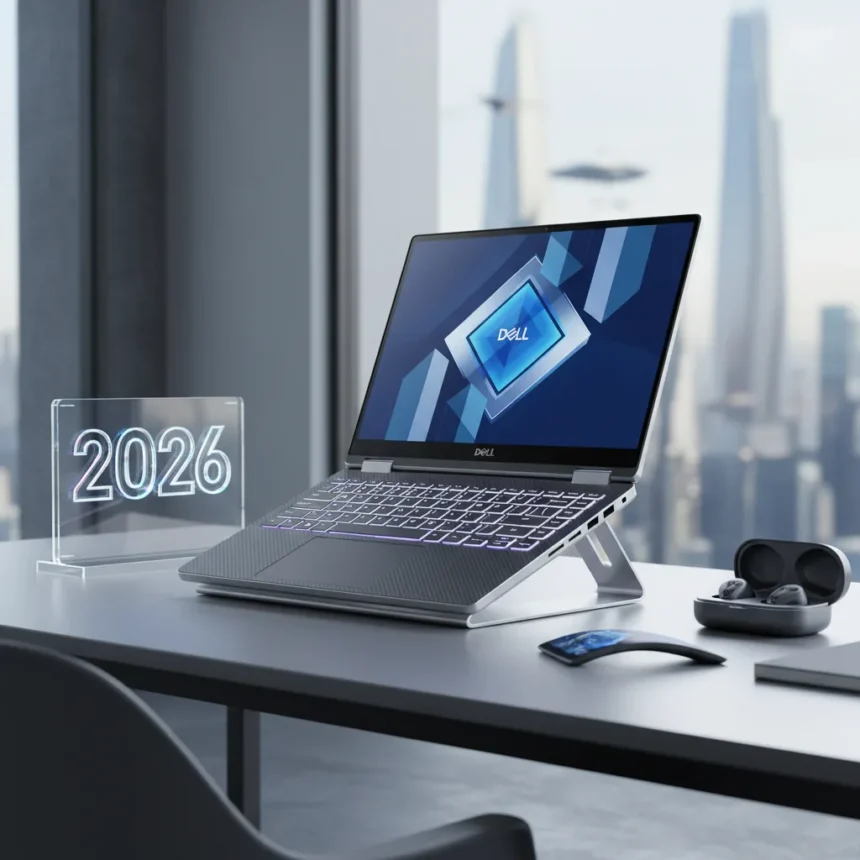
The Dell XPS 14 is a premium Windows laptop that combines elegant design with powerful performance, positioning itself as one of 2026’s most compelling ultrabook options. After a week of daily use, the appeal becomes immediately clear—and the moment you step away, you notice what you’re missing.
Key Takeaways
- The Dell XPS 14 delivers premium construction and refined aesthetics that set it apart in the ultrabook category.
- Performance and responsiveness make everyday computing feel effortless across demanding workflows.
- Design philosophy prioritizes portability without sacrificing screen quality or keyboard comfort.
- The Dell XPS 14 competes directly with MacBook Air and other flagship Windows ultrabooks on build and polish.
- Extended use reveals why this laptop commands premium positioning in the 2026 market.
Why the Dell XPS 14 Stands Out
The Dell XPS 14 succeeds where many competitors stumble: it balances raw performance with everyday usability. The chassis feels substantial without excess weight. The keyboard responds with precision. The trackpad doesn’t disappoint. These fundamentals matter far more than spec sheets suggest, and the Dell XPS 14 executes them with confidence.
Build quality is immediately noticeable. Materials feel premium across the lid, keyboard deck, and palm rest. Unlike budget ultrabooks that cut corners on finish, the Dell XPS 14 maintains consistency throughout. The hinge mechanism operates smoothly. The display bezels are appropriately minimal without creating a fragile appearance. This is a laptop designed to last, not just impress in a retail demo.
Performance That Doesn’t Compromise Portability
The Dell XPS 14 handles demanding workloads without thermal throttling or fan noise that disrupts focus. Whether running multiple browser tabs, video conferencing, or photo editing, the machine responds instantly. Multitasking feels fluid. Applications launch without hesitation. The experience suggests engineering that prioritizes real-world usage patterns over benchmark maximization.


What sets the Dell XPS 14 apart from competitors is restraint. The device does not attempt to cram a desktop-class processor into an ultrabook form factor. Instead, it pairs intelligent component selection with efficient thermal design. The result is a laptop that runs cool, quiet, and fast enough for professional work without the heat and noise that plague some high-performance competitors.
The Display and Input Experience
The screen on the Dell XPS 14 delivers exceptional color accuracy and brightness. Viewing angles remain consistent across the full range. Text renders sharply. Video content looks vivid without oversaturation. This is not a gaming laptop with an aggressive color profile—it is a tool for serious work that happens to look beautiful.



The keyboard provides satisfying travel and responsive feedback. Keys register reliably at any typing speed. The spacing suits both touch typists and those who prefer a tighter layout. The trackpad responds to gestures without requiring excessive pressure. These input devices matter daily, and the Dell XPS 14 does not skimp on their execution.
Comparing the Dell XPS 14 to Alternatives
The Dell XPS 14 occupies a distinct space in the ultrabook market. It competes with MacBook Air on build quality and design philosophy but maintains the flexibility of Windows. Unlike gaming-focused competitors that prioritize GPU performance, the Dell XPS 14 targets professionals who value balance. It avoids the budget compromises common in sub-$1000 ultrabooks, instead positioning itself as a premium choice for those willing to invest in quality.
The Dell XPS 14 does not attempt to be everything. It will not replace a gaming laptop for demanding titles. It will not match a desktop workstation for rendering tasks. What it does deliver is a refined, capable machine that handles the work most professionals actually do—writing, analysis, communication, creative tasks—without frustration or compromise.
What You Miss After a Week
The true test of a laptop is how much you notice its absence. After returning to other machines, the Dell XPS 14’s strengths become apparent. The keyboard feels more responsive than expected. The trackpad is more precise. The display is brighter and more color-accurate. The overall responsiveness sets a higher standard that other devices struggle to match.



This is not nostalgia or bias toward premium pricing. It reflects genuine engineering excellence. The Dell XPS 14 makes small decisions correctly. Speakers that actually sound good. A trackpad that does not require recalibration after a few months. A hinge that remains tight after extended use. These details accumulate into an experience that feels polished and intentional.
Is the Dell XPS 14 Worth the Premium?
The Dell XPS 14 costs more than budget ultrabooks and some gaming laptops. For professionals who spend eight hours daily on a laptop, that premium translates into tangible value. Reduced frustration, fewer compromises, and a device that remains reliable over years justify the investment. For casual users or those with limited budgets, alternatives exist. For those seeking the best Windows laptop available in 2026, the Dell XPS 14 delivers.
How does the Dell XPS 14 compare to previous XPS models?
Each generation of the XPS 14 refines the formula rather than reinventing it. Recent iterations have improved thermal management, keyboard responsiveness, and display quality. The current Dell XPS 14 represents the culmination of these improvements, offering the most mature version of the design philosophy that has made the XPS line competitive with premium alternatives.
What makes the Dell XPS 14 suitable for professionals?
The Dell XPS 14 balances portability with processing power, making it ideal for professionals who need to work across locations. The display accuracy suits designers and content creators. The keyboard and trackpad support extended typing sessions without fatigue. The battery life enables full workdays without searching for power outlets. These factors combine to create a laptop that enhances professional productivity rather than limiting it.
Can the Dell XPS 14 handle creative work?
Yes. The Dell XPS 14 performs well for photo editing, video review, and document creation. The display’s color accuracy makes it suitable for color-critical work. The processor handles video playback and editing applications without lag. For heavy rendering or 3D modeling, a desktop workstation remains preferable, but the Dell XPS 14 handles the creative workflows most professionals encounter daily.
The Dell XPS 14 earns its reputation as 2026’s best Windows laptop not through flashy marketing or spec-sheet dominance, but through consistent, thoughtful execution. It is a machine that disappears into the background, enabling work rather than demanding attention. That is precisely what a professional laptop should do—and precisely why, after a week away, you realize how much you miss it.
Where to Buy
Edited by the All Things Geek team.
Source: T3