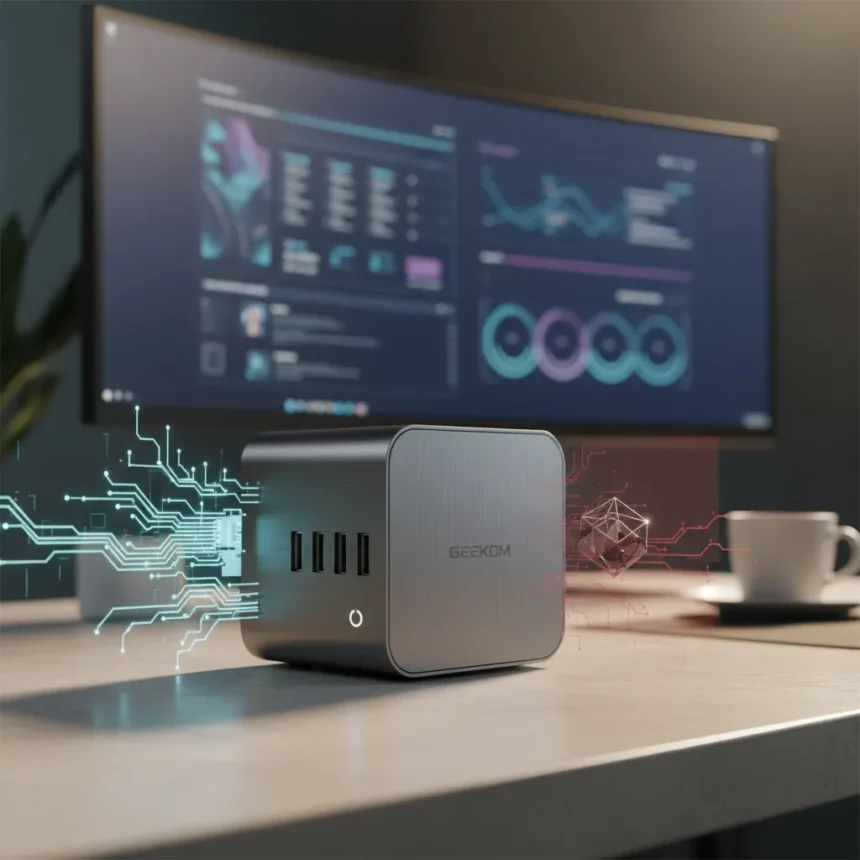
The Geekom A5 Pro mini PC is a compact desktop computer with AMD Ryzen 5 7530U processing, all-aluminium construction, and a volume of just 0.5 litres, designed for home and office productivity tasks. It ships with Windows 11 Pro and sits around $570, though discounts frequently push it below $500 in various markets. The question is not whether this machine exists—it clearly does—but whether it justifies the premium over cheaper alternatives.
Key Takeaways
- All-aluminium chassis with impossibly small footprint (0.5L), user-upgradeable RAM and SSD.
- AMD Ryzen 5 7530U with 6 cores/12 threads delivers solid daily performance but weak integrated graphics.
- Efficient thermals: runs at ~75°C max with near-silent fan operation under stress.
- Limited for creative work: struggles with 4K editing, AI tasks, and heavy graphics rendering.
- Better alternative exists in the Geekom A8 if you need stronger performance.
Design and Build: Where the A5 Pro Shines
The Geekom A5 Pro justifies its existence through sheer physical design. This machine is impossibly small—smaller than most external hard drives—yet packs enough I/O to feel like a real desktop. The all-aluminium chassis is solid, with no flex or rattle. Unlike the standard A5, the Pro edition includes an upgraded case that feels more premium and durable. For anyone working in cramped spaces, this is genuinely compelling hardware.
Ports are plentiful and practical. You get two USB-C 3.2 Gen 2 connections, three USB-A 3.2 Gen 2 ports, one USB-A 2.0, dual 2.5G Ethernet, two HDMI 2.0 outputs, 3.5mm audio, and an SD card reader. There is no Thunderbolt or USB4, which limits external GPU expansion and high-speed data transfer, but for a machine this size, the port selection is respectable. Upgrading RAM and storage is straightforward—both the 16GB DDR4-3200MHz and 1TB PCIe Gen4 SSD are user-replaceable, with room for a second 2242 SSD.
Performance: Competent for Everyday Work, Not Creative Professionals
The AMD Ryzen 5 7530U delivers what you would expect from a mid-range mobile processor: solid single-threaded performance and reasonable multi-core throughput for office work, web browsing, and light content creation. In Cinebench benchmarks, the A5 Pro edges ahead of the standard A5 in single-core tasks and beats it in multi-core performance when using the dedicated performance mode. However, this is a thin margin—the improvements are incremental, not transformative.


The integrated Radeon graphics are the real bottleneck. Scoring 15,059 in Geekbench 6 OpenCL, the iGPU is weak for anything demanding. 3DMark SPECviewperf 3dsmax renders at only 15fps, compared to 40fps on the Geekom A8. Photoshop and Premiere Pro run, but expect stuttering on 4K edits and transitions—this is not a machine for professional video work or AI training. If you are considering the A5 Pro for creative tasks, the stronger Geekom A8 is a significantly better choice, despite costing more.
Power efficiency is genuinely impressive. The A5 Pro draws 50-70W under load, making it suitable for 24/7 operation as a media server or light workstation. Thermals are excellent: the machine maxes out around 75°C under stress, with the fan remaining whisper-quiet at under 30dB. In daily use, it is essentially silent—a real advantage if it is sitting on your desk.



Connectivity and Software: Practical but Dated
Wi-Fi 6 support covers 2.4GHz and 5GHz, but there is no 6GHz band, which limits future-proofing. Bluetooth range is weak at 3.5 metres, though wireless connectivity on 5GHz extends to around 12 metres. For a machine positioned as a modern desktop, the lack of Wi-Fi 6E feels like a missed opportunity.
The A5 Pro ships with Windows 11 Pro and is compatible with Ubuntu 24.04 LTS and Fedora 43 out-of-the-box, which is genuinely useful for Linux users. This flexibility is a strong point—if you want a lightweight Linux desktop, the A5 Pro is plug-and-play ready.
Should You Buy the Geekom A5 Pro Mini PC?
The answer depends entirely on your workload. If you need a silent, efficient machine for email, spreadsheets, web development, and light office work, the A5 Pro is excellent. The compact design, upgrade path, and thermal performance are real strengths. At around $570, it is expensive for what it is—a mobile processor in a desktop case—but not absurdly so.
However, if you do any creative work—video editing, 3D rendering, AI model training, or serious photo editing—the integrated graphics will frustrate you. The Geekom A8 is significantly more capable, with a stronger GPU that scores 30,455 in Geekbench 6 OpenCL versus the A5 Pro’s 15,059. For gaming beyond indie titles and pre-2015 retro games, this machine is underpowered. The Steam Deck OLED actually performs similarly in light gaming benchmarks.



The A5 Pro also lacks an NPU (neural processing unit), which means AI tasks that rely on local inference will be slow or impossible. If you are considering this machine for any AI workload, look elsewhere.
Geekom A5 Pro vs. Geekom A5: Which Should You Choose?
The A5 Pro’s main advantages over the standard A5 are the upgraded case and slightly better CPU performance in certain benchmarks—specifically single-core Cinebench and multi-core performance when performance mode is enabled. The standard A5 actually has better Bluetooth range at full strength. Both use DDR4 memory and similar storage configurations. If you find the standard A5 at a significant discount, the performance gap may not justify the Pro premium. However, the improved case quality and consistent performance boost make the Pro the safer choice if prices are close.
FAQ
Can you upgrade the RAM and storage on the Geekom A5 Pro?
Yes. Both the 16GB DDR4 RAM and 1TB SSD are user-replaceable via standard SODIMM and M.2 slots. There is also a free 2242 SSD slot for a second drive. Maximum RAM capacity is 64GB.
Is the Geekom A5 Pro good for video editing?
Not really. While Premiere Pro will run, expect stuttering on 4K edits and transitions due to weak integrated graphics. For professional or serious hobbyist video work, the Geekom A8 is the better choice, though even that has limitations compared to a full desktop workstation.
Does the Geekom A5 Pro support Linux?
Yes. It is compatible with Ubuntu 24.04 LTS and Fedora 43 out-of-the-box, making it a solid choice for Linux users who want a compact, efficient desktop.
The Geekom A5 Pro is a genuinely impressive piece of engineering—a full-featured desktop in an impossibly small package with excellent thermals and a clean upgrade path. But it is a machine with clear limits. Do not buy it expecting to edit 4K video, train AI models, or play modern games. Buy it because you need a silent, efficient office computer that takes up almost no space, and you are willing to pay a premium for that specific advantage. For everyone else, cheaper mini PCs or a used laptop will do the job just fine.
Where to Buy
$549 at Amazon | Amazon.com | Amazon.co.uk
Edited by the All Things Geek team.
Source: TechRadar