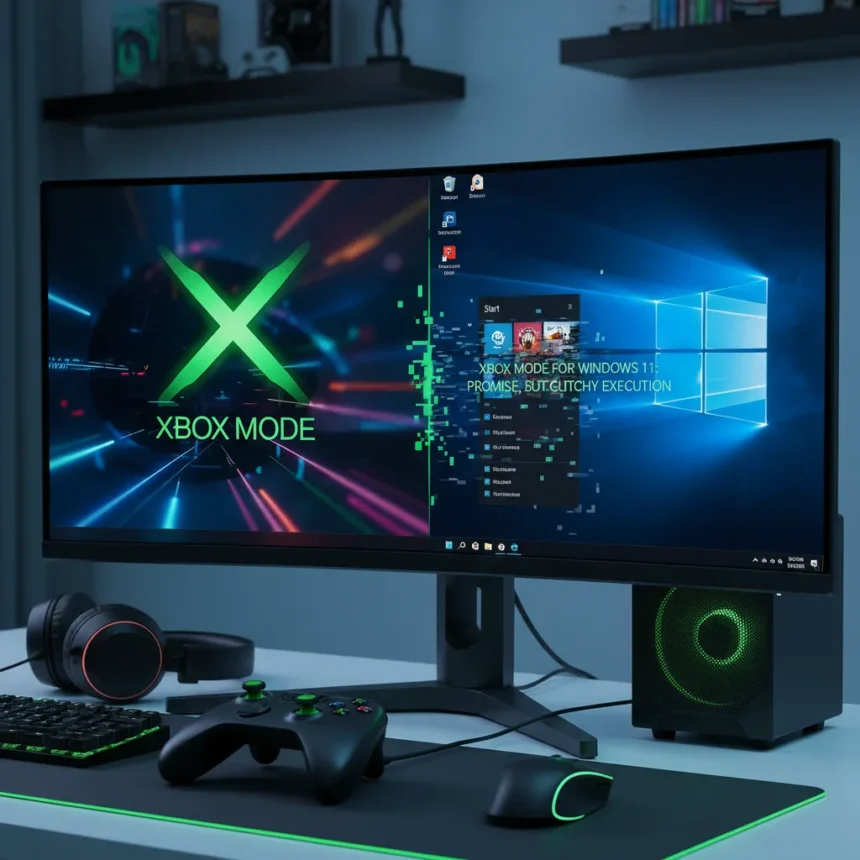
Xbox Mode for Windows 11 is Microsoft’s console-style gaming interface that replaces the desktop with a full-screen Xbox app optimized for gamepad input, launching in phases across Windows 11 devices. After a week of testing, the feature delivers on its core promise—a controller-friendly gaming experience—but stumbles on the fundamentals that early adopters actually care about.
Key Takeaways
- Xbox Mode replaces Windows desktop with full-screen Xbox app, reducing background tasks to free system memory for gaming
- Gamepad-based login and on-screen keyboard navigation work, but glitches plague early rollout phases
- Performance gains are minor, disappointing users who expected more dramatic improvements on resource-constrained hardware
- Free GitHub tool allows unofficial Xbox Mode access on standard Windows 11 PCs, bypassing Microsoft’s handheld-only positioning
- Microsoft actively solicits community feedback for future improvements, signaling openness to user-driven development
What Xbox Mode Actually Does Right
Xbox Mode’s core functionality is straightforward and intentional. When activated, it strips away the Windows desktop entirely, disabling the Start menu, taskbar, and background notifications. The entire interface reorganizes around gamepad input—from the login screen through the game launcher. You navigate menus with a controller, enter account PINs using gamepad controls, and type text via an on-screen keyboard operated with analog sticks and the A button. This is not revolutionary, but it is focused.
The interface aggregates games from multiple storefronts into a single launcher, pulling titles from Xbox Game Pass, the Xbox app, and third-party platforms. For handheld users juggling different game libraries, this centralization matters. Toggling between Xbox Mode and the Windows 11 desktop is seamless—you can jump back to the full OS whenever you need to. The feature also automatically enables Compact Mode and suppresses notifications, reducing OS overhead without requiring manual tweaking.
Where Xbox Mode Windows 11 Falls Short
The promise of Xbox Mode is resource optimization. By disabling background tasks and streamlining the interface, Microsoft claims to free up system memory for gaming. In practice, early adopters report minor performance gains at best. For users on resource-constrained handheld hardware expecting a tangible boost in frame rates or load times, the reality is underwhelming. The feature could still use a bit of work, according to early feedback.


Early rollout has been marred by glitches and technical issues that undermine the polish Microsoft should deliver on a system-level feature. Users encounter crashes, controller input lag, and inconsistent behavior when switching between modes. These are not edge cases—they are friction points that break the seamless experience Xbox Mode promises. A console-style interface should feel bulletproof. Right now, it feels like beta software that shipped too early.
The Unofficial Workaround That Reveals Microsoft’s Real Problem
A free GitHub tool exists that allows standard Windows 11 PCs to access Xbox Mode unofficially, bypassing Microsoft’s official handheld-only positioning. The existence of this workaround is telling. It suggests that demand for Xbox Mode extends beyond the niche handheld market Microsoft is targeting. Desktop gamers want the same controller-optimized experience, yet Microsoft has artificially restricted it to specific hardware.



This decision contradicts the community’s actual needs. If Xbox Mode works on a desktop PC via an unofficial tool, why not let users opt into it officially? The restriction feels less like a technical limitation and more like an artificial market segmentation. Compare this to Steam’s Big Picture Mode, which has been available on any PC running Steam for years. Microsoft is playing catch-up on a feature category Steam mastered a decade ago.
What the Community Actually Wants
Microsoft is actively soliciting user feedback for future Xbox Mode improvements, directly engaging the community on feature requests and development priorities. This is a positive signal. The company recognizes that Xbox Mode needs refinement and is willing to listen. However, soliciting feedback after a flawed launch is reactive, not proactive.
Early adopters are pushing for better controller support, faster load times, and more granular performance settings. They want the OS overhead reduction to actually translate into gaming performance. They want stability. These are not unreasonable asks for a feature Microsoft is positioning as a core Windows 11 gaming pillar. The gap between what Xbox Mode promises and what it delivers is the real story here.
Should You Enable Xbox Mode Windows 11 Right Now?
If you own an Xbox Ally or Xbox Ally X, Xbox Mode is worth testing once it reaches your device. The interface is intuitive, and the gamepad-centric design works. Just manage expectations about performance gains—they are modest. If you are on a standard Windows 11 PC, the official rollout has not reached you yet, and that is probably fine. Wait for the glitches to be ironed out before jumping in.


The GitHub workaround exists if you are impatient, but unofficial tools carry risk. You lose support from Microsoft, and future OS updates could break compatibility. A more stable, official desktop version would be the smarter play—if Microsoft decides to make that move.
Is Xbox Mode free?
Yes. Xbox Mode is included with Windows 11 at no extra cost. The free GitHub tool that enables it on unsupported PCs is also free, though it is not officially supported by Microsoft.
How does Xbox Mode compare to Steam’s Big Picture Mode?
Both provide gamepad-optimized interfaces for gaming on large screens or handheld devices. Steam’s Big Picture Mode has been available for years and is more mature, while Xbox Mode is newer and still working out stability issues. Big Picture Mode works on any PC running Steam; Xbox Mode is officially limited to specific handhelds, though workarounds exist.
When will Xbox Mode roll out to all Windows 11 users?
Xbox Mode is rolling out in phases, but Microsoft has not announced a specific timeline for full availability. Early adopters are testing it now, and wider rollout will follow as the feature matures and bugs are addressed.
Xbox Mode represents Microsoft’s serious attempt to make Windows 11 viable for handheld gaming. The vision is sound—a console-style interface that strips away desktop clutter and optimizes for controllers. The execution, though, is rough. Early rollout glitches, modest performance gains, and the artificial restriction to handheld hardware all undermine what should be a flagship feature. Microsoft has the pieces in place. It just needs to finish the work.
Edited by the All Things Geek team.
Source: Windows Central