






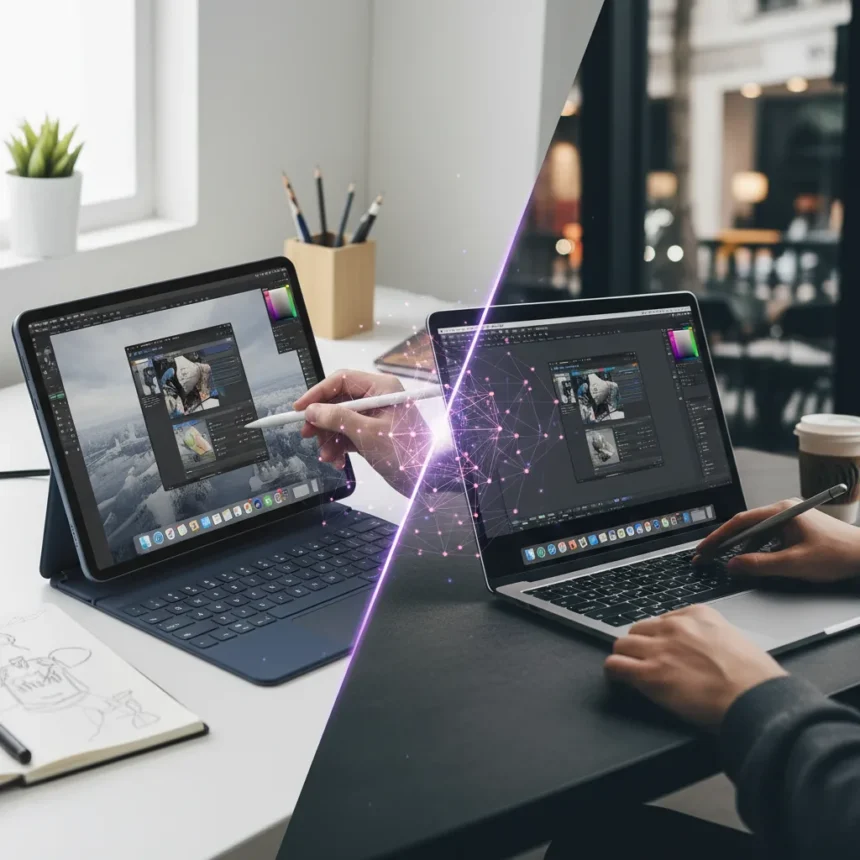
The iPad vs Mac creative choice has always been straightforward: Macs for serious work, iPads for consumption and sketching. That line blurred in 2026. The iPad Air is now more powerful than the MacBook Neo, forcing creatives to fundamentally reconsider which device actually belongs in their workflow.
Key Takeaways
- iPad Air now delivers more raw processing power than MacBook Neo
- Power alone no longer determines the best creative device for professionals
- Software ecosystem and workflow integration matter as much as specs
- Creatives must evaluate actual use cases, not just benchmark numbers
- The choice between iPad vs Mac creative choice depends on specific creative disciplines
The Power Reversal Nobody Expected
For decades, the creative hierarchy was unquestionable: laptops packed more power, tablets handled supplementary tasks. That assumption just died. The iPad Air now contains more processing capability than the MacBook Neo, a shift that redefines what creatives should consider when choosing their primary device. This is not a marginal difference—it represents a fundamental restructuring of Apple‘s product tiers that nobody predicted would happen this quickly.
The implications are massive. Creatives who spent years assuming Mac superiority now face a genuine puzzle. If the iPad Air outperforms the MacBook Neo on paper, why would anyone choose the laptop? The answer reveals why raw power is only half the story in professional creative work.
Why iPad vs Mac Creative Choice Is More Complex Than Specs
Power matters, but it is not everything. The iPad vs Mac creative choice hinges on software, workflow, and ecosystem lock-in—factors that no benchmark can measure. A designer using Adobe Creative Suite, Final Cut Pro, or Logic Pro faces different constraints than someone working in Procreate or Affinity apps. The iPad Air might crush the MacBook Neo in processing tests, yet still feel limiting if your primary software runs better on macOS.

Consider the realities of professional creative work. Video editors need timeline stability and multi-window layouts that iPad OS still struggles with. Motion designers want keyboard shortcuts and modifier combinations that feel native on Mac. Photographers working with Lightroom and Capture One depend on file system logic and batch processing that remains Mac-native. The iPad Air’s power means nothing if the software you need either does not exist or exists in a crippled form.
Conversely, illustrators and concept artists have increasingly migrated to iPad. Procreate, Clip Studio Paint, and Adobe Fresco run beautifully on iPad hardware. For these disciplines, the iPad Air’s newfound power advantage is genuinely revolutionary. A concept artist can now work on iPad with processing headroom that matches or exceeds what a MacBook Neo offers, without sacrificing touch input or the tactile experience that makes iPad creative work feel natural.



The Real Question: Which Discipline Fits Which Device?
The iPad vs Mac creative choice should never be about absolute power. It should be about fit. Ask yourself: Do you need a file system or a document-centric interface? Do you need keyboard-and-trackpad efficiency or touch-and-stylus fluidity? Are you creating in software that truly leverages iPad’s hardware, or are you fighting against iOS limitations?
Animators, for instance, face a hard constraint. Professional animation software like Toon Boom Harmony and TVPaint run on Mac, not iPad. The iPad Air could be twice as powerful, and it still would not matter. Meanwhile, digital painters and character designers might find the iPad Air’s combination of power and touch input genuinely superior to a MacBook Neo for their specific work.
The MacBook Neo was always positioned as an entry-level Mac. It was never meant to be a powerhouse. Its advantage over iPad was never really about raw processing—it was about software breadth and traditional computing paradigms. Now that the iPad Air has caught up on power, the MacBook Neo’s value proposition has collapsed unless you specifically need macOS software and ecosystem.
Ecosystem Lock-In Matters More Than Ever
Here is the uncomfortable truth: most creatives will not switch devices based on this power reversal. A designer who has spent five years building workflows on Mac, storing files in Mac folders, and relying on Mac-specific apps will not abandon that investment because the iPad Air is now faster. Switching costs are real and substantial.



The same applies in reverse. An iPad-first illustrator with years of Procreate libraries, cloud sync preferences, and iPad-optimized workflows will not switch to a MacBook Neo just because it runs macOS. The device you choose locks you into an ecosystem, and switching is painful.
This is why the iPad vs Mac creative choice is ultimately not about the specs at all. It is about which ecosystem already owns your files, your habits, and your software library. The power reversal is newsworthy because it removes the last objective reason to choose the MacBook Neo over the iPad Air. Now the choice is purely about software and workflow—which is exactly where it should have been all along.
What This Means for New Creatives
For someone just starting out, the iPad vs Mac creative choice has become genuinely difficult in a good way. A new designer or illustrator can now choose based on what software they want to learn and what input method feels natural, rather than defaulting to Mac because it was always more powerful.
The iPad Air’s power advantage means you are not sacrificing performance by choosing touch input and portability. If you work in Affinity Designer, Procreate, or any of the excellent iPad creative apps, you get a genuinely powerful machine that was built for creative input. If you need Photoshop, Lightroom, or Final Cut Pro, the MacBook Neo is still the entry point—but you are no longer buying it for raw power. You are buying it for software access.
FAQ
Does the iPad Air’s power advantage mean it is better for all creative work?
No. Power is only one factor. Software availability, workflow integration, and input method matter equally or more. An iPad Air cannot replace a Mac for animation, 3D modeling in professional tools, or video editing that demands complex multi-window timelines. The power advantage is real, but it does not overcome software limitations.
Should I switch from Mac to iPad if I am a creative professional?
Only if your primary software runs well on iPad and you prefer touch input. If you rely on macOS-exclusive apps or complex keyboard workflows, switching is not worth the disruption. The iPad Air’s power does not change the fact that Mac still owns professional video, audio, and 3D software ecosystems.
Is the MacBook Neo still worth buying in 2026?
Only if you specifically need macOS and its software ecosystem. As a pure power device, the MacBook Neo is no longer the obvious choice. As a gateway to professional Mac software, it still serves a purpose—but that purpose is shrinking as iPad apps mature.
The iPad vs Mac creative choice is finally becoming what it should have always been: a decision based on software, workflow, and input preference rather than raw power. The iPad Air’s newfound performance advantage removes the last excuse to default to Mac out of habit. For the first time, creatives can choose based purely on what actually fits their work.
Where to Buy
Get £30 off the MacBook Neo at Amazon | Get £40 off the iPad Air at Amazon
This article was written with AI assistance and editorially reviewed.
Source: Creativebloq