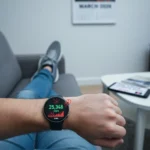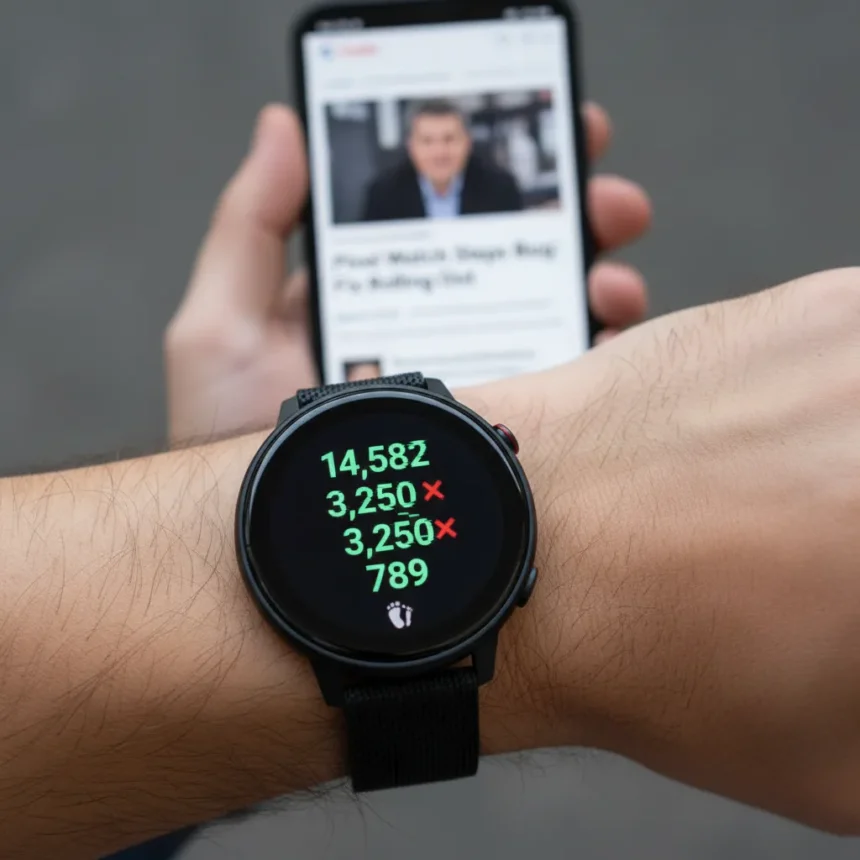
Pixel Watch step tracking has become unreliable following a problematic firmware update that inflated step counts across all models, but Google has now released a fix that reverts the faulty algorithm.
The Pixel Watch is a smartwatch made by Google, launched in 2022 and updated regularly via Wear OS firmware. After a March 2025 update introduced an enhanced step count algorithm, users reported dramatically inflated step counts and excessive floors climbed readings, even when standing still. Google has since reverted to the original step algorithm in an April 2025 update (build BP1A.250305.019.W8) to resolve the issue, with rollout staggered across devices, carriers, and regions over several weeks.
Key Takeaways
- Pixel Watch step tracking showed inflated counts after March 2025 Wear OS 5.1 update
- Issue affected Pixel Watch 3, 2, and 1 models across Wi-Fi and LTE variants
- Google reverted step algorithm in April 2025 fix to restore accurate tracking
- Manual update check available via Settings > System > System Update while charging
- Users on November 2024 patch receive other new features like menstrual tracking and auto bedtime mode
What went wrong with Pixel Watch step tracking
Google’s enhanced step count algorithm was designed to better detect movement patterns, but it backfired spectacularly. The algorithm reported step counts in scenarios that were higher than expected, even when users weren’t moving. Users reported their daily step counts doubling or tripling overnight, with the floors climbed counter also showing excessive numbers. The problem became widespread enough that Google acknowledged it publicly and committed to a fix.
The issue began rolling out in late March 2025 and continued through early April 2025 on Wear OS 5.1. Pixel Watch 1, 2, and 3 owners all experienced the problem, regardless of whether they had Wi-Fi or LTE models. For anyone relying on accurate health data synced to Fitbit, this meant their daily activity logs were essentially garbage—overstating steps by sometimes 50 percent or more.


How to get the Pixel Watch step tracking fix
Google released the corrected algorithm in an April 2025 Wear OS 5.1 update. To manually check for the fix, put your Pixel Watch on its charger, then navigate to Settings > System > System Update. Tap the screen rapidly for 15 to 30 seconds to trigger a manual update check. The update will download and install while your watch is charging.
Rollout is staggered by device model, carrier, and region, so some users may receive it immediately while others wait several weeks. Users on the November 2024 patch will also gain access to new features alongside the step tracking fix, including menstrual tracking in Fitbit, upgraded media controls, and auto bedtime mode on the Pixel Watch 2. In the United States, Loss of Pulse Detection has been added as well.



Why accurate step tracking matters for smartwatch users
Fitness tracking is the core reason most people buy a smartwatch. When step counts are inflated, it throws off your entire health picture—your daily goals appear artificially met, your calorie burn estimates become meaningless, and your Fitbit trends show false progress. Unlike dedicated fitness trackers that focus solely on activity metrics, smartwatches like the Pixel Watch must balance step detection with other functions like notifications and app launching, which can introduce false positives. The enhanced algorithm was supposed to improve detection of unorthodox movement patterns, but Google’s execution created more problems than it solved.
The Pixel Watch competes in a crowded smartwatch market where reliability is table stakes. A fitness tracker that cannot count steps accurately is fundamentally broken, regardless of how many other features it offers. This incident highlights why Google needs to test firmware updates more thoroughly before rolling them out to millions of devices.
Is your Pixel Watch affected by the step counting bug?
If you own a Pixel Watch 1, 2, or 3 and received a software update between late March and early April 2025, your device was likely affected. The easiest way to check is to compare your step count to your actual movement. If you took 5,000 steps but the watch shows 7,500 or 8,000, the bug hit your device. Once you install the April 2025 update with the reverted algorithm, your step counts should return to normal accuracy.
Keep in mind that the security patch is based on March 2025, not April, so you may see different patch dates depending on your carrier and region. This is normal and does not indicate the step tracking fix has not been applied.



What other issues has the Pixel Watch faced recently?
The step counting bug was not the only problem introduced by recent updates. Users also reported connectivity issues, delayed notifications (which were fixed in an early April patch), and broken blood oxygen and skin temperature tracking in a March 2026 update. These cascading issues suggest Google’s Wear OS update process needs tighter quality control.
The good news is that Google has been responsive to these problems and released fixes relatively quickly. The bad news is that a smartwatch should not require multiple follow-up patches to fix problems created by a single update. For users who depend on their Pixel Watch for health monitoring, this period of instability was frustrating and undermined confidence in the device.
Will Google improve the step algorithm again?
Google has reverted to the original step algorithm for now, which means the enhanced detection capability is gone. However, Google has indicated interest in re-adding the enhanced algorithm in the future, once it has resolved the false positives that caused the initial problem. No timeline has been announced, and given the messy rollout of the first attempt, it is reasonable to be skeptical about when or if this will happen.
How do I manually check for the Pixel Watch update?
Place your Pixel Watch on its charger, open Settings, navigate to System, then select System Update. Tap the screen repeatedly for 15 to 30 seconds to force a manual check for available updates. If an update is available, it will begin downloading immediately.
Why did Google’s step algorithm fail?
The enhanced algorithm was too aggressive in detecting steps and movement patterns. It counted phantom steps from vibrations, hand gestures, and other non-walking movements, inflating daily totals significantly. Google’s testing apparently did not catch these false positives before the update rolled out to production.
The Pixel Watch step tracking debacle is a reminder that even major tech companies can ship broken features. The good news is that Google fixed it relatively quickly. If you have not yet received the April 2025 update, check manually and install it as soon as possible to restore accurate step counting. Your Fitbit data will thank you.
Edited by the All Things Geek team.
Source: Android Central