


Google Drive ransomware detection is now generally available worldwide as of March 2026, bringing AI-powered file protection directly to the desktop sync client. The new tools automatically pause syncing when ransomware is detected, alert you immediately, and let you recover encrypted files without paying attackers. Google’s latest AI model detects 14× more ransomware infections than the beta version, catching more encryption types faster.
Key Takeaways
- Google Drive ransomware detection is now live globally for Business Standard/Plus and Enterprise plans, requiring Drive for desktop version 114 or later
- When ransomware is detected, Google Drive automatically pauses sync to prevent spread and sends on-desktop and email notifications
- Users can bulk restore files modified within the past 25 days to unencrypted versions without paying ransom
- File restoration is free for all Google Workspace customers and personal Google accounts; real-time detection requires paid business plans
- The latest AI model detects 14× more infections than beta, identifying more encryption types faster
How Google Drive ransomware detection actually works
Google Drive ransomware detection operates in three stages: scanning, alerting, and recovery. When you sync files from your desktop to Drive, the detection system scans each file for signs of ransomware encryption. If suspicious activity is found, the sync pauses automatically to prevent the infection from spreading to your cloud storage. You receive an on-desktop notification and an email alert that tells you when the suspicious activity started, giving you a clear timeline of the attack.
Administrators get alerts in the Admin console Security Center and via email, so IT teams can respond quickly across the organization. This notification-first approach differs from competitor solutions like Bufferzone Security, which focus on pre-execution containment by isolating sessions before malware runs. Google’s tools activate after encryption begins, making them a reactive rather than preventative layer—which is why pausing sync immediately matters.
The detection requires Google Drive for desktop version 114 or later. Older versions will pause sync if ransomware is detected but won’t display the detailed on-desktop alerts, so upgrading ensures you get the full protection experience.

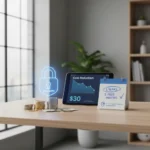
File restoration: recovering without ransom
Once ransomware is detected and contained, you can recover your files through bulk restoration. Users and admins access the Drive web interface, select files that were modified before the infection timestamp, and restore multiple files at once to unencrypted versions. Google keeps unencrypted versions of files in My Drive, Shared with me, and both internal and external shared drives, so recovery is available across your entire Drive ecosystem.
The restoration window covers files modified within the past 25 days, giving you a reasonable recovery window without needing to pay attackers. This feature is free for all Google Workspace customers, Workspace Individual subscribers, and personal Google accounts. The ability to bulk restore saves both time and money—you recover your files without negotiating with criminals.



Who gets Google Drive ransomware detection and when
Real-time ransomware detection and the automatic sync pause feature are limited to paid Google Workspace plans: Business Standard, Business Plus, Enterprise Starter, Enterprise Standard, Enterprise Plus, Education Standard, Education Plus, and Frontline Standard/Plus. The feature rolled out generally in March 2026 after launching in beta in September 2025 with improvements.
Consumer accounts and personal Google accounts do not receive real-time detection or sync pausing, but they do get file restoration—the ability to recover unencrypted versions of files after an attack. This two-tier approach means free users are protected from permanent data loss but lack the early warning system that paid plans provide.
Admins can enable or disable ransomware detection at the organizational unit level in the Admin console under Apps > Google Workspace > Drive and Docs > Malware and Ransomware > Ransomware detection. The feature is enabled by default for organizations, so you may already have it active.
What Google Drive ransomware detection does not cover
The new tools protect files synced through Google Drive for desktop, but they do not scan files stored locally on your computer that never sync to Drive. If ransomware encrypts files outside your Drive folder—documents on your desktop, files in other cloud services, or network drives—Google Drive detection cannot help. This is why Bufferzone Security recommends layering additional protection like file containment and data vaulting for sensitive information that never touches Drive.



The detection also does not prevent ransomware from running in the first place; it responds after encryption has begun. For earlier protection, you would need endpoint security or behavioral analysis tools that block suspicious processes before they execute.
Is Google Drive ransomware detection enough on its own?
Google Drive ransomware detection is a strong recovery tool but not a complete ransomware defense strategy. It excels at preventing cloud data loss and stopping spread, but it arrives late in the attack chain. For comprehensive protection, combine it with endpoint security, email filtering, and user training to catch threats before they reach your files. The 14× improvement in detection accuracy means fewer ransomware variants slip through, but no system catches everything.
How do I enable Google Drive ransomware detection?
For admins: log into the Admin console, navigate to Apps > Google Workspace > Drive and Docs, click Malware and Ransomware, then select Ransomware detection and toggle it on. The feature is enabled by default, so you may only need to verify it is active. For individual users on paid plans, the detection runs automatically once you upgrade to Google Drive for desktop version 114 or later.
Can I restore files if I do not have a Google Workspace plan?
Yes. File restoration is available to all Google Workspace customers, Workspace Individual subscribers, and personal Google account holders. However, personal accounts do not get real-time ransomware detection or automatic sync pausing—only the ability to manually restore files after an attack is discovered.
Google Drive ransomware detection represents a meaningful step toward protecting cloud users from one of the fastest-growing attack vectors. The 14× improvement in detection speed and the free file restoration for all users raises the cost of ransomware attacks while lowering the incentive to pay. For organizations, enabling this feature takes minutes and costs nothing—it is one of the few security upgrades that requires no trade-off between convenience and protection.
Edited by the All Things Geek team.
Source: Tom's Guide