






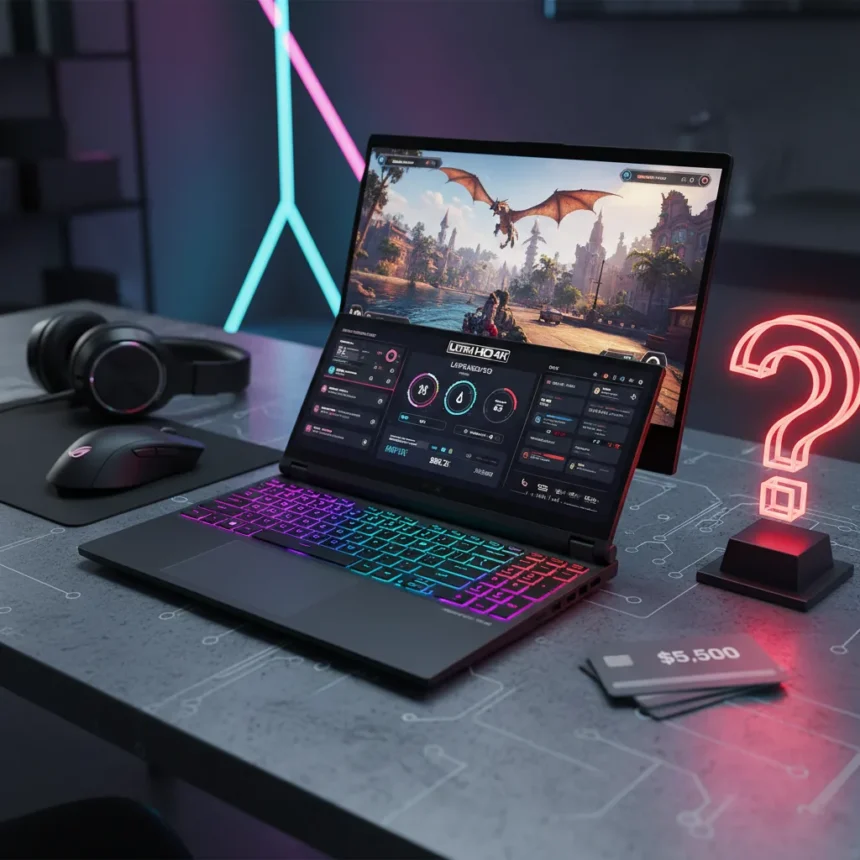
The Asus ROG Zephyrus Duo is a dual-screen RTX 5090 laptop made by Asus, priced at $5,500, designed to run two games simultaneously on its secondary display. When I first heard about running multiple games at once on a single machine, the idea sounded like pure marketing fantasy. Then the benchmarks arrived, and the fantasy started looking plausible. An RTX 5090 laptop with 10,496 CUDA cores, 24GB of GDDR7 memory, and a 175W power budget can push Cyberpunk 2077 to 133 FPS at 4K with DLSS enabled. That is genuinely impressive. But here’s where the pause sets in: at $5,000 and up, these machines cost $500 more than their RTX 4090 predecessors, and the question of whether dual-screen gaming justifies that premium is far from settled.
Key Takeaways
- RTX 5090 laptop achieves 133 FPS in Cyberpunk 2077 at 4K with DLSS, outpacing RTX 4090 by significant margins
- Asus ROG Zephyrus Duo’s dual-screen design enables simultaneous gameplay, tested with two games running at once
- RTX 5090 laptop specs: 10,496 CUDA cores, 24GB GDDR7, 1,824 AI TOPS, 175W power limit
- $5,500 price point represents $500 increase over prior RTX 4090 models, raising value-for-money concerns
- Laptop RTX 5090 significantly underperforms desktop RTX 5090 due to power constraints (175W vs 575W)
RTX 5090 Laptop Performance: The Numbers That Matter
The RTX 5090 laptop is not just an incremental bump over the RTX 4090. It carries more CUDA cores, higher memory bandwidth, and substantially better AI throughput. In practical terms, this translates to frame rates that would have seemed impossible in a laptop form factor two years ago. Running Cyberpunk 2077 at 4K Ultra settings, the RTX 5090 laptop achieves 26.42 FPS natively, compared to 19.33 FPS on an RTX 4090 laptop. Enable DLSS and the gap widens dramatically: 133.28 FPS at 4K Ultra with DLSS MFG. Indiana Jones and the Great Circle shows similar dominance, hitting 31 FPS at 4K Ultra without DLSS, then scaling to 102 FPS with DLSS x3.
The architecture matters here. The RTX 5090 laptop packs 24GB of GDDR7 memory versus 16GB GDDR6 on the RTX 4090, and that extra memory bandwidth enables the kind of sustained performance these frame rates demand. But the real story is not just raw speed—it is what that speed enables. With this much headroom, running two games simultaneously on the Zephyrus Duo’s secondary screen becomes feasible rather than theoretical.
Dual-Screen Gaming: Gimmick or Genuine Advantage?
The Zephyrus Duo’s secondary display is where the RTX 5090 laptop justifies its existence as something more than a spec sheet. Testing the system by running two games at once revealed what the marketing promised: enough GPU bandwidth and memory to feed both displays without collapsing into single-digit frame rates. That capability is not available on most RTX 4090 laptops, which would struggle to maintain playable performance on even one 4K display at high settings while simultaneously rendering another game.


Yet this is where the pause becomes unavoidable. Dual-screen gaming is a niche use case. Most gamers play one game at a time. The secondary screen is genuinely useful for streaming, content creation, or productivity workflows, but those tasks do not require an RTX 5090. An RTX 4070 or RTX 4080 would handle a secondary browser window, chat overlay, or video feed without breaking a sweat. The question then becomes: are you paying $500 more for a feature you will rarely use to its full potential?
The Desktop RTX 5090 Problem
Here is the uncomfortable truth: the RTX 5090 laptop is not the same chip as the desktop RTX 5090. The laptop version has 10,496 CUDA cores compared to 21,760 on the desktop. Its 24GB of GDDR7 memory trails the desktop’s 32GB. Most critically, the laptop version is power-limited to 175W, while the desktop version draws a full 575W. That power constraint is not a minor detail—it is the reason a $1,999 desktop RTX 5090 can outperform this $5,500 laptop in sustained workloads.



For anyone considering an RTX 5090 laptop, the real competitor is not another laptop. It is a desktop setup. A mid-range gaming PC with a desktop RTX 5090, a quality power supply, and a 4K monitor would cost less than $5,500 and deliver superior sustained performance in any demanding game. The laptop wins on portability and the novelty of dual-screen gaming. It loses on raw power, thermals, and upgrade potential.
Is the $5,500 Price Tag Justified?
The RTX 5090 laptop’s $5,500 entry point is where enthusiasm hits reality. This is a $500 premium over RTX 4090 models from the previous generation, and the performance gains, while real, do not scale linearly with the price increase. You are paying for latest hardware, but you are also paying for the form factor constraints that prevent this laptop from reaching its full potential.
For content creators who genuinely need dual-screen gaming or simultaneous GPU-accelerated workloads, the value proposition improves. For gamers who want to play Cyberpunk 2077 at maximum settings and maximum frame rates, a desktop RTX 5090 setup offers better long-term value. For everyone else, an RTX 4090 laptop or a lower-tier RTX 5090 configuration would deliver 90 percent of the performance at a fraction of the cost.
What About Alternatives?
The Asus ROG Strix Scar 16 2025 offers an RTX 5090 option with an Intel Ultra 9 275HX, 32GB DDR5, and 4TB SSD storage. It is a more conventional single-screen design that still benefits from the RTX 5090’s raw power. For users who do not need the Zephyrus Duo’s secondary display, this is a more practical choice. For those who want to stick with RTX 4090 performance, the prior generation remains widely available at lower prices. And for anyone serious about 4K gaming at sustained high frame rates, a desktop RTX 5090 system remains the more rational investment.


Does the RTX 5090 laptop actually deliver on dual-screen gaming?
Yes, the RTX 5090 laptop has enough GPU power to run two games simultaneously on the Zephyrus Duo’s dual-screen setup without catastrophic frame rate collapse. However, this remains a niche use case, and most gamers will find the secondary screen more valuable for streaming, chat, or productivity than for active gameplay.
How much faster is the RTX 5090 laptop than the RTX 4090 laptop?
In Cyberpunk 2077 at 4K Ultra, the RTX 5090 laptop achieves 26.42 FPS versus 19.33 FPS on the RTX 4090, roughly a 37 percent improvement. With DLSS enabled, the gap widens significantly, with the RTX 5090 reaching 133.28 FPS compared to lower frame rates on the RTX 4090.
Is the RTX 5090 laptop worth $5,500?
The answer depends on your use case. For dual-screen gaming, content creation, or sustained GPU workloads, the RTX 5090 laptop justifies its premium. For single-screen gaming, a desktop RTX 5090 system offers better performance at lower cost, and an RTX 4090 laptop delivers nearly equivalent gaming performance at a $500 discount. The $5,500 price tag is not unreasonable for the hardware, but it is not an obvious choice for most gamers either.
The Asus ROG Zephyrus Duo RTX 5090 is a technical marvel. It proves that dual-screen gaming at high frame rates is possible in a laptop form factor. But marvels do not always represent the best value, and this one carries a price premium that only specific users will find justified. If you want the fastest gaming laptop available and have a use case for dual-screen performance, buy it. If you are chasing frame rates and frame rates alone, save your money and build a desktop.
This article was written with AI assistance and editorially reviewed.
Source: Tom's Guide