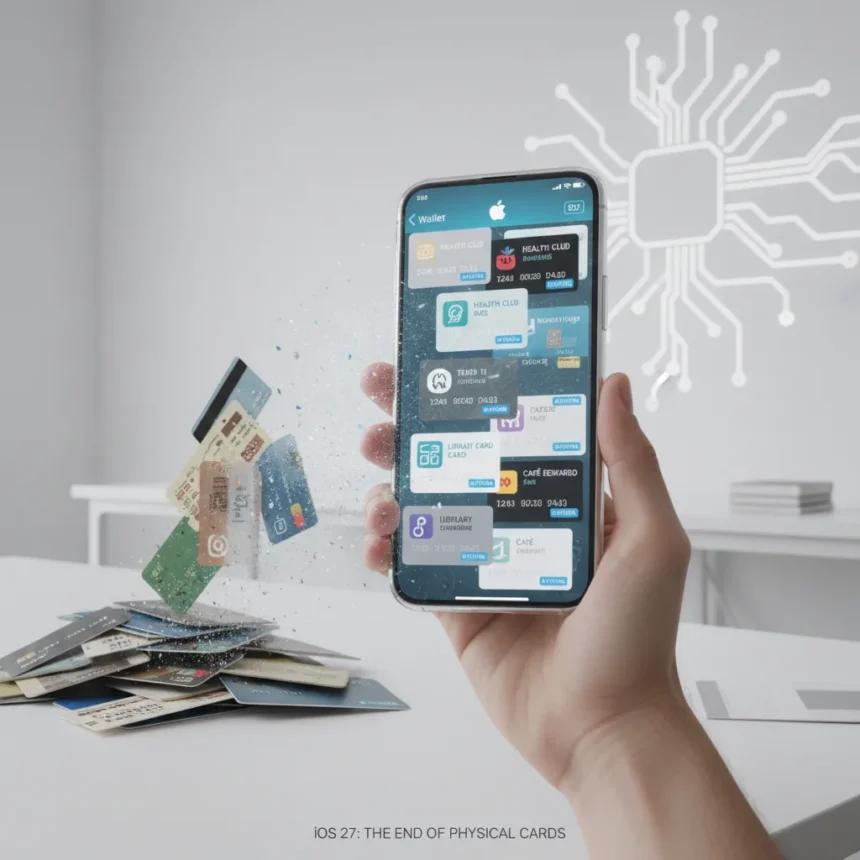
iOS 27 Apple Wallet custom passes represent a fundamental shift in how iPhone users manage physical cards, tickets, and memberships. Rather than waiting for banks, gyms, and venues to build native Wallet support, users will soon create their own passes directly in the Wallet app using a new “Create a Pass” feature expected to debut at WWDC 2026 in June. This built-in tool could eliminate the need to carry physical cards entirely for millions of users worldwide.
Key Takeaways
- iOS 27 will include a “Create a Pass” feature accessible via the Wallet app’s “+” button
- Users can scan QR codes on physical passes or build passes from scratch using templates
- Three template types are being tested: Standard (orange), Membership (blue), and Event (purple)
- Customization includes colors, images, icons, text fields, and layout adjustments
- iOS 27 is expected to launch in fall 2026 following the June WWDC preview
How iOS 27 Apple Wallet Custom Passes Actually Work
The mechanics are straightforward. Open Wallet, tap the plus button, and select “Create a Pass.” From there, you choose between two paths: scan a QR code from an existing physical pass using your iPhone camera, or build a pass from scratch. The QR code route is designed for situations where a venue—say, a gym or concert hall—provides a barcode for entry but hasn’t bothered integrating with Apple Wallet. Instead of keeping the physical card, you photograph the code and let iOS generate a digital version. The from-scratch option gives you full control. Apple is testing three template types, each with its own color scheme and intended use case. Standard passes in orange handle general-purpose items. Membership cards use blue and target gyms, clubs, and subscription services. Event passes come in purple for tickets to movies, games, and concerts. You customize text fields, upload images or icons, and adjust styling before saving the pass to Wallet.
This approach solves a real problem: not every business supports Apple Wallet natively. Third-party apps like Pass2U already let users create Wallet-compatible passes, but requiring a separate app adds friction. Baking the feature directly into iOS removes that barrier. When you need to use the pass, you simply pull it up in Wallet at the venue or service counter, just like you would with a native bank card or airline ticket.
What iOS 27 Apple Wallet Custom Passes Mean for Physical Cards
The headline claim—that this feature “might spell the end for physical cards”—is aspirational but not unrealistic. For membership cards, gift cards, and event tickets, digital versions are functionally identical to their physical counterparts, except they never get lost or damaged. A gym member no longer needs to carry a plastic card; a concert-goer doesn’t need to print or keep a physical ticket. The psychological shift matters too. Once users realize they can digitize almost anything, carrying physical cards stops feeling normal. However, the feature has real limitations. Older venues and services that don’t provide QR codes or digital identifiers won’t benefit. Banks and credit card companies will continue issuing physical cards for security and regulatory reasons. The feature targets the long tail of passes—loyalty cards, event tickets, membership badges—where physical versions are genuinely unnecessary.


Apple’s timing is strategic. As digital wallets mature and consumers grow comfortable storing sensitive information on their phones, a tool that extends Wallet’s reach to user-created passes makes competitive sense. It also addresses a gap that third-party developers have filled, but Apple can now own the experience natively.
iOS 27 Apple Wallet Custom Passes vs. Existing Solutions
Pass2U and similar apps already do this, so why does Apple’s version matter? Integration. When the feature lives inside iOS and Wallet itself, it becomes the default option rather than a workaround. Users won’t need to download an extra app, manage separate logins, or worry about whether a third-party service will continue to exist in five years. Apple controls the experience, the security model, and the feature roadmap. Customization options—templates, colors, images, text fields—are designed to be simple enough for non-technical users but flexible enough to handle most real-world passes. The templates themselves suggest Apple has thought about different use cases. A membership card needs different information than an event ticket, so offering distinct templates reduces friction compared to a blank canvas.



When Will iOS 27 Apple Wallet Custom Passes Launch?
iOS 27 will be previewed at WWDC 2026 in June, with the full release expected in fall 2026. That timeline means the feature is still roughly a year away from reaching users, giving Apple time to refine the interface, test edge cases, and ensure the pass-creation flow is genuinely intuitive. The feature is described as one of many enhancements coming in iOS 27, so it will arrive alongside other Wallet improvements and broader iOS upgrades.
Can You Use iOS 27 Apple Wallet Custom Passes Everywhere?
Custom passes work wherever the venue or service accepts Apple Wallet passes—which is most modern retailers, gyms, and venues. If a business has a QR code scanner or a Wallet-compatible system, your custom pass will function identically to a native pass. Older businesses that rely on swiping physical cards or manual ID checks won’t support it. The feature is designed for the digital-first ecosystem, not as a universal replacement for every form of identification.
Will iOS 27 Apple Wallet Custom Passes Replace Third-Party Apps?
Probably for most users, yes. If Apple’s built-in tool is free, easy, and integrated into Wallet, there’s little reason to use Pass2U or similar apps. However, specialized use cases—professional credentials, complex event ticketing systems, or niche loyalty programs—might still require dedicated apps. The native feature will capture the mainstream use case: converting a physical pass or ticket into a digital one without friction.
iOS 27 Apple Wallet custom passes won’t eliminate physical cards overnight, but they represent the next logical step in the shift toward digital wallets. By removing the requirement for businesses to integrate with Wallet, Apple makes digital passes accessible for any venue or service that can provide a QR code. For users, that means fewer items to carry and simpler pass management. For Apple, it’s a way to deepen Wallet’s value proposition and reduce the appeal of competing digital wallet ecosystems. The feature launches in fall 2026, but the groundwork is being laid now.



Where to Buy
Edited by the All Things Geek team.
Source: TechRadar