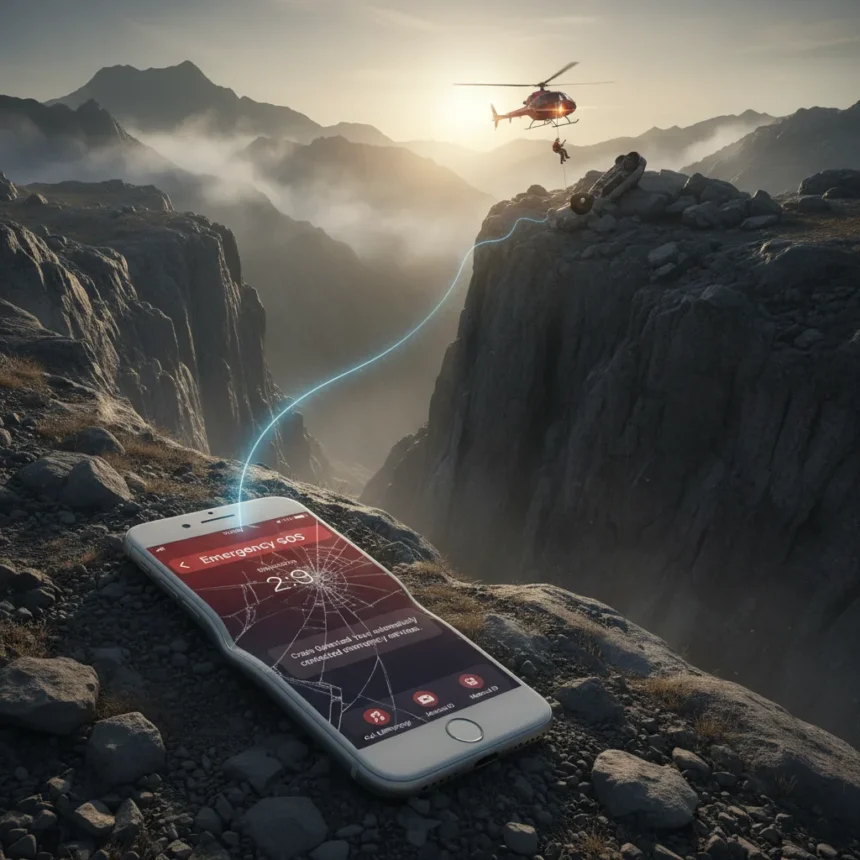
iPhone Crash Detection is an Apple safety feature designed to detect severe car crashes and automatically contact emergency services if the user does not respond within a set timeframe. A recent incident involving a driver who fell 330 feet down a mountain has brought this potentially life-saving feature into the spotlight, demonstrating its real-world value in emergencies.
Key Takeaways
- iPhone Crash Detection automatically alerts emergency services after detecting a severe car crash.
- A driver’s iPhone reportedly saved her life by contacting responders after a 330-foot mountain fall.
- The feature is available on supported iPhone and Apple Watch models but remains largely unknown to many users.
- Crash Detection works without requiring the user to manually call for help during an emergency.
- This incident highlights the importance of understanding safety features already built into your device.
What Happened: A 330-Foot Fall and an iPhone That Responded
A woman driver experienced a catastrophic accident when her vehicle fell 330 feet down a mountain. In what could have been a fatal situation with no witnesses nearby, her iPhone‘s Crash Detection feature activated automatically. The system detected the severity of the impact and, when the driver did not respond to prompts, contacted emergency services on her behalf. This automated response proved critical—responders arrived and provided medical assistance that may have prevented a worse outcome.
This incident underscores a fundamental challenge in vehicle emergencies: victims are often unconscious, injured, or in shock and cannot make a call for help themselves. iPhone Crash Detection bridges that gap by removing the need for manual intervention. The feature represents the kind of passive safety system that works silently in the background until it is genuinely needed.
How iPhone Crash Detection Actually Works
iPhone Crash Detection uses the device’s built-in accelerometers and gyroscopes to monitor for patterns consistent with severe vehicle collisions. When a crash is detected, the iPhone alerts the user with sound and haptic feedback, giving them an opportunity to dismiss the alert if it was a false positive. If the user does not respond within a short timeframe—either because they are unconscious or unable to interact with the device—the system automatically calls emergency services and shares the vehicle’s location data.


The feature is designed to eliminate friction in the most critical moments. Rather than requiring a conscious decision to dial 911 or local emergency numbers, it acts autonomously. This is particularly valuable in remote areas or situations where a driver might be incapacitated immediately upon impact. The location sharing capability is equally important, as emergency responders can reach the victim even if they cannot communicate verbally.
Why iPhone Crash Detection Remains Unknown to Most Users
Despite its potentially life-saving capability, iPhone Crash Detection remains a feature many iPhone owners have never heard of or never consciously enabled. Apple has integrated it into supported devices, but it does not receive the marketing attention of more visible features like Face ID or Siri. Users may not realize the feature exists, or they may assume it requires explicit setup when in fact it works automatically on compatible hardware.



This knowledge gap is a genuine safety issue. If users do not know the feature exists, they cannot trust it to work or understand what to expect if their device triggers it. The dramatic real-world rescue—a driver whose iPhone literally called for help when she could not—serves as a powerful reminder that understanding the safety capabilities already in your pocket matters. The feature’s quiet effectiveness is both a strength and a weakness: it works reliably without demanding attention, but that same discretion means many people remain unaware of its existence.
Comparing Crash Detection to Traditional Emergency Response
Before automated crash detection, the only way to summon help after a severe accident was for a conscious, capable person to make a phone call or wait for a passerby to notice the crash. In remote locations or at night, response times could stretch dangerously long. iPhone Crash Detection collapses that timeline by initiating contact with emergency services within seconds of impact detection, without requiring any action from the victim.
Other smartphones and wearables have introduced similar features, but the integration of Crash Detection across Apple’s ecosystem—iPhone, Apple Watch, and related services—creates a comprehensive safety net. The feature’s reliance on device sensors rather than external hardware or subscriptions means it works reliably for any compatible device owner without ongoing costs or setup beyond initial device ownership.
Should You Trust Crash Detection in an Emergency?
The 330-foot fall rescue demonstrates that iPhone Crash Detection can function as intended in genuine emergencies, but no automated system is perfect. False positives are possible—rough roads, potholes, or hard braking can sometimes trigger the alert. The feature’s design mitigates this by giving users a window to dismiss false alarms before emergency services are contacted. However, users should understand how the feature behaves so they are not startled if their iPhone alerts them after a minor incident.



For users in rural areas, remote hiking regions, or anyone who drives frequently in isolated locations, understanding Crash Detection is particularly valuable. It provides a safety net when cellular coverage is present but human assistance would otherwise be delayed. The feature is not a substitute for safe driving or proper vehicle maintenance, but it is a meaningful layer of protection that activates when everything else has already gone wrong.
How to Know If Your iPhone Has Crash Detection
Crash Detection is available on supported iPhone and Apple Watch models. If you own a compatible device, the feature is enabled by default and requires no setup. You do not need to download an app, enter payment information, or configure settings. The system works continuously in the background whenever you are driving.
Can Crash Detection fail or miss a crash?
Like any automated system, Crash Detection relies on sensors and algorithms to identify severe impacts. Extremely minor collisions or accidents that do not produce the characteristic acceleration patterns of a crash may not trigger the feature. Additionally, if your device has no cellular connection or is powered off, it cannot contact emergency services. However, the feature is designed to err on the side of caution—it is more likely to alert on a false positive than to miss a genuine emergency.
What happens if Crash Detection calls emergency services by mistake?
If your iPhone detects a potential crash but you are uninjured and do not need help, you can dismiss the alert before emergency services are contacted. If emergency services are already contacted, you can inform the dispatcher that no assistance is needed. While a false alarm creates a brief inconvenience for emergency responders, the trade-off of potentially saving a life in a real emergency justifies the occasional false positive.
The 330-foot mountain fall rescue is a stark reminder that the safety features already built into our devices can matter more than we realize. iPhone Crash Detection is not flashy or frequently discussed, but it is the kind of technology that works best when it remains invisible—until the moment it saves your life. If you own a compatible iPhone or Apple Watch, take a moment to confirm you understand how the feature works. That knowledge could be the difference between a rescue and a tragedy.
Where to Buy
Edited by the All Things Geek team.
Source: TechRadar