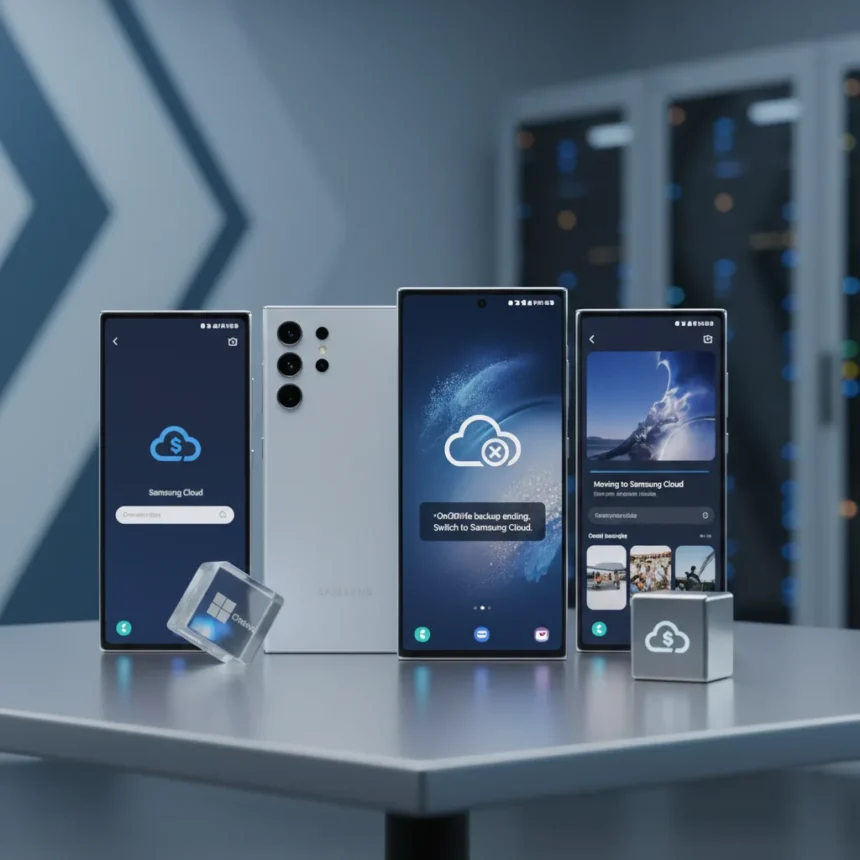
Samsung Galaxy OneDrive integration is ending on the Gallery app, marking the end of a six-year partnership between Samsung and Microsoft that has quietly handled photo backups for millions of users. The change is coming very soon, and if you rely on automatic photo backups through your Galaxy phone’s Gallery app, you need to understand what happens next.
Key Takeaways
- Samsung is removing OneDrive integration from the Gallery app on Galaxy phones very soon.
- The Gallery app’s built-in OneDrive backup feature will stop working after the cutoff date.
- Samsung Cloud will become the default cloud backup option for Gallery photos instead.
- Users can still back up photos to OneDrive using the standalone OneDrive app.
- The change affects Samsung’s Gallery app integration specifically, not all OneDrive functionality on Android.
What Samsung Galaxy OneDrive Integration Ending Means for Your Photos
When Samsung removes OneDrive integration from the Gallery app, photo backups through that built-in feature will simply stop working. This does not mean your existing photos backed up to OneDrive will disappear, but new photos taken after the cutoff will no longer automatically sync to Microsoft’s cloud storage through the Gallery app. The shift marks a significant change in how Samsung handles cloud storage for its users, moving away from Microsoft’s service toward its own infrastructure.
The integration has been a seamless feature for Galaxy users who wanted their photos backed up without thinking about it. Once it ends, that automatic backup convenience vanishes unless you take additional steps. Samsung discovered in One UI 8.5 that strings referencing the change were already appearing in the software, signaling the company’s intention to complete the transition.
Samsung Cloud Replaces OneDrive as Default Backup
Samsung wants users to switch to Samsung Cloud for photo backups instead of relying on OneDrive. This is not just a technical swap—it represents Samsung’s broader strategy to keep users within its own ecosystem rather than depending on Microsoft’s services. Samsung Cloud will now serve as the default backup destination for Gallery photos on Galaxy devices.


The transition reflects a larger industry trend where smartphone manufacturers prefer owning the cloud infrastructure their users depend on. By moving photo backups in-house, Samsung gains more control over the user experience and data flow. Users who prefer Samsung’s cloud solution will find the switch transparent once the company completes the rollout, but those who have built workflows around OneDrive will need to adapt.
How to Keep Using OneDrive After Gallery Integration Ends
You do not have to abandon OneDrive entirely if you prefer Microsoft’s cloud storage. The standalone OneDrive app remains available on Android and can still back up your photos to OneDrive after the Gallery integration disappears. This means you have a choice: either accept Samsung Cloud as your default backup, or install the OneDrive app separately and configure it to handle your photo backups.



The catch is convenience. Using the standalone app requires a deliberate setup step that the built-in Gallery integration removed from the equation. You will need to open the OneDrive app, configure backup settings, and ensure it runs regularly to catch new photos. It is not as frictionless as the Gallery app’s automatic sync, but it preserves your ability to use Microsoft’s cloud storage if that is your preference.
When Will Samsung Galaxy OneDrive Integration End?
Microsoft has confirmed the change is happening very soon, and the rollout will follow Samsung’s deployment schedule rather than a single global cutoff date. This means some Galaxy phones may lose the integration before others, depending on when Samsung pushes the change to your specific device. The exact timing varies by region and device model, so you may not experience the change on the same day as another Galaxy user.
The lack of a single synchronized cutoff date creates a staggered transition period where some users will still have the feature while others have already lost it. This approach gives Samsung flexibility but creates confusion for users trying to understand when their backup method will change.
Why Samsung and Microsoft Are Parting Ways on This Feature
After six years of OneDrive integration in the Gallery app, Samsung has decided to build its own solution instead of continuing the partnership. The reason is straightforward: Samsung wants to own the relationship between its phones and cloud storage. By controlling the backup infrastructure, Samsung can integrate it more tightly with its devices, offer exclusive features, and keep users within its ecosystem.



This decision also reflects broader shifts in how tech companies compete. Apple backs up to iCloud, Google backs up to Google Photos and Google Drive, and now Samsung is consolidating around Samsung Cloud. Each manufacturer wants its cloud service to be the default, the easiest option, and the one users think of first.
Is This Change Limited to Photo Backups?
The change specifically targets photo backups through the Gallery app and does not necessarily affect other ways you use OneDrive on your Galaxy phone. If you use the OneDrive app for document storage, file syncing, or other purposes, those functions remain unaffected. The removal is narrowly focused on the Gallery app’s built-in photo backup feature, not OneDrive’s broader presence on Android.
Should You Switch to Samsung Cloud Now?
If you have been using the Gallery app’s OneDrive integration without thinking about it, switching to Samsung Cloud requires no action on your part—Samsung will handle the transition automatically when the feature is removed from your device. Your existing OneDrive backups stay where they are. However, if you want to maintain control over where your photos are backed up, now is the time to set up the standalone OneDrive app or configure Samsung Cloud settings to your preference before the Gallery integration disappears.
FAQ
Will my photos already backed up to OneDrive be deleted?
No. Photos you have already backed up to OneDrive will remain there. The change only affects new photo backups after the Gallery integration is removed. Your existing library stays intact in your OneDrive account.
Can I still use OneDrive on my Galaxy phone after the integration ends?
Yes. The standalone OneDrive app will continue to work on Android, and you can use it to back up photos manually or automatically after the Gallery integration is removed. You will just need to install and configure the app yourself instead of relying on the built-in feature.
What happens if I do not set up a backup solution before the change?
If you do not switch to Samsung Cloud or set up the OneDrive app before the Gallery integration ends, your new photos will not be automatically backed up to the cloud. You will need to manually upload them or configure a backup solution after the fact. The sooner you decide on a backup method, the less risk of losing photos.
The removal of Samsung Galaxy OneDrive integration marks the end of an era where manufacturers defaulted to third-party cloud services. Samsung is betting that users will accept its own cloud solution, but the option to use OneDrive still exists for those willing to take an extra step. If you have not thought about where your photos are backed up, this change is your reminder to take control of that decision before the Gallery integration disappears.
Edited by the All Things Geek team.
Source: Windows Central