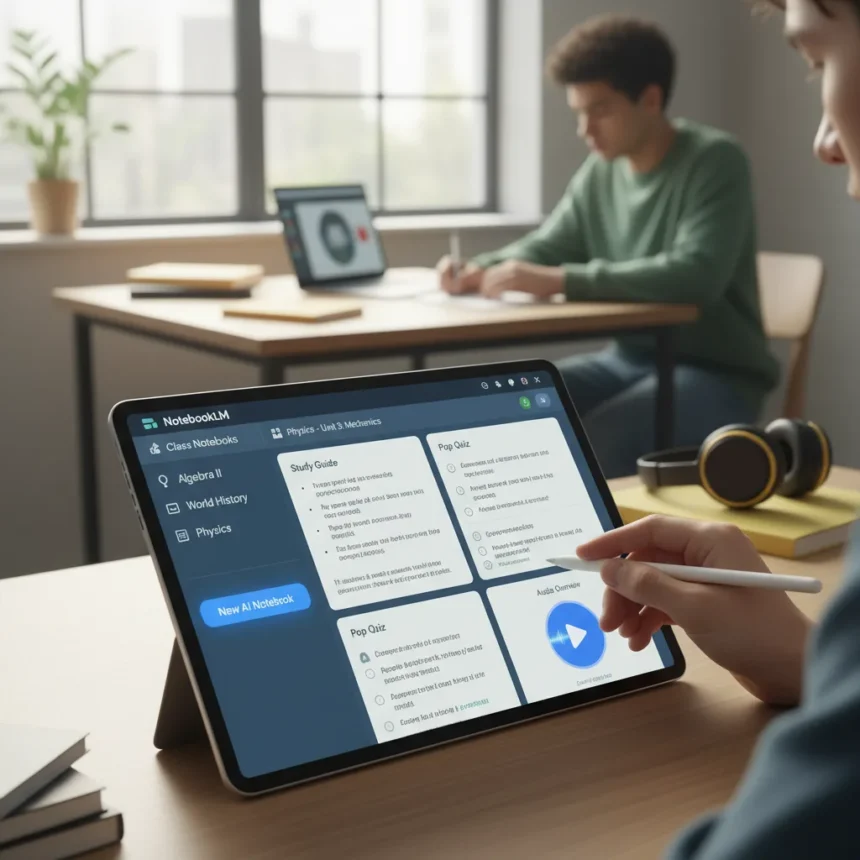
Google Classroom’s latest feature integration brings AI-powered personal class notebooks directly into the platform, letting students generate study guides, quizzes, Audio Overviews, and interactive learning tools from their class materials. NotebookLM, a Google-powered AI research and notetaking tool, now works smoothly within Classroom to help students analyze, summarize, and query uploaded documents without leaving the learning environment.
Key Takeaways
- AI-powered personal class notebooks attach directly to Classroom assignments and materials for instant student access.
- Free tier supports 100 notebooks, 50 daily chat queries, and 3 Audio Overviews per day; Education Plus unlocks double limits and additional features.
- Teachers can create blank notebooks or pre-populate them with curated sources like Drive files and external links.
- Notebooks auto-save edits across all shared classes and work on computer and Android Classroom app.
- Students without admin-enabled access or from different Google Workspace organizations may not access shared notebooks.
How Teachers Create and Share AI-Powered Personal Class Notebooks
Setting up AI-powered personal class notebooks in Classroom requires just a few steps. Teachers start by navigating to a class, clicking Classwork, then Create, and selecting NotebookLM. The attachment dialog lets instructors either create a new blank notebook or import existing class materials like Drive files and external links as sources. After clicking Create Notebook, the tool opens in a new tab where teachers can generate study tools—Audio Overviews, summaries, notes—before posting to the class.
The real power emerges in customization. Teachers can populate notebooks with up to 50 source documents per notebook, allowing students to work from curated, grounded materials rather than unsourced AI output. When a teacher attaches a notebook to a Classroom post, it automatically shares with all students in that class. Edits made to the notebook apply across every shared class simultaneously, so updating sources or adding new study tools reaches students instantly without manual redistribution.
Two sharing strategies give teachers flexibility. The first attaches a blank notebook to an assignment, letting students build their own study materials from class content. The second pre-populates a notebook with curated sources and pre-generated study tools—Audio Overviews, quizzes, flashcards—so students can dive straight into interactive learning without setup overhead.



What Students Can Build With AI-Powered Personal Class Notebooks
Once a teacher shares a notebook, students open it directly from the Classroom app or web interface and access interactive learning features. The free tier allows 50 daily chat queries, meaning students can ask the AI tutor questions about class materials, get clarifications, and explore concepts at their own pace. Audio Overviews—AI-generated podcast-style summaries of class materials—provide an alternative study format for auditory learners.
Beyond chat and audio, students can generate quizzes to test recall, flashcards for memorization, and study guides for comprehensive review. These tools ground themselves in the class materials the teacher uploaded, so students aren’t getting generic AI responses—they’re working with AI trained specifically on their course content. Guided Learning features support deeper understanding by walking students through complex topics step-by-step.



The free version limits users to 3 Audio Overviews per day, but Education Plus or Teaching and Learning add-ons double this allowance and unlock additional features like custom infographics and expanded quiz generation. For schools with tight budgets, the free tier still delivers substantial value. NotebookLM is free for all Google for Education Fundamentals users, even if the school uses a different productivity suite, and the tool prioritizes privacy—source materials stay private unless explicitly shared, and Google does not train its models on user data.
Access Limitations and Workspace Considerations
One critical caveat: students cannot access shared AI-powered personal class notebooks if their school hasn’t enabled NotebookLM access or if they belong to a different Google Workspace for Education organization, even if that organization is a trusted domain partner. This restriction can fragment learning if a student takes classes across multiple school systems or if a district hasn’t yet rolled out the feature. Teachers should verify that all students in their class have access before assigning notebook-heavy work.
The feature works on computers and the Android Classroom app, but iOS support remains unclear from the available documentation. Students on iPad or iPhone may need to access notebooks through the web browser instead of the native app, creating a friction point for mobile-first learners.
How AI-Powered Personal Class Notebooks Compare to Traditional Study Methods
Traditional study workflows require students to manually synthesize class notes, create their own quizzes, and hunt for supplementary materials. AI-powered personal class notebooks compress this process into seconds. A student uploads class readings, and the tool instantly generates a podcast-style summary, quizzes, and flashcards. The difference is not just speed—it’s agency. Students can customize response styles, ask follow-up questions, and regenerate tools until the material clicks.


Compared to generic AI tutors like ChatGPT, these notebooks offer grounded learning. A student can’t accidentally ask the AI about material outside the course scope because the AI only knows what the teacher uploaded. This constraint actually strengthens learning by keeping focus narrow and preventing the hallucination risk that comes with unrestricted AI.
Pricing and Availability
NotebookLM is free for all Google Workspace for Education Fundamentals users. Schools can upgrade to Education Plus or Teaching and Learning add-ons to unlock expanded limits: double the number of notebooks, more sources per notebook, and additional features like custom infographics, advanced quizzes, and expanded Audio Overview generation. Specific pricing for these add-ons is not publicly detailed in Google’s documentation, so schools should contact their Google Workspace administrator for upgrade costs.
The feature is available now on computers and the Android Classroom app. Teachers can start creating notebooks immediately by navigating to Classroom, selecting a class, and choosing NotebookLM from the Create menu.
Can students edit or share notebooks with peers?
Students can use shared notebooks to chat, query, and generate study tools, but they cannot edit the source materials or see the underlying documents the teacher uploaded. Teachers manage the notebook; students consume and interact with it. Notebooks support chat-only sharing, meaning students can ask questions but cannot access or modify the sources themselves.
What happens if a teacher updates the notebook after sharing it?
All edits auto-save and apply instantly to every class where the notebook is shared. If a teacher adds a new source document or regenerates an Audio Overview, every student sees the updated version immediately without needing to refresh or re-access the assignment.
Are there offline options for AI-powered personal class notebooks?
The research documentation does not specify offline functionality. Students should expect to need an internet connection to access notebooks, chat with the AI tutor, and generate study tools. Downloaded generated items—like quizzes or Audio Overviews saved as files—can be reviewed offline, but the interactive notebook itself requires connectivity.
Google Classroom’s NotebookLM integration represents a genuine shift in how students can engage with course materials. Rather than passively reading notes or searching for study resources, students now have an AI tutor grounded in their exact curriculum, available instantly from Classroom itself. The free tier removes cost barriers for schools, and the privacy-first approach protects student data while delivering personalized learning. The main hurdle is ensuring every student in a class has access—organizations still rolling out the feature or managing multiple Workspace domains will need to plan carefully. For schools ready to adopt it, AI-powered personal class notebooks offer a compelling way to reduce study friction and let students focus on understanding rather than organizing.
Edited by the All Things Geek team.
Source: Tom's Guide