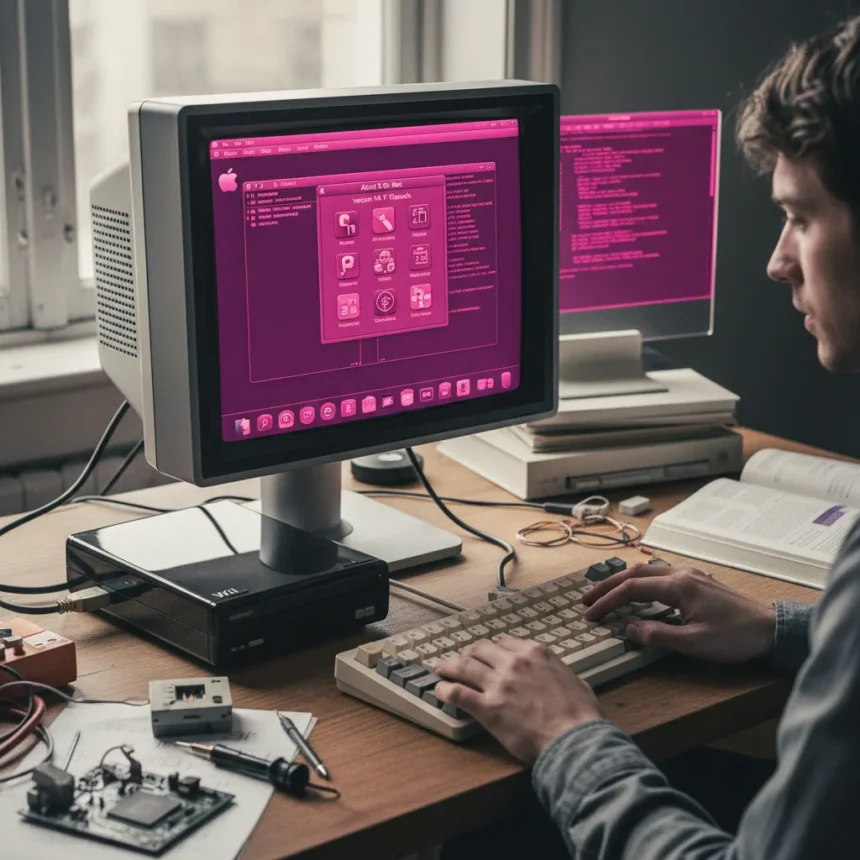
Mac OS X Cheetah on a Nintendo Wii sounds like a fever dream from 2001, yet developer Bryan Keller made it real in April 2026. He compiled Apple’s original 10.0 OS—released in 2001—onto a gaming console from 2006, solving kernel architecture problems, writing custom drivers, and accepting a magenta-tinted display as the trade-off. The result is a functional but visually distorted piece of retro computing that proves the Wii’s PowerPC processor and 88MB of RAM could, against the odds, run an operating system that officially required 128MB.
Key Takeaways
- Mac OS X Cheetah boots on Nintendo Wii via custom bootloader and modified kernel source code.
- Wii’s IBM PowerPC 750 processor shares architecture with early iMacs that originally ran Cheetah.
- Custom SD card and framebuffer drivers enable OS functionality; graphics rendering produces magenta tint.
- Source code released on GitHub; requires homebrew-enabled Wii hardware to run.
- First and only known instance of macOS running on Wii hardware to date.
How Mac OS X Cheetah Got Onto a Nintendo Wii
Porting a 25-year-old operating system to a 20-year-old gaming console required solving multiple layers of incompatibility. Keller developed a custom bootloader to launch the OS on Wii hardware, then modified the Mac OS X kernel source code to compile for the Wii’s components. The Wii’s IBM PowerPC 750 processor is architecturally similar to the PowerPC 750CXe found in early iMacs, which made the port theoretically possible—but theory diverges sharply from practice when you have 88MB of RAM instead of the 128MB Cheetah officially requires.
The kernel modifications included LED flashing confirmation during the boot process, a small but telling detail that shows Keller was working at the firmware level. He sourced legacy USBFamily code from the original Mac OS X 10.0 to enable keyboard and mouse support, borrowing from Apple’s own archives rather than writing drivers from scratch. The OS boots from an SD card, which meant writing a custom SD card driver—a necessity that became a gateway to the larger challenge of video output.
That video output is where the famous magenta tint enters the story. Keller wrote a custom framebuffer driver to handle graphics rendering on the Wii, but the color space conversion between the Wii’s display hardware and the OS’s expectations produced a pervasive magenta distortion. Everything on screen—menus, text, backgrounds—shifts into shades of magenta. It is not a fatal flaw; the OS remains navigable. But it is a visible reminder that some incompatibilities cannot be engineered away, only worked around.


Why This Hack Matters in the Hackintosh Ecosystem
The Hackintosh community—enthusiasts who run Mac OS X or macOS on non-Apple hardware—typically focuses on x86 and Intel systems. Running OS X on commodity PC hardware is relatively straightforward because the architecture aligns with Apple’s modern choices. But Hackintosh roots run deeper than Intel, back to the open-source Darwin kernel that underpins all of macOS. Keller’s achievement on the Wii is a PowerPC-era Hackintosh, a throwback to when Apple itself used PowerPC processors before switching to Intel in 2006.
The Wii had already proven capable of running other operating systems. Linux, Windows NT, and even classic Mac OS 9 have been ported to the console in previous projects. Mac OS 9 arrived via Mac-on-Linux, a kernel module that ran on Wii Linux, though that port came with its own glitches like font rendering and audio issues. Cheetah represents a step forward: a modern-ish (for 2001) Unix-based OS running on hardware it was never designed for, with a developer willing to publish detailed documentation and release source code on GitHub. That openness is what separates a clever one-off hack from a reproducible technical achievement.



The Graphics Problem and Other Constraints
The magenta display is not the only limitation. Keller’s Wii runs Mac OS X Cheetah at reduced performance compared to the original hardware; the 88MB RAM constraint and Wii’s clock speed mean this is not a usable daily driver. There is no word on whether full applications launch or run reliably, or whether the OS simply boots to a functional desktop. The project demonstrates proof-of-concept more than practical utility.
Yet the graphics challenge is instructive. The Wii’s framebuffer expects data in a specific format; the OS X kernel outputs color information differently. Rather than rewriting the entire graphics subsystem, Keller accepted the magenta tint as a known issue and moved forward. This pragmatism—solving 90 percent of the problem rather than chasing perfection—is what allowed the project to reach completion at all. A developer obsessed with perfect color accuracy might never have shipped anything.
What It Takes to Run This Hack
Replicating Keller’s work requires more than just downloading the source code from GitHub. The Wii must first be modified with homebrew access, typically using tools like BootMii or the Homebrew Channel. This means your Wii needs to be hacked—a process that voids warranties and carries some risk if you do not know what you are doing. Once homebrew is enabled, you can load the custom bootloader and Mac OS X Cheetah image onto an SD card and boot into the OS.
The project is, in effect, a proof-of-concept for enthusiasts and hobbyists rather than a consumer product. There is no installer, no support, no guarantee it will work on every Wii model. Keller’s documentation makes the technical process accessible even to non-experts, but the bar for attempting this remains high. You need hardware knowledge, comfort with command-line tools, and the willingness to experiment on hardware you own outright.



Is This the Future of Retro Computing?
The Wii port of Mac OS X Cheetah sits at the intersection of nostalgia and technical curiosity. It does not offer practical value—you would never choose a magenta-tinted, RAM-constrained Cheetah over modern macOS. But it does something more interesting: it proves that old hardware and old software can still surprise us. The Wii was designed to play games, not run operating systems from the early 2000s. Yet its PowerPC architecture, combined with Keller’s kernel hacking and driver work, made the impossible merely difficult.
This is the spirit that keeps retro computing alive. Not preservation for its own sake, but the creative challenge of pushing hardware beyond its intended boundaries. The magenta tint is not a failure—it is a badge of honor, proof that someone sat down, understood the problem, and shipped a solution that works, even if it is weird.
Can you run applications on Mac OS X Cheetah on the Wii?
The research brief does not specify whether full applications launch reliably on this port. The OS boots and runs, but the Wii’s 88MB RAM and reduced processing power make it unsuitable as a practical computing platform. Keller’s documentation should clarify which applications, if any, are functional.
How is Mac OS X Cheetah on Wii different from running Linux on Wii?
The Wii already ran Linux successfully, but Cheetah is a proprietary Apple operating system with different kernel architecture and driver requirements. Cheetah’s Unix-based design and reliance on PowerPC-specific code made it a more complex port than Linux, which has broader hardware support. Keller’s achievement is notable precisely because he ported a closed-source, Apple-specific OS to non-Apple hardware.
Is the Mac OS X Cheetah Wii port available to download?
Source code and documentation are publicly available on GitHub, but you will need a homebrew-enabled Wii, technical knowledge, and comfort with command-line compilation. This is not a plug-and-play download; it requires hands-on setup and understanding of the process.
Bryan Keller’s Mac OS X Cheetah port to the Nintendo Wii is a reminder that the boundaries of computing hardware are far more flexible than manufacturers intend. With kernel modifications, custom drivers, and acceptance of trade-offs like a magenta display, a 2006 gaming console can run a 2001 operating system. It is not useful. It is not elegant. But it is undeniably real, and that is what makes it worth paying attention to.
Where to Buy
Edited by the All Things Geek team.
Source: TechRadar