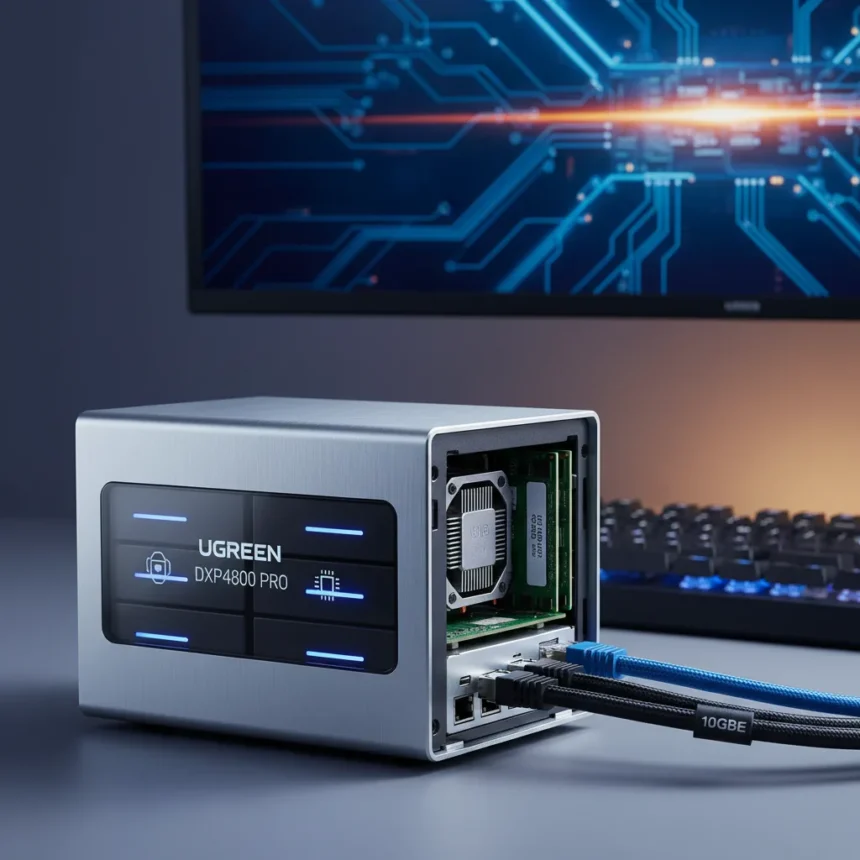
The Ugreen DXP4800 Pro NAS is a 4-bay network-attached storage device powered by an Intel Core i3-1315U processor with 6 cores and 8 threads, 8GB DDR5 RAM (expandable to 64GB), and dual networking ports including a 10GbE connection. It sits between the entry-level DXP4800 vanilla model and the premium DXP480T Plus, carving out a sweet spot for users who need real horsepower without the enterprise price tag.
Key Takeaways
- Intel Core i3-1315U CPU outpaces the Plus model’s Pentium Gold 8505 for multi-threaded workloads.
- Dual LAN with 10GbE networking enables faster backups and media streaming than 2.5GbE-only competitors.
- Supports up to 96TB total storage across 4 SATA bays plus 2 M.2 NVMe slots for hybrid configurations.
- RAM upgradeable to 64GB, matching the Plus model and exceeding the vanilla DXP4800’s 16GB ceiling.
- MSRP around $600–$780 diskless; World Backup Day 2026 deals positioned it at $624.
Why the Ugreen DXP4800 Pro Matters Right Now
The Ugreen DXP4800 Pro NAS arrives at a moment when home and small-office users are tired of subscription-based cloud storage. The device runs UGOS Pro, Ugreen’s proprietary operating system, and avoids the monthly fees that plague Synology ecosystems. For World Backup Day 2026, this timing is deliberate—data safety without recurring costs is the pitch.
What makes the Pro variant interesting is not flashiness but specificity. The upgrade from the Plus model’s Pentium Gold 8505 to the Core i3-1315U is subtle on paper but significant in practice. The i3 adds two extra cores and four extra threads, which matters for concurrent operations: running backups while serving media files, or handling software compilation, or indexing large media libraries. The Pentium Gold, by contrast, maxes out at 5 cores and 6 threads—a real ceiling for multitasking.
The networking leap is equally practical. One 10GbE port and one 2.5GbE port mean you can dedicate the faster connection to backup traffic while using the slower one for routine file access. Synology’s DS423, a direct competitor, ships with dual 1GbE ports and USB 3.1 Gen 1—a significant step backward in terms of throughput and future-proofing.


Storage Capacity and Expandability Set the Ugreen DXP4800 Pro Apart
The Ugreen DXP4800 Pro NAS supports up to 96TB of total storage: 4 SATA bays for traditional hard drives or SSDs, plus 2 M.2 NVMe slots for fast caching or hybrid configurations. This flexibility is rare at this price point. You can populate the SATA bays with 12TB or 16TB drives for bulk storage, then add NVMe drives for frequently accessed files or database operations—a hybrid approach that balances speed and capacity.
RAM expandability to 64GB also sets it apart from cheaper competitors. The vanilla DXP4800 maxes out at 16GB, while the Pro and Plus models can reach 64GB. For developers running virtual machines, or users operating database servers on the NAS, this headroom is essential. The DDR5 standard is faster than the DDR4 found in older Synology models, reducing bottlenecks during intensive operations.



However, there is one notable limitation: the Ugreen DXP4800 Pro NAS lacks a PCIe slot for expansion cards. If you need GPU acceleration, advanced network adapters, or proprietary hardware integration, this device cannot provide it. That said, for the intended use cases—media streaming, software development, small-office backups—the omission is not a dealbreaker.
Ugreen DXP4800 Pro NAS vs. Competing Models
Against the Synology DS423, the Ugreen DXP4800 Pro NAS wins on processor power, RAM ceiling, and networking speed. Synology charges similar money but ships with older Intel or ARM processors and slower connectivity. Against the TerraMaster F4-424 Pro, the Ugreen offers comparable performance at better value, though both occupy the same mid-range niche.
Within the Ugreen lineup itself, the choice is clearer. The vanilla DXP4800 uses an Intel N100 quad-core processor and tops out at 16GB RAM—fine for light workloads but limiting for heavy multitasking. The Plus model adds the Pentium Gold 8505 and 64GB RAM expandability, but loses the 10GbE port. The Pro combines the best of both: the stronger i3 CPU, the 64GB RAM ceiling, and the dual LAN with 10GbE.
The Ugreen DH4300 Plus, another competitor in the lineup, uses an ARM-based SoC with non-upgradeable RAM and no M.2 slots, making it simpler but less powerful—better suited to basic file storage than to demanding workloads. The DXP480T Plus, meanwhile, packs a 10-core i5-1235U but sacrifices SATA bays for four M.2 NVMe slots, optimizing for speed over capacity. The Pro strikes a balance by offering both.



Pricing and Real-World Value
The Ugreen DXP4800 Pro NAS carries an MSRP of around $600–$780 for the diskless unit, with drives sold separately. During World Backup Day 2026 promotions, pricing dropped to $624 at Amazon. That is cheaper than comparable Synology units and offers more processing power for the money. The vanilla DXP4800 starts around $468–$500, making the Pro’s extra $100–$280 investment a question of use case: if you need the 10GbE and extra CPU cores, the Pro pays for itself in time saved on backups and file operations.
One practical note: the device ships diskless, meaning you choose and install your own drives. This approach reduces cost but requires users to source SATA drives or NVMe modules separately. For buyers comfortable with hardware assembly, it is a win. For those seeking a plug-and-play solution, it adds friction.
Who Should Buy the Ugreen DXP4800 Pro NAS?
The Ugreen DXP4800 Pro NAS suits software developers needing a local build server and backup destination, small offices running media libraries or databases, and home users who want serious storage without subscription costs. The dual LAN and strong CPU handle concurrent workloads. The 96TB capacity accommodates growing libraries. The UGOS Pro operating system is straightforward, though less mature than Synology’s DSM.
Skip this device if you need PCIe expandability, prefer a graphical interface over command-line tools, or want the ecosystem depth of Synology or QNAP. Also skip it if your storage needs are modest—a two-bay NAS or external drives may serve you better.
Is the Ugreen DXP4800 Pro worth the upgrade from the Plus?
Yes, if you use the device for concurrent workloads or media streaming. The Core i3 CPU and 10GbE port justify the extra cost. If you run only light backups or file sharing, the Plus model suffices and saves money.
Can you expand the RAM in the Ugreen DXP4800 Pro?
Yes. The Ugreen DXP4800 Pro NAS ships with 8GB DDR5 RAM but supports upgrades up to 64GB, allowing you to add memory sticks yourself without voiding warranty (confirm with Ugreen support first).
Does the Ugreen DXP4800 Pro NAS require a subscription?
No. UGOS Pro runs locally on the device and does not charge monthly fees, unlike Synology’s ecosystem, which often requires paid licenses for advanced features.
The Ugreen DXP4800 Pro NAS is not a flashy device, but it is a smart one. It takes the proven DXP4800 formula and adds the upgrades that matter: a faster CPU, better networking, and room to grow. For users tired of cloud subscriptions and ready to own their storage, this is one of the few platforms at this price that delivers genuine power without compromise.
Where to Buy
$679.99 at Amazon | $679.99 at Amazon | $679.99 at Amazon.com | £585.99 at Amazon.co.uk | $640
Edited by the All Things Geek team.
Source: TechRadar