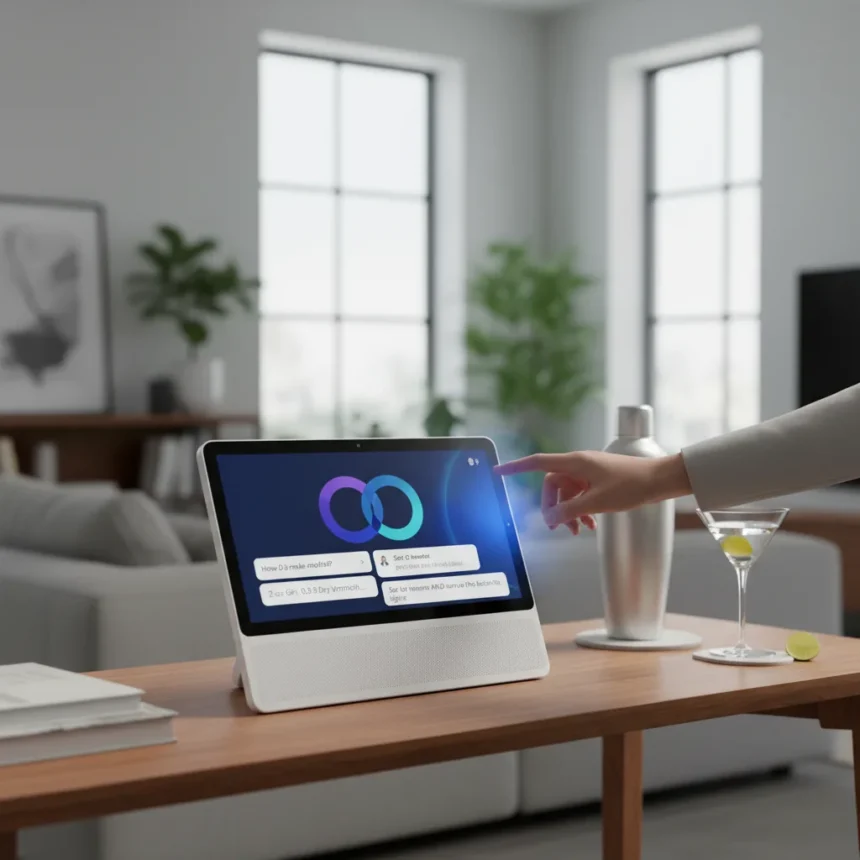
Gemini on Google Home just got significantly faster for everyday voice tasks, according to Google’s April 28, 2026 update. The overhaul speeds up configuration for features like Activity Zones and familiar face detection, handles multi-step commands without duplicates, and most importantly, answers questions directly on your speaker or display instead of pushing you to open the Home app. You can now ask for cocktail recipes, calendar details, or appliance adjustments and get answers instantly.
Key Takeaways
- Gemini on Google Home is now faster for Activity Zones, face detection, and multi-step voice commands
- Direct answers for common questions like cocktail recipes eliminate app redirects
- Enhanced calendar handling fixes AM/PM mix-ups and recurring event queries
- Expressive Lighting interprets descriptive color requests like “ocean blue” or “moon glow”
- Google Home Premium advanced plan required for Live Search camera feeds and AI descriptions
What’s Actually Faster in Gemini on Google Home
The April 2026 update targets the friction points that made Google Home feel clunky. Gemini on Google Home now processes multi-step voice commands more reliably—add items to your shopping list while updating your calendar in a single request, and the system identifies duplicate list names so you don’t end up with three “Groceries” lists. Calendar improvements fix recurring events, all-day event handling, and those infuriating AM/PM mix-ups that plagued the old Assistant.
Activity Zones for Nest Cams and familiar face detection initialize faster, which matters when you’re trying to quickly check your home security from across the room. The speed bump comes from deeper smart home personalization—Gemini now taps into user-saved info from “Ask Home” (like “our nanny’s name is Alice”) to answer camera history questions directly. Ask “Did the nanny arrive?” and it searches for the tagged face without you having to open the app.
Direct Answers Without the App Redirect
One of the most annoying habits of Google Assistant was the constant redirect: ask it something and it would say “I’ll show you in the Home app.” Gemini on Google Home breaks that pattern. Cocktail recipes, weather details, calendar reminders, and automation queries now return answers directly on your speaker or display. This is a small change that makes a huge difference for hands-free use—you don’t have to walk over to your phone to get a simple answer.


The system also handles more complex queries. Expressive Lighting lets you describe colors naturally: “set the lights to the color of the ocean” or “glow of the moon,” and Gemini interprets those instructions into exact hues. Precision Appliance Controls work similarly—say “set humidity to 55%” or “preheat the smart oven to 350°” and it executes the command without asking for clarification.
How to Get Gemini on Google Home Right Now
Gemini on Google Home is rolling out in the US as of 2026, but access depends on early access programs and your account status. To opt in, open the Google Home app, tap your profile picture, navigate to Home settings, and select Early access. Express your interest in the Gemini for Home voice assistant preview. You’ll receive a notification when you’re eligible to switch.



The update requires the latest Google Home app version. Once you’re approved, you can say “Ok Google, let’s chat” to start using Gemini Live if you have a Google Home Premium subscription. This feature lets you have freeform conversations on any topic, moving beyond the traditional command-response model of the old Assistant.
Premium Features You’ll Want to Know About
Some of Gemini on Google Home’s best features sit behind Google Home Premium, which starts at $10 per month. The advanced plan unlocks Live Search, which shows real-time camera streams from your Nest Cams and Doorbell—previously you could only search past events. Premium also enables AI descriptions for security footage, so instead of a generic motion alert, you get “Sergei walking with a dog.”
Home Brief, a daily recap of your home activity, also requires Premium. If you want to test the service before committing, Google offers a 30-day trial for Premium on compatible devices like the Nest Hub, Home Mini, speakers, displays, Google TV Streamer, and wired second-generation Nest Doorbells with 2K video. The trial is region and account-dependent, so eligibility varies.
How Gemini on Google Home Compares to the Old Assistant
Gemini on Google Home replaces the legacy Google Assistant entirely on compatible devices. The difference is noticeable. The old Assistant was slower to respond, more likely to redirect you to the app, and struggled with multi-step requests. Gemini handles conversational queries better, understands context from your saved home info, and stays on your speaker instead of pushing you away. It’s a genuine upgrade for anyone who uses voice commands daily, though the Premium tier’s camera features and Gemini Live conversations add real value for subscribers willing to pay.



Is Gemini on Google Home available outside the US?
The April 2026 rollout is expanding in the US first, with region and account-dependent availability. Google has not announced a specific timeline for international expansion. Early access notifications will tell you when the feature reaches your region.
Does Gemini on Google Home work with all smart home devices?
Gemini on Google Home works best with Google’s ecosystem: Nest Cams, Nest Doorbells, Nest speakers, Nest displays, and Google TV Streamer. Compatibility with third-party devices depends on whether they integrate with Google Home. Check the app to see which of your devices support Gemini commands.
What’s the real advantage of Gemini Live on Google Home Premium?
Gemini Live lets you have back-and-forth conversations on any topic, not just smart home control. Say “Ok Google, let’s chat” and you can discuss recipes, ask for advice, or brainstorm ideas without the rigid command-response format. It’s the closest thing to talking to an actual assistant rather than a voice-activated search engine.
The April 2026 update to Gemini on Google Home solves real problems that frustrated daily users: slow responses, app redirects, and clunky multi-step commands. If you rely on voice control at home, early access is worth requesting. The direct answers and faster execution make a tangible difference in how useful your smart home actually feels.
Edited by the All Things Geek team.
Source: TechRadar